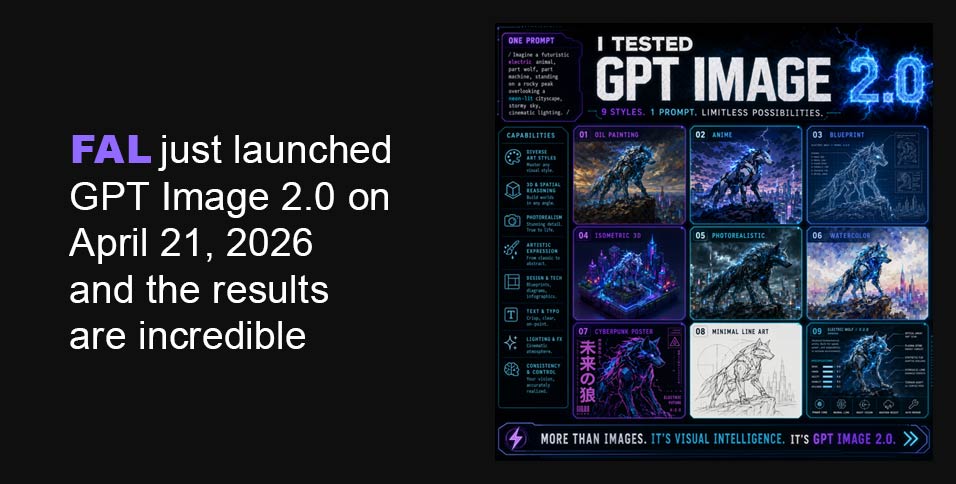
I started with something that every image model fails at: text inside images.
I prompted it:
“A street market stall with a hand-painted wooden sign that reads FRESH MANGOES $2.50 — bright afternoon light, realistic photo”
Every model I have ever used garbles this. DALL-E 3 would give me something close. Midjourney just gives up and renders cursive nonsense. GPT Image 1.5 would get maybe 70% of the letters right.
GPT Image 2.0 got every single character. The sign looked like it was actually painted on wood. The dollar sign was correct. The decimal was in the right place.
I ran 11 more text-in-image prompts back to back. It got 10 of them perfect. The one it missed had an unusually long string of numbers. That is a nearly unbelievable hit rate for this category.
The edit endpoint is just as good
There is also an editing endpoint that takes an existing image and a prompt and rewrites parts of it. I fed it an old product photo and asked it to:
“Replace the background with a clean white studio backdrop, keep the product identical”
It did exactly that. The product shadows were even regenerated to match the new environment. No weird edge artifacts. No clipping. The product did not warp or color-shift at all.
I then pushed harder:
“Change the label on the bottle to say LIMITED EDITION in bold red text”
The text appeared, it was legible, and it was red. On a real bottle. In a realistic photo. I had to look at it twice.
The edit endpoint also supports streaming, which means you can start showing users a result while it is still generating. For any interactive tool this is a big deal.
Pricing
OpenAI is positioning this as a tiered quality model: low, medium, and high. Based on what I have seen, low and medium are going to be cheap enough for high-volume use. High quality costs more but the output justifies it for anything customer-facing. The API also accepts an optional field to route requests through an existing OpenAI account, which suggests they are building in enterprise-grade account management from day one.
Text tokens (per 1M): $5.00 input, $1.25 cached, $10.00 output. Image tokens (per 1M): $8.00 input, $2.00 cached, $30.00 output.
| Size | Low | Medium | High |
| 1024 x 768 | $0.01 | $0.04 | $0.15 |
| 1024 x 1024 | $0.01 | $0.06 | $0.22 |
| 1024 x 1536 | $0.01 | $0.05 | $0.17 |
| 1920 x 1080 | $0.01 | $0.04 | $0.16 |
| 2560 x 1440 | $0.01 | $0.06 | $0.23 |
| 3840 x 2160 | $0.02 | $0.11 | $0.41 |
fal GPT Image 2 API access
Text To Image Endpoint
import { fal } from “@fal-ai/client”;
const result = await fal.subscribe(“openai/gpt-image-2”, {
input: {
prompt: “A product shot of a sleek black water bottle on a clean white studio backdrop, professional lighting”,
image_size: “square_hd”,
quality: “high”,
output_format: “png”,
num_images: 1,
},
logs: true,
onQueueUpdate: (update) => {
if (update.status === “IN_PROGRESS”) {
update.logs.map((log) => log.message).forEach(console.log);
}
},
});
console.log(result.data.images[0].url);
The edit endpoint call looks like this:
import { fal } from “@fal-ai/client”;
const result = await fal.subscribe(“openai/gpt-image-2/edit”, {
input: {
prompt: “Replace the background with a clean white studio backdrop, keep the product identical”,
image_urls: [“https://your-image-url.com/photo.png”],
image_size: “auto”,
quality: “high”,
output_format: “png”,
},
logs: true,
onQueueUpdate: (update) => {
if (update.status === “IN_PROGRESS”) {
update.logs.map((log) => log.message).forEach(console.log);
}
},
});
console.log(result.data.images[0].url);
The image_size: “auto” default is smart here. It infers dimensions from the input image so you are not accidentally cropping or rescaling something you want to preserve exactly.
The edit endpoint also supports streaming, which means you can start showing users a result while it is still generating:
import { fal } from “@fal-ai/client”;
const stream = await fal.stream(“openai/gpt-image-2/edit”, {
input: {
prompt: “Change the lighting to golden hour”,
image_urls: [“https://your-image-url.com/photo.png”],
},
});
for await (const event of stream) {
console.log(event);
}
const result = await stream.done();
For any interactive tool this is a big deal.
Mask support for surgical edits
If you need to constrain exactly which part of the image gets changed, pass a mask_image_url. White regions in the mask get edited, black regions are preserved exactly:
javascript
const result = await fal.subscribe(“openai/gpt-image-2/edit”, {
input: {
prompt: “Replace the sky with a dramatic storm”,
image_urls: [“https://your-image-url.com/photo.png”],
mask_image_url: “https://your-image-url.com/sky-mask.png”,
quality: “high”,
},
});
I used this to swap a product background without touching the product at all. Pixel-perfect preservation outside the mask.
Uploading your own image
If your input images are not publicly accessible, upload them first and use the returned URL:
javascript
import { fal } from “@fal-ai/client”;
const file = new File([imageBuffer], “photo.png”, { type: “image/png” });
const url = await fal.storage.upload(file);
// Use url as image_urls[0] or mask_image_url
Things I noticed that nobody is talking about
The color accuracy is different. GPT Image 1.5 had a warm cast on most outputs, a slightly orange-yellow tint that became recognizable once you knew to look for it. GPT Image 2.0 does not have this. Colors are neutral and accurate. If you prompt a gray concrete wall you get gray concrete, not slightly beige concrete.
Complex scenes stopped breaking. I prompted several images with 5 or more distinct objects at specific positions and they all came out correctly arranged. Previous models would shuffle objects or overlap things that were supposed to be separate. GPT Image 2.0 just handled it.
It understands scale and perspective. I asked for a bird’s eye view of a city block and got an actual bird’s eye view with correct foreshortening. I asked for a macro shot of a coffee bean and the depth of field was appropriate. It is reading context from the prompt rather than just applying a generic aesthetic.
CJK text works. I tested Japanese kanji in a scene and the characters were accurate glyphs, not AI hallucination blobs that look vaguely like Chinese writing. For anyone building for Asian markets this is significant.
How it compares
I ran identical prompts through Midjourney and Nano Banana Pro alongside GPT Image 2.0.
Midjourney still wins on pure artistic style. If you are making something for a gallery or a mood board and you want it to look cinematic and composed, Midjourney has an aesthetic that GPT Image 2.0 does not fully match yet.
Nano Banana Pro is very good and held up better than I expected. On photorealism it is genuinely competitive. On text rendering it is not even close. GPT Image 2.0 is a different league there.
For anything production-facing, marketing, product shots, UI mockups, content with text in it, anything where accuracy matters more than vibe, GPT Image 2.0 is the one you want.
Who should be paying attention
If you are building a product that uses AI image generation, you should be watching this closely. When it goes public the API will be simple to drop in and the output quality justifies replacing whatever you are currently using for most use cases.
If you are in marketing or design and you use AI tools, the editing capability alone is worth your time. Being able to describe a change to an existing image in plain English and get a clean output back is genuinely useful for real workflows.
If you are a developer who dismissed AI image generation as a novelty, the text rendering quality alone should reopen that conversation. There are a lot of applications that were not viable when text in images was unreliable. Some of them are viable now.
The bottom line
GPT Image 2.0 is real, it is in testing, and it is very good. The quality is real. The speed is real. The pricing structure looks reasonable. I do not know the exact launch date. What I do know is that when it drops, it is going to move fast.