Staring at a blank prompt box is one of the most common blockers in AI image creation — you know roughly what you want, but turning that into wording the AI understands takes trial and error. Nano Banana Pro is built to remove that friction, and Pixomi AI’s Banana Image Generation Prompts feature gives creators a library of ready-made, tested prompts to start from instead of writing one from scratch. This guide covers what the feature actually offers, how it fits into the platform, and how to put it to use.
What Is Banana Image Generation Prompts?
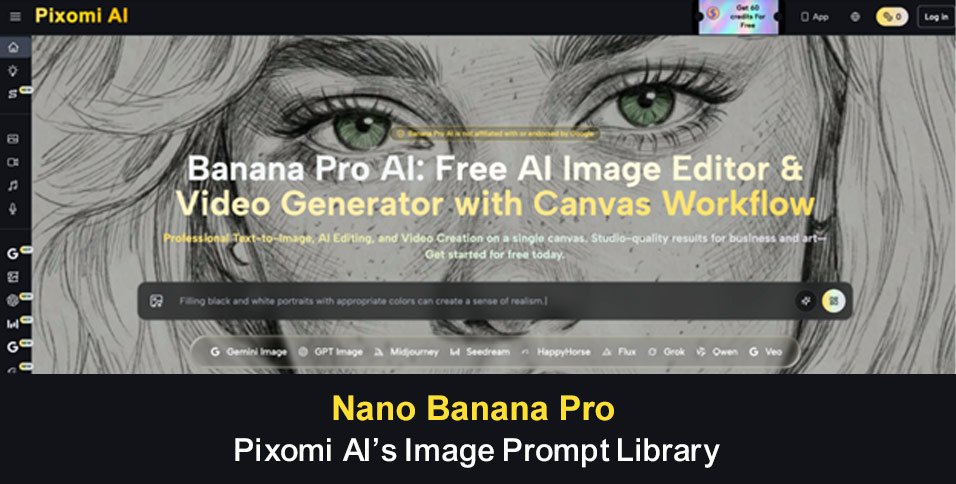
This feature is a searchable library of curated prompts for AI image generation, each shown alongside the actual image it produced. Instead of guessing at wording, you can browse examples across different styles and categories, see the result before committing to it, and either generate directly or copy the prompt for use elsewhere.
For creators who don’t have a background in prompt writing, this removes a lot of the guesswork. For more experienced users, it offers a fast way to explore new styles or techniques without starting each idea from a blank page.
Traditional Challenges of Writing Prompts
Writing effective AI image prompts from scratch tends to come with a few recurring frustrations:
- Uncertainty about how much detail or structure a prompt actually needs
- Trial-and-error cycles that burn generation credits before landing on a good result
- No way to preview what a prompt will look like before using it
- Difficulty keeping wording consistent across different AI image tools
- Time lost researching prompt-writing techniques from scattered sources
These frictions are a common reason creators turn to curated prompt resources. Seeing an example image tied to its exact prompt removes much of the guesswork, and having a library organized by style or category makes it faster to find a starting point that fits a specific idea.
How Pixomi AI Handles Prompt Generation
Curated Prompt Library with Real Previews
The library pairs each prompt with the actual image it generated, so you can judge the style and quality before using anything. Prompts are organized by category and updated regularly, giving a wide range of starting points across different visual styles.
One-Click Generation
Selecting a prompt lets you jump straight into generation on the platform with that prompt already in place, skipping the step of typing or adjusting wording manually. Prompts can also be copied as plain text for use in other AI image tools.
AI-Powered Prompt Generator
For ideas that aren’t already covered by the library, a built-in generator turns a plain-language description into a more detailed, structured prompt. This is useful when you have a specific idea in mind that doesn’t match an existing example.
Output & Usage – Ready for Real Content
Prompts from the library are designed to work across common AI image tools, and results generated on the platform are suited to a range of uses, from social content to marketing visuals and web graphics. As with other tools on the platform, usage terms generally follow your plan, so it’s worth checking the specifics before using generated images commercially.
How to Use It
Step 1 – Prepare Input
Start by thinking about the style or subject you’re after — a particular photography look, an illustration style, or a specific mood. If you already have a rough idea in mind, jot it down in plain language so it’s easy to compare against what’s in the library.
Step 2 – Configure Settings
Browse or filter the library by style, category, or popularity to find a prompt that matches your idea, or use the prompt generator if nothing quite fits. This is where reviewing a few different Nano Banana Pro AI image prompts helps you settle on the right direction before generating.
Step 3 – Generate & Export
Once you’ve picked a prompt, generate the image directly on the platform, or copy the prompt for use in another tool. Preview the result, adjust or try a different prompt if needed, and download the finished image for use in your project according to your plan’s terms.
Use Cases for Content Creators
- Digital Artists — Browse the library for style inspiration and starting points instead of experimenting from a blank prompt.
- Social Media Managers — Pull proven prompts to keep a content calendar filled with consistent, on-brand visuals.
- Marketing Teams — Test different visual directions quickly using prompts built for product and campaign imagery.
- AI Art Hobbyists — Study a range of example prompts to learn prompt-writing techniques while experimenting with new styles.
FAQ
How does the prompt library workflow actually work?
You browse or search the library, review the real image tied to each prompt, and then either generate directly on the platform or copy the prompt text to use elsewhere. The AI-powered generator is also available if you want a custom prompt built from your own description.
Can I use the generated images commercially?
Usage rights generally depend on your plan tier, similar to other tools on the platform. It’s worth reviewing your specific plan’s terms before using any generated image in commercial or client work.
Do the prompts only work on this platform?
No. While selecting a prompt allows for instant generation on Pixomi AI, every prompt can also be copied as plain text and used in other AI image tools, since the library is built with broadly compatible wording.
Conclusion
Banana Image Generation Prompts addresses a common early hurdle in AI image creation: knowing what to type in the first place. By pairing a large, example-based library with an AI-assisted prompt generator, it gives creators a faster, more predictable path from idea to finished image.
If writing prompts from scratch has been slowing you down, it’s worth browsing Pixomi AI’s prompt library to see how much time a good starting point can save.