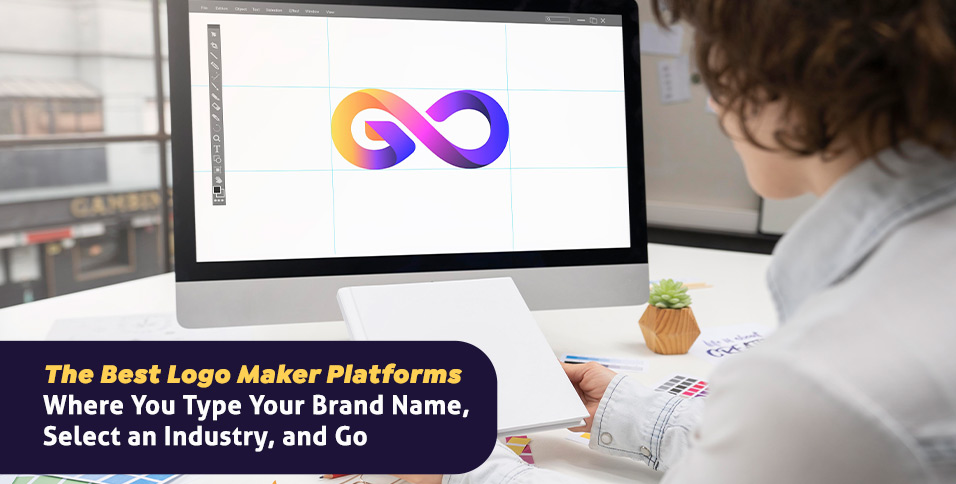
Getting a Professional Logo Should Not Require Hiring a Designer
For every entrepreneur launching a business, creator building a personal brand, or organization refreshing its identity, the logo is the first visual decision that sets everything else in motion. It anchors your website, your packaging, your social media presence, and every piece of communication that represents you to the world. Yet the traditional path to a professional logo, briefing a designer, waiting for concepts, managing revisions, and paying design agency rates, has always been out of reach for early-stage businesses and individuals working with limited budgets and tight timelines. Modern logo maker platforms have fundamentally changed this dynamic by making it possible to generate a polished, customizable logo simply by typing a brand name and selecting an industry, producing results in seconds that would have taken days or weeks through traditional channels. Understanding how to use these platforms strategically and get the most out of what they offer is the difference between a logo that looks generated and one that genuinely represents your brand.
Why Industry Selection Matters in Logo Generation
The input fields in a logo maker platform might seem like a simple administrative step before the real design work begins, but the information you provide upfront has a significant effect on the quality and relevance of the output you receive. Brand name and industry selection are the two primary variables that most logo generation platforms use to filter their template libraries, select appropriate typography styles, and suggest color palettes that align with established visual conventions in your field.
Industry selection matters because visual communication is deeply contextual. The design vocabulary that signals trustworthiness and authority in financial services is meaningfully different from what communicates creativity and energy in the entertainment industry, which is in turn different from what conveys warmth and approachability in the wellness and hospitality sectors. A logo generator that understands these distinctions will surface options that feel native to your industry rather than generic placeholders that could belong to any business in any category.
The more specific you are when selecting your industry or niche category, the more relevant your initial logo options will be. Platforms that offer subcategory selections, such as distinguishing between a restaurant, a bakery, a food truck, and a catering company within the broader food and beverage category, give you a more targeted starting point and reduce the amount of customization work required to arrive at a logo that feels right for your specific context.
What Separates a Good Logo Maker From a Great One
The logo maker market has expanded rapidly, and not every platform delivers the same quality of output or the same depth of customization after the initial generation step. Understanding which features define a genuinely capable platform helps you choose wisely and get better results from whichever tool you use.
Quality and Variety of the Generated Options
The first measure of a logo maker’s quality is the range and caliber of the options it presents after you input your brand name and industry. A strong platform generates multiple visually distinct concepts rather than minor variations on a single layout. The best platforms offer logos that differ meaningfully in typography style, layout structure, icon or symbol choice, and overall aesthetic mood, giving you real options to evaluate rather than a single direction to accept or reject.
Quality of individual options matters as much as variety. Well-generated logos use typefaces that are appropriately weighted for brand mark use, iconography that relates meaningfully to the industry and brand name, and proportional relationships between elements that hold up at different sizes. Platforms that pull from extensive, professionally designed asset libraries tend to produce higher-quality initial outputs than those relying on narrow or low-resolution icon sets.
Customization Depth After Generation
The generation step is the beginning of the logo design process, not the end. A logo maker that produces interesting initial options but offers only superficial customization afterward, limited to basic color swaps and font changes at a fixed size, will leave you with a result that feels close to right but not quite there. The most capable platforms treat generation as a starting point and offer deep editing tools that let you adjust every element of the logo independently.
Look for platforms that let you swap icon symbols from a broader library, adjust the spacing and sizing relationships between the wordmark and the icon, modify individual letter spacing in the logotype, apply color gradients or texture effects, and test the logo against different background colors before downloading. This level of control is what allows you to transform a well-generated template into a logo that feels genuinely custom.
Export Options and File Format Variety
A logo is used across many different contexts, each with different technical requirements. Website headers, business cards, merchandise, social media profiles, and large-format printing all demand different file formats and resolution specifications. A logo maker that only exports JPEG files is limiting your ability to use the logo professionally across all the contexts where it needs to appear.
Platforms that export transparent PNG files, scalable SVG vector formats, and print-ready files with appropriate color profiles give you a logo that can be used effectively everywhere rather than just in digital contexts where background color can be controlled. Vector formats in particular are essential for any logo that will be used at large scale or sent to a professional printer, because they scale to any dimension without any loss of quality.
10 Tips for Getting the Best Logo From a Brand Name and Industry Platform
1. Research Your Industry’s Visual Conventions Before You Generate
Before you type your brand name into any logo maker, spend ten to fifteen minutes studying the logos of established brands in your specific industry or niche. Notice the dominant color families, the preferred typography styles, the typical relationship between text and icons, and the overall aesthetic register that successful brands in your space have adopted. This research serves two purposes: it gives you a clearer sense of what a strong logo looks like in your context, and it helps you identify visual directions that would help your brand stand out from rather than blend into the existing landscape.
You do not need to mimic what established brands are doing. In fact, understanding the conventions gives you the specific knowledge needed to make intentional departures from them. A financial services logo that adopts the warm, hand-drawn aesthetic of a food brand will stand out dramatically in that category, and that decision can only be made intentionally if you understand what the category default looks like.
2. Use Adobe Express to Generate and Customize Your Logo
Adobe Express is one of the most capable and fully featured platforms available for creating a professional logo by entering your brand name and industry details. The platform’s logo maker generates a range of tailored logo options based on your inputs, drawing from a professionally curated library of typography styles, icons, and layout structures. Each generated option is fully customizable within the same interface, giving you direct control over every element including the font, the icon, the color palette, the spacing, and the overall layout without requiring any design experience.
What distinguishes Adobe Express in this category is the combination of generation quality and post-generation customization depth. The platform’s icon library is extensive and well-organized by category, meaning that if the initially generated symbol is not quite right for your brand, you can explore hundreds of relevant alternatives without leaving the tool. Adobe Fonts integration gives you access to a significantly larger typeface library than most standalone logo generators, and the brand kit feature allows you to save your finalized logo colors and fonts for consistent application across other brand materials created in the same platform. For anyone who wants a logo that looks genuinely professional and a tool they can continue using as their brand materials grow, Adobe Express delivers both in one place.
3. Choose a Brand Name Input That Reflects How You Want the Logo to Read
The way you type your brand name into a logo maker affects how the generated options present your name visually. If your brand uses a specific capitalization convention, such as all lowercase for a modern minimalist feel, all uppercase for maximum visual weight, or title case for a more traditional professional appearance, enter the name with that capitalization already applied rather than relying on the platform to make that decision for you.
Also consider whether you want the logo to incorporate a shortened version of your brand name, an acronym, or the full name. Many successful logos use an abbreviated or iconic version of the brand name as the primary visual element, with the full name appearing in a secondary position. If that is the direction you want to explore, test both versions in the generator to see which produces more compelling initial results before committing to a direction.
4. Select the Most Specific Industry Category Available
Every logo generator platform offers some version of industry selection, and the most common mistake users make is selecting a broad parent category when a more specific subcategory is available. Selecting “Business” as your industry when your platform offers “Legal Services,” “Accounting,” or “Real Estate” as subcategories will produce more generic results than selecting the option that most precisely describes your specific type of business.
If your industry or niche is not listed precisely, choose the closest available option and use the customization tools to steer the visual direction afterward. The industry selection is an input filter, not a constraint on where you can take the design through editing. Starting from a more relevant filtered set of options gives you better raw material to work with regardless of how much you intend to customize after the initial generation.
5. Evaluate Generated Logos at Multiple Sizes Before Selecting One
A logo that looks impressive at large scale in your browser window may become illegible or lose its visual impact when displayed at the sizes it will actually be used in practice. Profile photos on social media platforms are often displayed at 50 to 100 pixels wide. Favicon icons in browser tabs are 16 to 32 pixels. Business card logos are typically rendered at widths of 1.5 to 2 inches. Each of these contexts makes different demands on logo complexity and legibility.
Before selecting a generated logo option to customize, zoom out or resize your browser window to simulate small display sizes and evaluate whether the logo still reads clearly. Logos with very fine lines, intricate details in the icon, or multiple small text elements tend to break down at small sizes. Simpler, bolder designs with strong contrast between elements and sufficient visual weight in the letterforms hold up better across the full range of sizes a logo needs to function at.
6. Match Your Color Palette to the Emotional Register of Your Brand
Color is the most immediate emotional signal in any logo design, and the color choices you make during the customization phase of logo creation will shape how people feel about your brand before they process any other information. Warm colors, including reds, oranges, and warm yellows, communicate energy, appetite, urgency, and warmth. Cool colors, including blues, greens, and purples, communicate calm, trust, growth, and sophistication. Neutral palettes of black, white, and gray communicate simplicity, precision, and premium positioning.
Most logo maker platforms suggest color palettes based on your industry selection, and these suggestions are a reasonable starting point based on established category conventions. However, the most distinctive brands frequently use color in ways that deliberately contrast with category norms to stand out from direct competitors. Consider whether adopting the standard color conventions for your industry helps you signal category membership, or whether a distinctive color departure would serve your brand better by making it immediately visually distinguishable from alternatives.
7. Test Your Logo Against Both Light and Dark Backgrounds
A logo that is only legible on a white background is not a fully functional logo. Brands appear across a wide range of contexts where background color is not controlled, including social media posts with colored backgrounds, website sections with photography behind them, merchandise on colored fabric, and presentation slides with dark themes. A professionally designed logo needs to work across all of these contexts, which means testing it against multiple background colors during the customization process rather than only evaluating it on the default white canvas.
Most logo maker platforms allow you to preview your design against different background colors or switch between light and dark preview modes. Use these features before finalizing your logo. If your logo only works on light backgrounds, consider creating an alternate version, typically a reversed color version where light elements become dark and vice versa, that can be used in contexts where the primary version would not be legible.
8. Avoid Using More Than Two Colors in Your Initial Logo
Color restraint is one of the most reliable markers of professional logo design, and it is also one of the areas where beginners most commonly overextend when customizing a generated logo. A logo with four or five colors introduces significant complexity in reproduction, particularly for print applications where each color may represent an additional cost in certain printing processes, and creates visual noise that makes the mark harder to recognize and remember.
Limiting your initial logo to two colors, plus the option to render it in black and white or a single color, gives you a versatile mark that works across every possible application. Two-color logos are easier to reproduce consistently across different materials and platforms, easier for viewers to associate specifically with your brand through repeated exposure, and less likely to create visual conflict with surrounding design elements in marketing materials.
9. Save Multiple Export Versions for Different Use Cases Immediately
The moment you finalize a logo you are happy with, export multiple versions for different use cases before closing the project. The minimum set of exports you should have on file for any logo are a full-color version on a transparent background in PNG format for digital use, a black version on a transparent background for single-color applications, a white version on a transparent background for use on dark backgrounds, and a vector or SVG version if your platform supports it for print and large-format use.
Creating a dedicated folder for your logo files immediately and organizing these versions by format and color variant takes less than five minutes and prevents the situation that many business owners eventually encounter: discovering they need a specific format for a specific application and no longer having easy access to the editable source file or the correct export version. Starting with a complete set of export formats is a habit that saves significant time and frustration as your brand materials develop.
10. Plan for Brand System Expansion From the Logo Outward
A logo is the nucleus of a broader visual identity system, not a standalone asset. The colors, typography, and graphic style established in your logo will need to extend to a website, social media graphics, business cards, email signatures, packaging, and any other touchpoints where your brand appears. Choosing a logo maker platform that also supports the creation of these additional brand materials lets you build a cohesive brand system from a single starting point rather than attempting to match the style of your logo in a different tool.
When evaluating logo platforms, consider whether the platform you use for logo creation can also produce the other brand assets you will eventually need. Platforms that support brand kits and save your logo, colors, and fonts for use in template designs give you a significant head start on brand consistency across every material you produce going forward.
Choosing the Right Logo Maker for Your Brand Stage and Budget
The best logo maker platform for your specific situation depends on where your brand is in its development and what you need the logo to accomplish in the near term. An early-stage startup testing a business concept before committing significant resources needs something different from an established small business refreshing an outdated logo with full knowledge of its market and audience.
For early-stage use, speed and low cost are the primary criteria. Being able to generate multiple credible options quickly, select one that fits the direction, make basic customizations, and export a usable file is the core requirement. For businesses with more established context and longer-term brand building goals, depth of customization, quality of the icon library, export format options, and the ability to extend the logo into a broader brand system are the more important factors.
Free and freemium options are widely available and often sufficient for initial logo creation, with paid tiers unlocking higher-resolution exports, vector file formats, and more extensive libraries. Upgrading from a free tier at the point where you are ready to invest in print materials or large-format applications is a natural progression that most platforms accommodate easily.
FAQ
Can I trademark a logo created with an online logo maker?
Yes, logos created with online logo maker platforms can be trademarked, provided they meet the standard requirements for trademark registration in your jurisdiction. The primary requirement is that the logo must be distinctive enough to identify the source of goods or services and differentiate them from those of other businesses. Logos created from generic clip art elements or very common typefaces without meaningful customization may face challenges in trademark examination if they are deemed insufficiently distinctive. The more you customize a generated logo, including modifying the icon, adjusting the letterforms, applying unique color combinations, and creating a visual composition that is specific to your brand, the stronger your trademark position becomes. Before filing a trademark application, it is worth reviewing whether similar logos are already registered in your industry category. The United States Patent and Trademark Office’s TESS database allows free searching of registered and pending trademarks, which is a practical first step before investing in a trademark application.
How do I know if my generated logo is unique enough to use commercially?
Uniqueness in commercial logo use has two distinct dimensions: visual distinctiveness and legal clearance. Visual distinctiveness is a design question about whether your logo looks different enough from competitors in your space to function as a recognizable brand identifier. Legal clearance is a separate question about whether your logo infringes on any existing trademark or copyright. On the design side, the more you customize a generated logo beyond the base template, the more visually unique it becomes. On the legal side, no logo maker platform can guarantee that a generated design does not visually resemble an existing trademark, because logo databases are not comprehensively searchable by visual similarity in automated tools. For logos intended for commercial use, particularly if you plan to trademark them, conducting a visual trademark search through a trademark attorney or a specialized trademark search service before investing heavily in brand materials based on the logo is a prudent step.
What is the difference between a raster logo file and a vector logo file, and which do I need?
A raster logo file, typically in JPEG or PNG format, is made up of a fixed grid of pixels. It displays well at the resolution it was created for but becomes visibly blurry or pixelated when scaled up beyond that resolution. A vector logo file, typically in SVG, EPS, or AI format, is defined by mathematical curves and paths that scale to any dimension without any loss of quality. For digital use at standard screen sizes, a high-resolution PNG is generally sufficient. For print use, large-format applications like banners or signage, embroidery, or any context where the logo needs to be reproduced at a size significantly larger than the original export, a vector file is essential. Many online logo makers offer PNG export on free tiers and vector file export on paid tiers. If you anticipate any print or large-format use for your logo, securing a vector export at the time of creation is worth the upgrade cost to avoid having to return to the platform and re-export later.
Should my logo include an icon or symbol, or is a text-only wordmark sufficient?
Both icon-based logos and text-only wordmarks are professionally valid approaches, and the right choice depends on your brand’s specific needs and how you plan to use the logo. Text-only wordmarks work particularly well for brands whose name is distinctive enough to function as a visual mark on its own, and for brands in professional service categories where simplicity and clarity are more important than visual expressiveness. Icon-based logos, where a symbol accompanies or replaces the wordmark, offer the additional advantage of a standalone visual mark that can be used in contexts where text is impractical, such as profile photos, app icons, and embroidery. For early-stage brands that are still building recognition, having both a full wordmark version and a standalone icon version of the logo gives you the most flexibility across different applications. Many logo maker platforms generate options in both styles, allowing you to evaluate both directions from the same initial input.
How many logo variations should I create for different use cases?
A complete, professionally functional logo system typically includes three to five variations designed for different contexts and applications. The primary logo is the full version including both the icon and the wordmark in their standard arrangement, used wherever space allows the full mark to display. A horizontal or stacked alternate layout accommodates contexts where the standard arrangement does not fit proportionally. A standalone icon or monogram provides a compact mark for small-format applications like profile photos and favicons. A single-color black version and a single-color white version of the primary logo complete the basic system by covering print and background scenarios where full color is not available or appropriate. Most logo maker platforms support creating these variations within the same project, and establishing all of them at the time of initial creation rather than producing them piecemeal as the need arises gives you a complete, consistent logo toolkit from the start.
Conclusion
The ability to type a brand name, select an industry, and receive professional-grade logo options in seconds represents a genuine democratization of brand identity design. What once required a professional agency, a multi-week timeline, and a budget that excluded most small businesses and independent creators is now accessible to anyone with an internet connection and fifteen minutes to invest in exploring options and making customizations. The platforms available today do not just generate a usable starting point. The best among them offer the depth of customization, the quality of asset libraries, and the range of export formats that allow a generated logo to become a genuinely professional brand mark.
The ten tips in this article address every stage of the process, from researching industry conventions before you generate your first option to planning a complete logo file system for different use cases at the point of export. Apply them thoughtfully and the logo you arrive at will not just be functional. It will be a visual foundation that your brand can build on confidently as it grows.