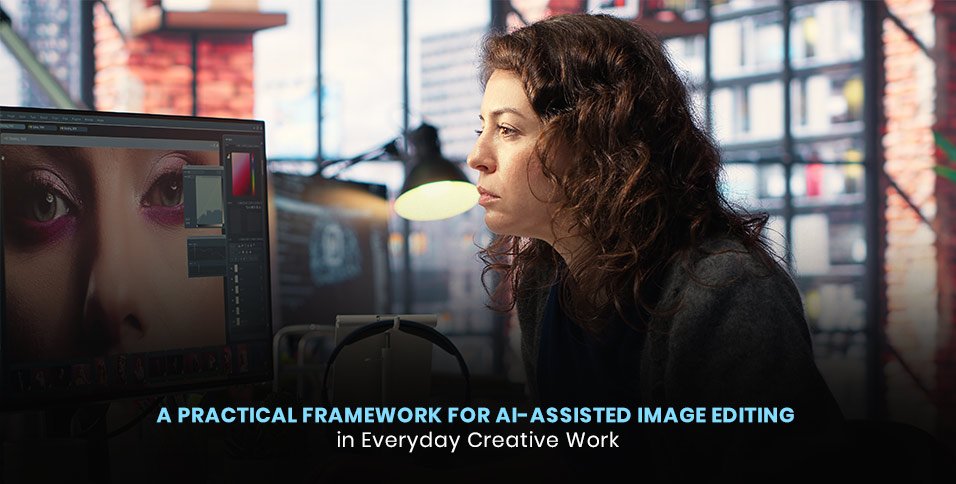
Image editing has become part of nearly every modern creative workflow. A marketing team may need clean product visuals, a small business may prepare photographs for a website, and a designer may adapt the same source image for several channels. The challenge is rarely a shortage of editing options. It is deciding what to change, preserving the intent of the original image, and producing a consistent result without turning every adjustment into a long manual process.
Artificial intelligence can help most when it supports a clear visual decision rather than replacing one. Before opening any editing tool, define the purpose of the image. Is it meant to explain a product, establish a mood, document an event, or draw attention to a specific subject? That answer influences every later choice, including crop, contrast, color, background treatment, and export size. A technically polished image can still fail if it does not serve the communication goal.
Begin with a focused visual brief
A useful brief can be short. Identify the intended audience, the main subject, the desired tone, and the place where the image will appear. It also helps to list anything that must not change. For a product image, accurate shape and color may be essential. For a portrait, natural skin texture and recognizable features may matter more than dramatic styling. For an editorial visual, authenticity and context may be the top priorities.
This preparation makes prompts and editing choices more precise. Instead of requesting a vague improvement, describe the specific problem: reduce background distractions, balance a strong color cast, bring attention to the subject, or create room for a headline. Clear instructions also make the result easier to evaluate because the team can compare the edit with an agreed objective rather than relying only on personal taste.
Work from broad corrections to small refinements
A reliable sequence starts with composition. Check whether the crop supports the subject and whether the horizon or key vertical lines feel stable. Next, address exposure and white balance so the image has a believable foundation. After that, refine local contrast, color relationships, and distracting details. Finishing touches such as sharpening or subtle texture should come last because they are easier to judge after the larger visual issues have been resolved.
An AI Image editor can fit into this sequence as a practical assistant for exploring alternatives, but each suggestion should still be reviewed in context. Automated adjustments may look impressive at first glance while introducing halos, inconsistent shadows, distorted edges, or overly smooth surfaces. Zooming in helps reveal these artifacts, while zooming out shows whether the composition still reads clearly. Both views are necessary.
Protect realism and visual continuity
When an edit adds, removes, or reconstructs part of an image, continuity becomes especially important. Light direction, shadow softness, perspective, depth of field, and grain should agree across the frame. A replacement object that is individually convincing may still feel wrong if its lighting conflicts with the rest of the scene. The same principle applies to expanded backgrounds: repeated textures, stretched architecture, and abrupt detail changes can expose the edit.
Faces, hands, text, logos, reflective surfaces, and geometric patterns deserve additional review because small errors are highly visible in these areas. If the source image includes a branded object or documentary detail, compare the edited version with the original before approval. AI-assisted work is strongest when the review process treats generated pixels as proposals that require the same judgment as any other design element.
Build consistency across a set
Many projects involve a collection rather than a single image. Consistency does not mean applying identical settings to every file. Images captured under different lighting conditions may need different corrections to reach the same visual character. A better approach is to define shared targets: comparable brightness, a stable level of saturation, similar contrast, and a repeatable treatment of skin tones or neutral objects.
Choose one representative image as a reference and edit it carefully. Then use it as a visual benchmark while adjusting the rest of the set. Review images side by side, paying attention to sudden shifts in warmth, density, or sharpness. This method is useful for product catalogs, event galleries, social campaigns, and editorial packages where viewers experience several images in sequence.
Design for the final destination
An image should be judged where it will be used. A subtle detail that looks attractive on a large monitor may disappear on a phone. A crop that works in a wide website banner may cut off the subject in a vertical post. Leave enough negative space for text when needed, keep important elements away from likely interface overlays, and test common aspect ratios before finalizing the composition.
Export settings also affect quality. Preserve a high-resolution master, then create delivery versions for specific channels. Use an appropriate color space, confirm that compression does not damage gradients or fine edges, and avoid repeated cycles of saving and recompressing. Clear filenames and version labels reduce confusion when several people review or publish the work.
Create a simple quality-control checklist
A repeatable checklist makes AI-assisted editing easier to scale. Confirm that the subject remains accurate, the visual goal is met, and no unintended objects or text have appeared. Inspect edges, shadows, reflections, patterns, and high-detail areas. Compare the result with the original, check it at both full size and thumbnail size, and verify the final dimensions and file format.
Finally, keep a record of the decisions that produced a successful result. Note the visual brief, important prompt language, manual corrections, and export choices. This creates a practical reference for future images and helps a team maintain quality even as tools change. The lasting advantage of an efficient workflow is not a single automated effect; it is a thoughtful process that combines clear intent, careful review, and repeatable standards.