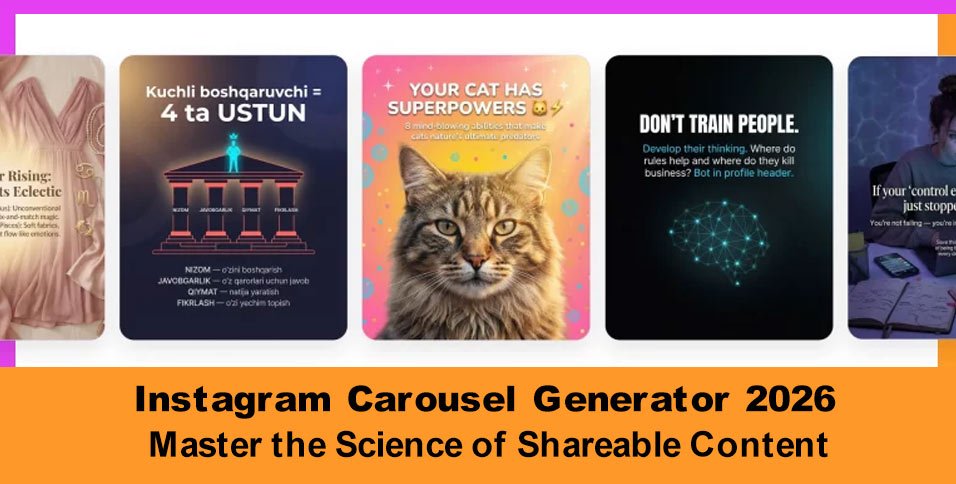
Instagram’s algorithm heavily favors carousel posts. In fact, multi-slide carousels consistently secure double the impressions of single-image feed posts. This advantage stems from a unique algorithmic fallback feature: if a user scrolls past your carousel without interacting, the platform surfaces the post a second time in their feed, automatically displaying it from slide two. This built-in second chance is a visual luxury no other format receives.
Beyond raw visibility, carousels dominate “saves”—the single highest-value engagement signal recognized by the platform’s recommendation engine. Furthermore, with music-enabled carousels now integrated directly into the Reels discovery feed, a single post works across two high-traffic surfaces simultaneously.
However, engineering a high-performing carousel manually is a serious operational bottleneck, usually requiring 2 to 4 hours of dedicated work to draft a hook, write slide copy, map out a design, and place a converting call-to-action. To eliminate this friction, deploying a dedicated Carousel Generator 2026 framework within your workflow allows you to build data-backed, brand-aligned visual carousels in under five minutes.
The “Style Learning” Edge: Why Virale Isn’t Just Another ChatGPT Wrapper
Standard, general-purpose language models approach every content request from absolute zero. They lack any intrinsic understanding of your specific market niche, your target audience’s vocabulary, or the unique visual themes that define your digital presence. As a result, you waste valuable time fine-tuning prompts only to receive generic, robotic copy.
The ChatPlace AI Agent, Virale, fundamentally changes this dynamic through localized machine learning. When linked securely to your profile, the agent runs a comprehensive historical audit:
- Content Archeology: Evaluates your past publishing history to isolate your core message pillars.
- Metric Assessment: Pinpoints exactly which topics and copy lengths triggered the highest historic engagement and save rates.
- Visual Fingerprinting: Code-analyzes your existing grid layout to learn your preferred color codes, typography pairings, and brand vibe.
- Demographic Alignment: Cross-references your current follower data against rising trends in your specific marketplace.
Operational Safety: This advanced diagnostic sync is executed entirely through Meta’s official developer API. The platform never requests, views, or interacts with your private account password, ensuring your business assets remain compliant and secure.
The resulting output functions as an authentic digital extension of your brand voice, allowing you to generate completely original, tailored content carousels via a basic, conversational chat interface.
Three Workflows to Generate a Carousel
To accommodate different creative styles and schedules, the AI Agent offers three highly flexible production paths. Whether you are building from a new concept, repurposing existing video media, or brainstorming out loud, the interface guides you from idea to finalized asset seamlessly.
Workflow A: From a Raw Idea or Niche Trend
If you are staring at a blank screen, the agent can instantly scan your industry data to suggest top-performing topics that align with your established content pillars. Once a topic is selected, you simply feed the chat basic parameters: your desired slide count, your target tone of voice, and your specific lead-generation goal. Within two minutes, the system provides a fully fleshed-out storyboard complete with slide layouts and tailored copywriting.
Workflow B: Repurpose a Reel
Repurposing is the single fastest creation framework available to digital marketers. If you spot a viral Reel or short video that resonates with your market, simply paste the link directly into the chat. The agent automatically transcribes the video audio, identifies the underlying logical structure, and translates those key insights into a high-retention multi-slide carousel. You can also upload a reference screenshot from Pinterest or Instagram to have the AI instantly mirror that exact graphic layout.
Workflow C: Voice-to-Content (For Creators on the Go)
For busy founders, coaches, and consultants who talk faster than they type, the voice-recognition feature is an invaluable tool. You can open the built-in voice assistant between meetings, talk through your latest client case study or a quick industry breakthrough, and stop recording. The AI handles the transcription, organizes your thoughts into a logical flow, writes the individual slide texts, and matches it to your design template.
The Repurposing Multiplier: This conversational workflow maximizes your input-to-output ratio. A single 60-second video script or raw voice note is instantly split into an optimized 10-slide carousel, an engaging caption description, and a matching lead-magnet framework—dramatically scaling your output with minimal creative friction.
The Anatomy of a High-Converting Carousel
Creating viral content relies on a structured, psychological sequence rather than visual guesswork. High-conversion carousels balance information density and user retention by following a strategic 10-slide architectural blueprint:
- Slide 1 (The Scroll-Stopper): A high-contrast headline mixed with an arresting visual trigger. Its sole objective is to halt the user’s thumb in the feed.
- Slide 2 (The Problem Frame): Directly names your prospect’s primary frustration. By agitating the pain point early, you build deep curiosity and encourage them to swipe next.
- Slides 3–8 (The Core Value): Actionable, snackable steps or data points. The layout maps exactly one distinct concept per slide to avoid info overload.
- Slide 9 (The Core Summary): A synthesized takeaway or macro-insight designed to provide immense standalone value, prompting the user to hit the “save” button.
- Slide 10 (The Conversion Engine): An explicit, clear call-to-action that instructs the viewer exactly how to claim an asset, buy a product, or leave a specific keyword comment.
Pro Optimization Tip: Because your opening slide dictates 90% of your post’s success, keep your cover headline under 8 words, use a bold, highly readable font size, and introduce strong tonal contrast. The AI model automatically variations multiple headline options so you can choose the most compelling hook.
Design Without Canva: How AI Handles the Visuals
Manual graphic design is often where creators lose the most time, frequently getting bogged down by color palettes, font alignments, and asset sourcing. The AI system eliminates this technical bottleneck by handling the end-to-end design layout automatically.
The generator directly manages the following production elements based on your profile’s unique identity:
- Selecting appropriate background gradients and clean 3D structural icons.
- Building customized data diagrams, vector charts, and professional info-graphics.
- Generating context-aware stock illustrations and thematic brand imagery.
- Parsing external upload images to perfectly replicate custom design styles.
Every generated asset prints out optimized for the platform’s standard 4:5 aspect ratio (1080 × 1350 px). This formatting ensures text hierarchies remain large, clear, and perfectly readable inside the mobile feed environment without requiring users to zoom in.
Conversational Adjustments: If a design element needs refining, you don’t have to wrestle with drag-and-drop editors. Simply type or speak an instruction like, “Change the background color of slide 3 to black and move the logo to the top right corner,” and the agent will update the layout instantly.
Once you are satisfied with the final look, you can batch-download the entire slide pack as high-res images or export it as a clean PDF document. To save you even more time, the system simultaneously outputs an optimized, keyword-ready post caption to accompany your upload.
Closing the Loop: From Content to Revenue
While building beautiful, educational content establishes brand authority, its primary business goal is to drive conversions and capture qualified leads. Linking your carousel strategy to automated chat workflows creates a highly efficient lead-generation engine.
The conversion funnel operates as a continuous, automated loop:
Last slide displays a targeted keyword CTA: “Comment GUIDE” → A warm prospect leaves the exact trigger word in the comment section → ChatPlace instantly verifies if the user is an active profile follower → Automated bot delivers the promised lead-magnet file directly to their DMs
This sequence transforms a standard social media post into an automated sales funnel that captures leads and drives revenue around the clock without demanding manual intervention from your team.
Algorithmic Bonus: This comment-to-DM workflow creates an excellent feedback loop with the platform’s algorithm. Because every automated lead generation request adds an engagement comment to your post, the platform recognizes your content as highly popular and naturally pushes it out to a wider pool of non-followers.
Performance Benchmark: Virale vs. Alternative Solutions
To understand the practical advantage of moving away from manual production models, it is helpful to look at how a dedicated social media assistant performs against legacy alternatives.
The table below breaks down key operational indicators across traditional and automated workflows:
| Evaluation Criteria | Traditional Human Manager | Generic AI (ChatGPT, etc.) | Virale + ChatPlace Ecosystem |
| Time Investment | 3 to 5 hours of manual labor. | 30 to 60 minutes of prompting. | 5 to 10 minutes from start to finish. |
| Brand Voice Alignment | Requires long onboarding briefs. | Low; outputs generic internet text. | High; auto-learns historical data. |
| Visual Asset Creation | Done manually in external software. | Text-only output; no graphics. | Auto-generated, brand-matched slides. |
| Operational Cost | $50 to $200+ per individual carousel. | Free or $20/month basic tier. | Included directly in your current plan. |
| Lead Generation Capabilities | Requires manual team follow-ups. | None; lacks platform connectivity. | Built-in automated DM funnels. |
| Scalability Potential | Severely limited by human bandwidth. | Unlimited volume but low quality. | Unlimited volume of premium content. |
Strategic Takeaway: The data clearly indicates that combining generative design tools with direct chat automation outperforms traditional methods across every major metric. You eliminate standard production expenses while instantly adding built-in lead-capture funnels and automated scaling to your brand’s digital ecosystem.
Best Niches for AI-Generated Carousels
While a structured, visual carousel is an effective marketing asset across almost any industry, certain fields experience massive organic growth when leveraging the platform’s multi-slide format:
- Health & Wellness: Medical professionals and therapists can instantly transform complex clinical concepts into clear infographics, wellness guides, and anatomical breakdowns.
- Education & Coaching: Business consultants can easily organize multi-step tutorials, business case studies, and actionable checklists to build immediate authority.
- Beauty & Fitness: Trainers and skincare specialists can easily display before-and-after results, structured workout routines, and custom application guides.
- E-Commerce Brands: Retail businesses can highlight seasonal product catalogs, item feature comparisons, and quick user manuals without ad spend.
- Marketing Agencies: Account managers handling multiple client profiles can scale production by turning analytics reports into client case studies and tool roundups.
These industries thrive because their audiences naturally look for repeatable, highly educational content formats that can be saved for future reference. Automating these layouts allows you to focus on your core business while your profile consistently generates warm leads.
Getting Started: Step-by-Step
Setting up an automated carousel production pipeline requires no coding experience, technical training, or design background. You can manage the entire creation flow directly from your smartphone or desktop computer.
To launch your first high-performing campaign, follow this simple operational checklist:
Step 1: Account Activation
Log into your central dashboard and connect your professional Instagram account through the secure Meta onboarding link to let the system analyze your feed history.
Step 2: Access the Workspace
Navigate to your main account sidebar menu and tap on the dedicated AI tool icon to launch your active conversational workspace.
Step 3: Choose Your Workspace Workflow
Select your preferred production route by browsing trending topics, entering a text prompt, pasting a video link, or recording a voice note.
Step 4: Define Campaign Goals
Input your preferred design parameters, such as your total target slide count, preferred content tone, and your specific keyword trigger word.
Step 5: Review and Refine Layouts
Review the generated multi-slide storyboard. Use simple text commands to tweak elements, adjust specific copy lines, or update fonts.
Step 6: Batch Export and Publish
Download your finalized image assets or export the file as a PDF, copy your automated post caption, and upload the piece directly to your feed.
By establishing this quick operational loop, you transform carousel production from a dreaded weekly chore into an effortless, minutes-long routine. Removing the design and copywriting friction allows you to scale your publishing volume instantly, giving you the freedom to focus purely on high-level strategy while the AI handles the heavy rendering.
Pre-Publish Validation Checklist
Before uploading your assets to the app, take a moment to review this final pre-flight checklist. This step ensures that your multi-slide post is fully optimized to maximize your reach, readability, and conversion metrics:
- Cover Hook Verification: The first slide features a short, high-contrast headline (under 8 words) paired with a bold font to halt scrolling.
- Curiosity Frame Check: Slide two clearly articulates a specific audience pain point or intriguing question to encourage users to swipe left.
- Density Management: Every middle content slide maps out exactly one core idea or takeaway to avoid info overload.
- Mobile Readability Review: All font styles and text hierarchies are large enough to be easily read on a mobile screen without zooming in.
- Actionable Conversion CTA: The final slide ends with an explicit call-to-action instructing users to use a specific comment keyword.
- Value-Add Caption Mapping: The accompanying text caption provides contextual background rather than simply copying the slide text word-for-word.
- Funnel Synchronization: The ChatPlace automation backend is fully mapped, tested, and ready to distribute your lead-magnet file the moment a trigger word is dropped.
Running through this quick pre-flight audit guarantees that your carousel isn’t just decorative, but behaves like a high-performance sales funnel. Aligning your visual structure with an automated direct-message flow ensures that you catch every ounce of organic momentum, transforming casual platform traffic into measurable business growth. Now, your post is fully locked, loaded, and ready to convert.
Building a Long-Term Traffic Engine
Modern social media optimization relies on consistency, data accuracy, and smart resource allocation. Carousels are no longer just aesthetic slide collections; they serve as a core engine for driving organic reach, content saves, profile follows, and direct sales leads.
By integrating advanced generative models into the broader ChatPlace ecosystem, you remove the complexity from content creation. You no longer need an expensive team of copywriters or designers to scale your presence online. Simply connect your account, start a conversation with your agent, and let automated workflows turn casual feed scrollers into valuable business leads.
Frequently Asked Questions (FAQ)
What is the maximum number of slides the generator can build?
The generator fully supports configurations ranging from 5 to 10 slides per post. To secure maximum audience retention and algorithmic exposure, aiming for the 8-10 slide sweet spot is highly recommended.
Can I generate multi-slide content in languages other than English?
Yes. The underlying AI engine handles all major global languages natively. You can input a research link or reference video in one language (such as Spanish) and have the system output a finished carousel in another language (such as English).
Is graphic design or technical software experience required?
Not at all. The application automatically maps your font layouts, color combinations, and icon choices based on your profile’s historical branding. If you want a specific design style, simply upload a reference image and the AI will mirror it.
How does the automated comment-to-DM chatbot workflow operate?
You simply place an explicit keyword command on your final slide (e.g., “Comment PLAYBOOK”). The system tracks incoming comments in real-time, validates whether the user follows your account, and instantly delivers your digital lead magnet via Direct Message.
Will integrating my business profile compromise my account security?
No. The system connects exclusively through official, Meta-approved developer APIs and strictly respects all platform safety limits. It never interacts with your account password, keeps all data encrypted, and allows you to revoke access at any time.
How does this generator compare to generic platforms like ChatGPT?
ChatGPT outputs unformatted text from generic internet data. This system is a multimodal AI Agent built specifically for social media managers; it reads your profile metrics, creates optimized font layouts, and delivers fully rendered visual graphics tailored to your niche.
Is the entire creation and editing interface fully optimized for mobile devices?
Yes. The full end-to-end creative suite—encompassing initial trend discovery, prompt input, voice recording, slide editing, and final asset downloading—works flawlessly on both desktop monitors and mobile web browsers.
What file extension formats are supported during the export step?
You can batch-download your completed slides as individual high-resolution image files optimized for immediate feed publishing, or export the entire project as a clean document PDF to use as a standalone lead magnet.
How does the Virale discover hidden content trends in my specific industry?
The platform continuously tracks changing engagement patterns, top-performing video loops, and viral topics across related industries. You can also monitor specific competitor pages to see what works well in their feeds and adapt those frameworks to your brand.