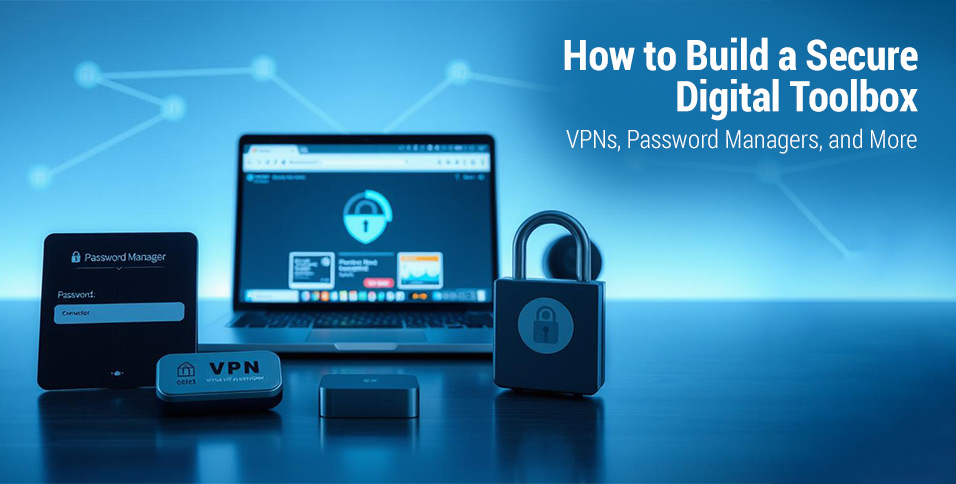
In today’s world, keeping your online presence safe is a must. Cyber threats keep getting smarter, making digital security key for everyone. Learning to build a strong digital security toolkit is crucial to protect your personal info and online actions.
Modern online spaces need strong protection plans. Cybersecurity tools offer many defenses against digital dangers. Tools like VPN services and advanced password managers are vital for keeping your digital life safe.
Online privacy is more than just blocking threats. It’s about making a safe space online where you can surf the web without worry. With the right cybersecurity tools, you can create a strong shield for your sensitive data, keeping it safe from hackers and breaches.
This guide will show you how to make a complete digital security toolkit. We’ll look at key tools and methods to boost your online safety. This will give you confidence in the connected world we live in.
Understanding Digital Security Fundamentals
In today’s world, knowing about digital security is key. Cyber threats are everywhere, looking to find weak spots in our online lives. Both people and businesses need strong plans to keep their data safe from hackers.
Digital security is more than just using strong passwords. It’s about a complete plan to handle online dangers and keep personal info safe. Hackers keep getting smarter, so we must keep learning and updating our defenses.
- Recognize common cyber threats like phishing and malware
- Understand the importance of data protection strategies
- Learn how online risks can impact personal and professional networks
Today’s hackers go after everything from personal emails to big company networks. They use software bugs, trick people, and find weak spots in networks. Keeping data safe needs a mix of technology, education, and constant watching.
Important parts of digital security include:
- Network security
- Device protection
- Personal information management
- Safe browsing practices
By learning about these digital security basics, we can create a solid defense for our online lives. This helps us avoid cyber attacks and stay safe online.
Essential Components of a Digital Security Toolkit
Creating a strong digital protection plan is key. It involves using various security tools to keep personal and work digital spaces safe. These tools help fight off new cyber threats.
A good digital security toolkit has several important parts. They work together to protect against possible dangers:
- Virtual Private Networks (VPNs) for encrypted internet connections
- Advanced password management systems
- Two-factor authentication solutions
- Secure browser extensions
- Encrypted communication platforms
Each tool has its own role in keeping your digital life safe. VPNs hide your online identity and stop tracking. Password managers make strong, unique passwords for each account. Two-factor authentication adds extra security by asking for more than just a password.
Using many security tools isn’t about being paranoid. It’s about smart protection against cyber threats. Cybercriminals keep finding new ways to harm us. So, having a strong defense is important for everyone.
When picking security tools, look for ones that offer good protection, are easy to use, and get updates often. This helps fight off new digital dangers.
Choosing the Right VPN Service with VPNLY
Digital security is key, and VPNLY is a top choice for safe browsing. Virtual Private Networks (VPNs) are crucial for keeping your online activities private and safe from cyber threats.
When picking a VPN, look at these important points:
- Strong encryption protocols
- A strict no-logs policy
- A wide range of global servers
- Fast connection speeds
- An easy-to-use interface
VPNLY offers more than just basic protection. It encrypts your internet, hides your IP, and lets you browse anonymously on many devices. You can also access content blocked in your area while keeping your digital life private.
Here’s what makes VPNLY stand out:
- Top-notch encryption
- No tracking of your online actions
- Unlimited bandwidth
- Support for many devices
- 24/7 customer support
Using a trusted VPN like VPNLY makes your online life safer. It creates a secure space online that keeps your personal info safe from cyber dangers.
Password Managers: Your Digital Vault
Keeping your online accounts safe starts with strong passwords. Password managers are key tools for managing your credentials. They help you keep unique, complex passwords for every site.
These digital vaults do more than just store passwords. They help you create and manage strong, unique passwords for every online account. By making random, strong passwords, they lower the chance of hackers getting in.
- Generate complex passwords automatically
- Securely store login credentials
- Auto-fill login information across devices
- Provide encryption for sensitive data
When picking a password manager, look for important features. Make sure it has multi-factor authentication, syncs across devices, and uses zero-knowledge encryption. Top choices like LastPass, 1Password, and Bitwarden offer great protection for your digital info.
To set up a password manager, you need a master password. This password is the key to your digital vault. It should be very strong, with letters, numbers, and symbols. Remember, this password protects all your other login details, so choose it carefully.
- Use at least 12 characters
- Mix different character types
- Avoid personal information
- Never reuse the master password
Using a good password manager is a strong defense against cyber threats. Your digital vault is a key part of keeping your online world safe.
Two-Factor Authentication Solutions
Keeping your digital accounts safe is more important than ever. Two-factor authentication (2FA) adds a crucial extra layer of security. It makes sure you’re who you say you are by asking for more than just a password.
There are many types of multi-factor authentication, each with its own benefits:
- SMS verification codes
- Authenticator mobile apps
- Hardware security tokens
- Biometric authentication
Using 2FA makes it much harder for hackers to get into your accounts. Even if they guess your password, they still need to pass another test. Big names like Google, Microsoft, and banks offer several 2FA options.
Here are some tips for setting up 2FA:
- Turn on 2FA for all important accounts
- Choose authenticator apps over SMS when you can
- Keep backup codes in a safe spot
- Update your 2FA methods often
While 2FA might make logging in a bit harder, the extra security is worth it. Keeping your digital life safe means taking steps to protect it.
Secure Browser Extensions and Add-ons
Keeping your online experience safe starts with choosing the right browser security. Privacy add-ons are key in today’s digital world. They help keep your browsing safe by blocking unwanted content.
Top browser security extensions provide strong digital defense:
- Ad blockers that stop annoying ads
- Tracker blockers that hide your online tracks
- Script blockers that stop harmful code
- Privacy-focused add-ons that hide your digital identity
When picking privacy add-ons, choose ones from trusted developers. Browsers like Chrome and Firefox have many security extensions. Look for add-ons with good reviews, regular updates, and clear privacy policies.
Safe browsing tips include:
- Keep your browser extensions up to date
- Check what each add-on can do
- Don’t install too many extensions
- Make sure the developer is trustworthy
No single extension can protect you completely. Use a mix of browser security tools and smart online habits for the best safety.
Encrypted Communication Tools
Digital communication needs strong privacy protection. Secure messaging platforms have changed how we share sensitive info online. End-to-end encryption means only the right people can see your messages, making online chats safe.
When picking encrypted communication tools, look at a few key things:
- Strong end-to-end encryption protocols
- Zero-knowledge architecture
- Open-source verification
- Cross-platform compatibility
- Minimal data logging practices
Top secure messaging apps offer lots of protection. Signal and ProtonMail lead in keeping conversations private. They use top-notch encryption to keep your chats safe from prying eyes.
Both businesses and people gain from encrypted messaging. It keeps talks private, stops data leaks, and keeps secrets safe online. Using strong secure messaging tools is key in today’s digital world.
Here are some tips for safe communication:
- Check encryption standards before using
- Keep your messaging apps updated
- Use multi-factor authentication
- Teach your team about safe messaging
To keep your digital chats safe, you need to be proactive and choose the right tools. Focus on end-to-end encryption to boost your online privacy and security.
Data Backup and Recovery Solutions
Protecting your digital assets is crucial. Cloud backup is key for both individuals and businesses. It helps prevent data loss and keeps operations running smoothly during emergencies.
Creating a solid disaster recovery plan is important. Here are the main steps:
- Choose reliable cloud backup services with encryption
- Set up automatic backup schedules
- Verify backup integrity regularly
- Create multiple backup copies in different locations
The 3-2-1 backup rule is a top choice for data safety. It suggests having three copies of your data. One main copy and two backups. Keep these on two different types of media, with one in the cloud.
When picking a cloud backup service, think about a few things. Look at storage, security, ease of use, and how fast you can get your data back. Choose services with strong encryption and easy data recovery. Automated backups keep your important data safe without needing you to do it all the time.
Good data protection is more than just tech. It’s about feeling secure. With a solid backup plan, you can protect your digital world from harm and unexpected losses.
Mobile Device Security Tools
Keeping your mobile devices safe is more important than ever. Smartphone security is now a must to fight off cyber threats. Today’s mobile protection uses many layers to safeguard your personal info.
Important tools for mobile security include:
- Antivirus apps that find and remove malware
- App permission managers to control data access
- Tools for tracking and wiping devices remotely
- Encryption software for safe data storage
It’s key to manage app permissions for your phone’s safety. Users should check which apps can access your location, contacts, and camera. Only give apps the permissions they really need to avoid security risks.
For better mobile protection, try these advanced methods:
- Install trusted security apps
- Update your device’s operating system
- Use strong passwords and authentication
- Stay away from public Wi-Fi without security
Effective mobile security needs constant effort and knowledge. By knowing the risks and using strong security tools, you can lower your chance of digital attacks.
Conclusion
Building a strong digital security toolkit is more important than ever. By using digital security best practices, you can protect yourself online. It starts with understanding and using many layers of digital defense.
Each tool we’ve talked about is key to keeping your digital life safe. VPNLY’s encryption and password managers protect your information. It’s not just about picking tools; it’s about using them all together to keep you safe.
It’s time to take action in digital security. Check your online protection plan and add the tools and methods we’ve discussed. Remember, digital security is a constant effort that needs updates and watchfulness. Your efforts will greatly lower the chance of cyber threats and data breaches.
As technology changes, so do cyber threats. Stay up-to-date, be proactive, and keep learning about new digital security tips. Your digital safety is an investment in your well-being. It keeps your data and your peace of mind safe in our connected world.
Also Read: Digital Strategy Consulting: Driving London’s £107bn Growth Opportunity