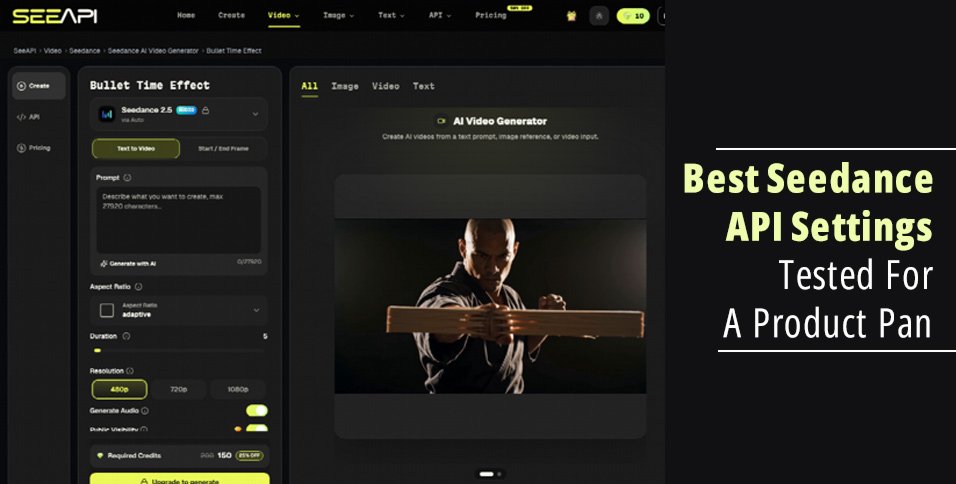
A product pan is a camera move across a signed pack shot, and the model card decides how long that move is allowed to be. The label, the logo, and the colour of the cap were approved before anyone asked for motion. If the pan runs past the card’s duration, or if the card has no reference slot and the shot needs one, the setting is wrong before the first preview. On Seedance API the model menu, opened on the composer, splits that choice into cards rather than one slider. Seedance 1.5 Pro is listed as text and image, 4 to 12 seconds, 480p to 1080p. Seedance 2.0 is listed as text, image, and reference, 4 to 15 seconds, with a spec row of 480p to 4K. Seedance 2.5 is marked new, 4 to 30 seconds, 480p to 1080p, and up to 50 multimodal references. This test reads those cards against a pack shot. It does not treat the menu as a released integration.
The best setting is the shortest card that can hold the shot you already signed. A six-second push on a bottle does not need a 30-second card. A pan that must follow a reference clip does not fit a card that only lists text and image. Matching the card to the shot is the whole review.
A Product Pan Starts From One Signed Still
Pack shots fail in a familiar way. The hero frame looks right in the lightbox and wrong once the camera moves: the cap colour shifts, the logo stretches, a second label appears beside the real one. Higher duration does not fix that. It gives the error more seconds. The still is the test. If the pan cannot sit next to the pack shot and keep the same SKU, the card was the wrong conversation.
Label text stays out of the prompt. A price, a net weight, or a claim on the front of the pack is already in the artwork. Asking a model to repaint those letters is how a clean pack becomes unreadable. The prompt can name the move: a slow push, a small orbit, a shelf light. The letters stay in the original pixels or in a caption added after export.
How The Model Cards Split Duration
The menu is the setting list. Each card prints a duration band, a resolution band, and which inputs it accepts. A product desk can reject a card in one reading, without generating, by checking those three lines against the shot.
Text And Image Stops At Twelve Seconds
Seedance 1.5 Pro’s card says text and image, 4 to 12 seconds, 480p to 1080p, with audio on the card. There is no reference line. A six-to-ten-second push that starts from the approved pack shot fits inside 4 to 12. A move that needs a reference video of a turntable does not fit this card, because the card does not list reference. Using it anyway means the turntable timing has nowhere to go except a sentence in the prompt, which is a weaker instruction than a clip.
Reference Joins The Card At Fifteen
Seedance 2.0’s card says text, image, and reference, 4 to 15 seconds. The spec row prints 480p to 4K. The short line on the same card also says inputs up to 720p, so a buyer should not collapse those two lines into one promise. For a product pan, the useful part is the reference slot and the 15-second ceiling. A guided turn that follows an existing clip belongs here. A 20-second shelf move does not: 15 is the top of this card.
| Card | Inputs on the card | Duration | Resolution line |
| Seedance 1.5 Pro | Text and image | 4 to 12 seconds | 480p to 1080p |
| Seedance 2.0 | Text, image, reference | 4 to 15 seconds | Spec row 480p to 4K |
| Seedance 2.5 | Text, image, reference | 4 to 30 seconds | 480p to 1080p, up to 50 references |
The table is a reading of the menu cards, not a score. The 2.0 card’s short line and its spec row do not say the same resolution ceiling. Quote the spec row if you are writing the 4K figure, and do not pretend the short line said 4K.
Thirty Seconds Fits A Shelf Move
Seedance 2.5’s card is the one that reaches 30 seconds, still inside 480p to 1080p, with up to 50 multimodal references. A long slide along a shelf can live in that band. A six-second hero push does not become better because the card allows 30. Extra seconds are room, and room is also where a logo drifts. The 50-reference line is a budget for inputs, not a script. A pack shot plus one turntable clip is two inputs. Filling the card toward 50 is how a simple pan becomes a pile of conflicting pictures.
Fifty References Is A Budget Not A Script
Count the files the shot actually needs. One still of the pack. Optionally one clip of the move you want followed. That is the reference set for a product pan. The card’s “up to 50” tells you the ceiling, the way a warehouse tells you the pallet limit. Shipping one pallet does not require the warehouse to be full. A desk that gathers dozens of alternate packs “so the model has context” is more likely to blend two SKUs than to protect the signed one.
Check The Pan Against The Product Still
Seedance API is useful here as a menu you can read before a file exists. The steps below assume the pack shot is already signed and the label is not going into the prompt.
- Write the move in one sentence and note its length in seconds.
- If the length is inside 4 to 12 and you only have a still, read the 1.5 Pro card.
- If you have a reference clip and the length is inside 4 to 15, read the 2.0 card and quote its spec row separately from the short line.
- If the length needs more than 15 seconds and stays under 30, read the 2.5 card, and keep references to the files the shot uses.
- Set the preview beside the pack shot. If the logo or the cap is wrong, reject the pan. Do not answer a bad still by switching to a longer card.
Step five is the cost that menus hide. A wrong cap colour wastes the attempt whether the card said 12 seconds or 30. The rework is a return to the signed artwork, not another pass with more references. Time lost there is an afternoon if the asset was already in a retail deck.
Pick The Card That Matches The Shot
For a short push on one pack, the 1.5 Pro card’s 4 to 12 seconds and its text-and-image line are the match. For a pan that must follow a turntable clip, the 2.0 card’s reference line and 15-second top are the match, with the 4K figure taken from the spec row only. For a shelf move longer than 15 seconds, the 2.5 card’s 30-second top is the match, and 50 references is a ceiling you should not try to spend.
Seedance API does not sign the label, and none of those cards does either. If the preview cannot be defended next to the pack shot, the setting was never the problem. Keep the still, shorten the ask, and only then change cards. A longer duration is not a better product pan.