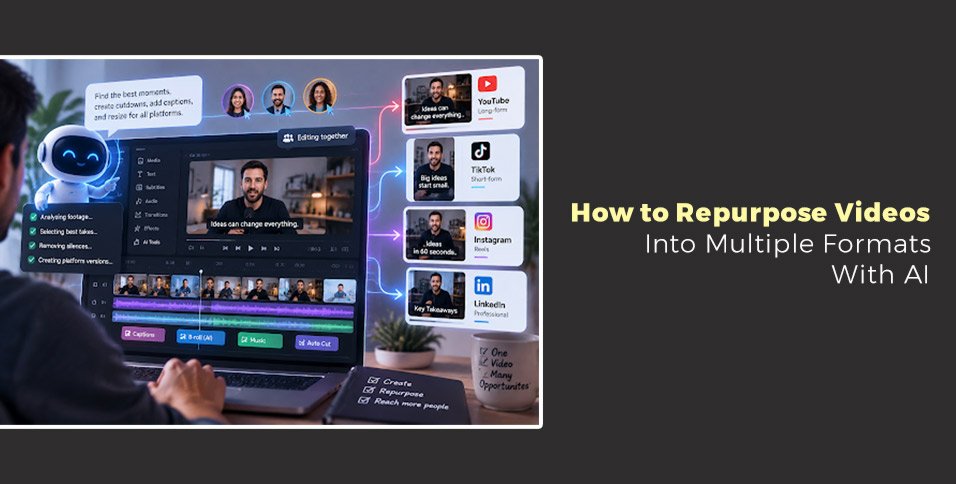
Turning one video into multiple pieces of content can help creators reach more audiences without recording everything again. AI Video Editing makes this process easier by finding useful moments, preparing different formats, and reducing repetitive editing tasks. The goal is not to replace editors but to help them spend more time on storytelling while AI handles time-consuming production work.
Creating one great video often takes hours of planning, recording, and editing. But after publishing it, many creators face another challenge: how to get more value from the same footage.
A podcast episode, webinar, interview, or product video can become short clips, social posts, educational videos, and promotional content. The problem is that manually finding those moments and preparing each version can take almost as much effort as creating the original video.
This is where AI Video Editing can help. Instead of watching hours of footage repeatedly, creators can use AI-powered workflows to identify important sections, create cutdowns, adjust formats, and prepare content for different platforms.
The demand for video content continues to grow. According to Forbes’ video marketing statistics, 91% of businesses use video as a marketing tool. This shows why creating more value from every recording has become important for brands, creators, and marketing teams.
In this article, we’ll explore how AI helps repurpose videos, how AI agents support editing workflows, and how creators can turn one project into multiple content formats while keeping creative control.
How does AI Video Editing help repurpose videos?
AI Video Editing helps creators repurpose videos by finding important moments, organizing footage, creating shorter versions, and adapting content for different platforms. It reduces repetitive editing work while allowing creators to control the final story and creative direction.
Repurposing a video involves more than simply cutting a long video into smaller pieces. Each format needs a different approach.
A YouTube interview may need longer explanations and a slower pace. A short-form clip may need a strong opening, faster edits, and captions for viewers watching without sound.
AI tools can help identify useful sections from existing footage, such as:
- Important statements from interviews
- Product demonstrations
- Educational explanations
- Strong reactions or emotional moments
- Short stories from longer conversations
For example, a one-hour webinar can become several social clips, a highlight video, and shorter educational segments. Instead of starting each video from scratch, creators can build multiple assets from one recording.
AI Video Editing is especially useful for teams producing content regularly because it helps reduce the time spent searching through footage and preparing first versions.
Turning one recording into different content formats
A successful repurposing workflow starts by understanding the purpose of each version. The same footage can serve different audiences when it is adjusted correctly.
A creator might turn a single recording into:
- A full-length YouTube video
- Short vertical clips for social media
- Customer education videos
- Website content
- Internal training materials
- Podcast highlights
The important part is maintaining the original message while changing the presentation.
For example, a founder interview can become a detailed video for YouTube, three short clips featuring key lessons, and several quote-based posts. The content stays connected, but each version fits the platform where people will watch it.
Tools that support repurposing visual content help teams think beyond a single publishing moment and create more value from their existing creative assets.
AI Video Editing supports this process by helping creators locate moments faster and prepare versions without repeating the same manual steps.
What makes AI agents useful for video repurposing?
AI agents help with video repurposing by completing multi-step editing tasks from simple instructions. They can review footage, select useful sections, organize timelines, and prepare different versions while keeping the project editable.
Traditional editing workflows require creators to manually complete many small tasks. Reviewing footage, comparing takes, removing pauses, and creating different exports all take time.
AI agents change this workflow by allowing editors to assign specific jobs.
Instead of manually searching through hours of recordings, an editor can ask an AI agent to:
- Find a specific discussion or moment
- Select the strongest takes
- Remove repeated sections
- Create a first draft
- Prepare shorter versions
- Adjust pacing for different audiences
This is useful for professional projects where the creative decision matters, but the repetitive preparation work takes away time.
Invideo Editor is designed around this approach. It combines a professional editing timeline with AI editing agents that can review footage, select takes, remove unusable sections, and create an editable base cut based on the creator’s direction.
The editor remains in control because every change appears on the timeline. Creators can review the work, adjust edits, or continue editing manually after the AI agent completes its task.
For teams looking for a more natural way to interact with editing tools, a conversational AI video editing workflow like that of invideo editor can be helpful, where AI agents understand instructions, work on the timeline, and return an editable cut that creators can refine.
How can AI improve multicam and long-form editing?
AI can simplify multicam and long-form editing by syncing footage, identifying speakers, selecting useful takes, and organizing complex timelines. This helps editors manage projects like interviews, podcasts, documentaries, and events more efficiently.
Multicam projects are often difficult because editors need to manage multiple camera angles, audio sources, and long recordings.
A podcast, for example, may include several cameras recording the same conversation. Editors need to sync footage, decide when to switch angles, and keep the final video engaging.
AI agents can help by understanding the footage and organizing the timeline.
With invideo editor, creators can upload each camera into separate folders, identify the camera with the best audio, and ask the agents to sync the footage. Each angle can appear as a frame-matched layer, allowing editors to switch views based on who is speaking.
This type of workflow is useful for:
- Podcasts
- Interviews
- Online courses
- Panel discussions
- Documentary projects
Beyond syncing footage, AI agents can also help with selecting takes, removing filler words, adding chapter markers, and restructuring sections of a video.
Creating platform-ready versions from one project
Once the main edit is complete, creators often need multiple versions for different platforms. Each version may require different lengths, layouts, captions, or pacing.
AI Video Editing can help teams create these versions without rebuilding the project every time.
A single video can be adapted into:
Short-form clips
Important moments can be extracted and reformatted for vertical platforms.
Localized versions
It is possible to translate and modify videos for various audiences.
Marketing versions
Brands can create shorter promotional edits from longer product videos.
Educational versions
Long lessons can become smaller learning sections.
Invideo Editor supports this workflow by helping with cutdowns, platform-specific versions, dubbing, and localization while keeping edits inside the same project environment.
This approach helps teams maintain consistency because every version comes from the same original project.
Why AI-assisted workflows matter for professional editors
Professional editors spend a large amount of time on tasks that support creativity but do not always require creative judgment.
These tasks include:
- Logging footage
- Finding clips
- Comparing takes
- Cleaning audio
- Creating first assemblies
- Preparing different versions
AI Video Editing helps move these tasks into a faster workflow.
The role of the editor remains important. Story decisions, pacing choices, emotional impact, and final approval still require human judgment.
Invideo Editor follows this balance by allowing AI agents to handle repetitive execution while keeping the editing timeline available for manual refinement.
For creative teams, this means they can spend more time improving the story instead of spending most of their day organizing footage.
The future of AI Video Editing workflows
AI Video Editing is moving toward a future where creators can work with AI as an editing partner rather than only using it for individual tasks.
The next generation of editing workflows will focus on understanding projects, following instructions, and helping creators manage complex production processes.
Editors will still make the important creative decisions. AI will support the operational work behind those decisions.
For creators producing regular content, this can make it easier to create more versions, test different formats, and reach more audiences from the same footage.
The goal is not faster editing alone. It is creating a workflow where technology removes unnecessary steps while keeping creativity in human hands.
Conclusion
Repurposing videos allows creators and brands to get more value from every recording. However, manually creating multiple versions can become time-consuming.
AI Video Editing helps solve this challenge by making it easier to find important moments, prepare different formats, and manage repetitive editing tasks.
AI agents take this further by helping with footage review, take selection, timeline assembly, multicam editing, and version creation.
As video production continues to grow, the ability to turn one project into many useful pieces of content will become an important part of modern creative workflows.
Frequently Asked Questions
What is AI Video Editing?
AI Video Editing uses artificial intelligence to support video editing tasks such as finding clips, creating versions, improving audio, and organizing timelines. It helps creators reduce repetitive work while keeping control over the final edit.
Can AI turn one video into multiple formats?
Yes. AI can help transform a single video into different formats, including short clips, social media videos, educational content, and promotional edits. The process involves finding important moments and adapting them for different audiences.
How do AI agents help video editors?
AI agents help editors complete multi-step tasks such as footage review, take selection, cleanup, assembly, and version creation. They work from instructions and place results into an editable timeline.
Can Invideo Editor help create short clips from long videos?
Yes. Invideo Editor can support workflows where creators turn longer projects into shorter versions through cutdowns, platform formats, and timeline-based editing.
Does AI replace professional video editors?
No. AI helps reduce repetitive tasks, but editors still control storytelling, pacing, creative choices, and final approval.
Can AI help edit multicam videos?
Yes. AI can help sync multiple camera angles, organize layers, and switch between speakers based on the footage structure.
Why is video repurposing important?
Video repurposing helps creators extend the value of existing content. Instead of creating every asset separately, teams can turn one recording into multiple pieces designed for different platforms and audiences.