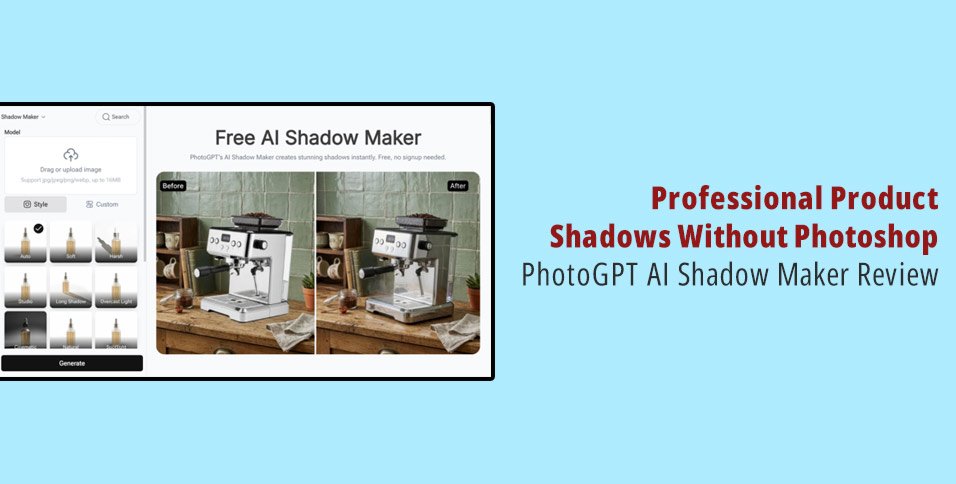
Anyone who sells physical products online eventually learns the same lesson: a product photo without a shadow looks like it is floating in space. No amount of good lighting fixes the problem if the shadow under the object is missing or inconsistent. As a Shopify seller who spent years manually painting drop shadows in Photoshop, I was skeptical that AI could do it faster and better — until I tested PhotoGPT AI Shadow Maker across my entire catalog. What I needed was a free AI Shadow Maker that could add realistic, directionally accurate shadows to product images without leaving artifacts or mismatched lighting.
The Shadow Problem Nobody Talks About
Product photography tutorials spend hours on lighting setups, background choices, and camera settings. Almost none of them mention that getting the shadow right is just as important as getting the product sharp. A product hovering in empty space signals “cheap” to a buyer. A product with a natural shadow underneath signals “professional.”
The Photoshop fix is tedious. First, select the product with the pen tool or magic wand. Feather the edges. Create a new layer underneath. Paint a black-to-transparent gradient. Warp and distort it to match the implied light source. Adjust opacity. Done — after 10 to 15 minutes per product. For a store with 200 SKUs, that is 30 to 50 hours of shadow painting. Stores skip it. That is why thousands of product listings on Shopify, Amazon, and Etsy feature beautiful products floating in a white void.
How PhotoGPT AI Shadow Maker Works
The tool operates on a simple principle: upload a product photo, and it generates a realistic shadow underneath the object. No manual selection. No gradient painting. No layer manipulation.
I tested it across 40 products in my home goods catalog: ceramic mugs, books, electronics, textiles, and kitchen tools. Each category presents different shadow challenges. Ceramics need soft diffuse shadows from rounded edges. Books and boxes need sharp directional shadows from defined corners. Textiles need irregular, soft-edged shadows that follow the fabric’s natural drape.
PhotoGPT AI Shadow Maker handled the variety well. The ceramic mug shadows were soft and rounded, spreading naturally at the base. The book shadows had clean directional edges that matched an implied light source from the upper left. The textile shadows — the hardest category — followed the natural folds and creases of the fabric instead of applying a generic oval underneath.
What Impressed Me
The directional consistency was the standout feature. Every shadow in a batch of 20 images shared the same light direction, even though each was processed individually. This matters for storefront cohesion. When every product page shares the same shadow direction and softness, the visual language of the brand feels intentional.
Speed was the other win. Each product processed in under 30 seconds. A full catalog refresh with consistent shadows now takes me an evening instead of a week of Photoshop sessions I kept postponing.
Where It Still Needs Work
Transparent and translucent products — glass bottles, clear plastic packaging — occasionally threw off the shadow calculation. The AI sometimes tried to cast shadows through transparent material in ways that did not match real-world optics. A few products with very complex silhouettes, like intricately cut paper art or jewelry with fine chains, showed slightly simplified shadows that missed some fine-edge detail.
Conclusion
PhotoGPT (https://photogpt.io/shadow-maker) solves the most overlooked quality problem in ecommerce product photography. Shadows are not decorative — they are what tell a buyer’s brain that the product is real, physical, and worth purchasing. If your product listings still feature floating items on white backgrounds, this tool fixes that faster and more consistently than any manual workflow can match.
Try AI Shadow Maker on PhotoGPT: https://photogpt.io/shadow-maker