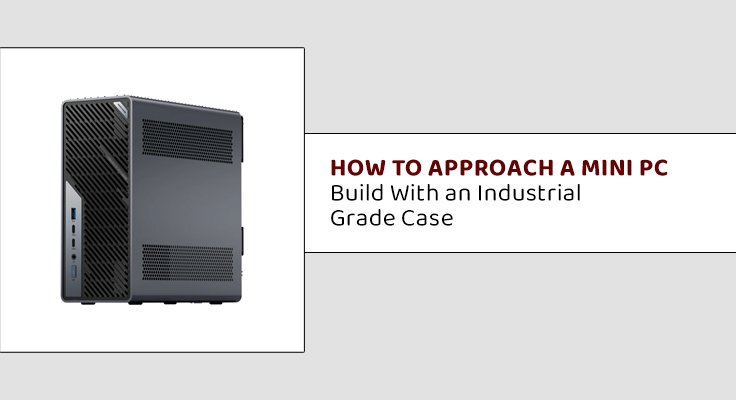
Building a computer used to mean picking a full sized tower, a large motherboard, and a case with room to spare. That approach still works, but it is no longer the only serious option. More builders, from home enthusiasts to small businesses, are now working with smaller components and tougher cases that were once reserved for specialized equipment. Here is a practical look at what goes into a solid mini pc build and why the case you choose matters more than most people expect.
Rethinking What a Build Needs to Include
A mini pc build starts with the same basic questions as any other build: what will the machine actually be used for, and what components does that use case realistically require. The difference is that every choice, from the motherboard to the cooling setup, has to work within a much smaller footprint than a traditional tower allows.
Before choosing parts, it helps to answer a few questions:
- Will the machine handle everyday tasks, or does it need to support heavier workloads like video editing, data processing, or gaming
- How much storage and memory does the intended use case actually require
- Will the machine sit on a desk, mount behind a monitor, or fit into a rack or equipment enclosure
- Does the environment it will run in involve dust, heat, or limited airflow
These answers shape almost every other decision in the build, especially when it comes to choosing a case.
Why the Case Matters More Than People Think
It is easy to treat the case as an afterthought, something to buy once the real components are picked out. For a mini pc build, the case is actually one of the most important decisions in the entire process. In a smaller enclosure, airflow, component spacing, and heat dissipation all become tighter constraints than they would be in a full sized tower.
A poorly chosen case can bottleneck an otherwise strong build, causing components to run hotter than they should and reducing long term reliability. A well designed case, on the other hand, can make a compact build perform close to what a much larger system would deliver.
When a Standard Case Is Not Enough
Most builders can get away with a standard consumer case, especially for home or office use. That changes when the machine needs to survive tougher conditions, like a workshop, a vehicle, a warehouse floor, or any environment with dust, vibration, or temperature swings a normal desk setup would never face.
This is where an industrial pc case becomes worth considering. Compared to a standard consumer case, an industrial option typically offers:
- Stronger material construction that can handle knocks, vibration, and rougher handling
- Better sealing against dust and debris, which matters in workshops, factories, or outdoor adjacent settings
- Wider tolerance for temperature swings, useful for unheated or uncooled spaces
- Mounting options built for racks, walls, or vehicle installations rather than just a flat desk surface
Balancing Performance and Space
One of the trickiest parts of a small form factor build is fitting enough cooling into a limited space without sacrificing performance. A few practical tips that help:
- Choose components rated for lower power draw when possible, since this reduces overall heat generation
- Prioritize cases with clear, direct airflow paths rather than cramped internal layouts
- Avoid overloading a small case with more storage drives or expansion cards than the airflow design can realistically support
- Check real world thermal reviews or benchmarks for both the components and the case before finalizing a build
Skipping this step is one of the most common mistakes in compact builds, since a case that looks good on paper does not always perform well once real components are generating heat inside it.
Planning for Long Term Use
A mini pc build intended for years of regular use, especially in a business or industrial setting, benefits from planning slightly ahead rather than building for only the current need. This includes:
- Leaving a small amount of headroom in storage and memory for future upgrades
- Choosing a case with easy access panels, so maintenance does not require a full teardown
- Considering component availability over time, especially for businesses that may need to replace or expand multiple identical units later
Final Thoughts
A strong mini pc build is not just about picking powerful components and hoping they fit. The case, the airflow, and the environment the machine will actually live in all deserve just as much thought as the processor or storage choice. For builds heading into tougher environments, moving up to an industrial grade case is often the difference between a system that lasts for years and one that struggles far sooner than it should.