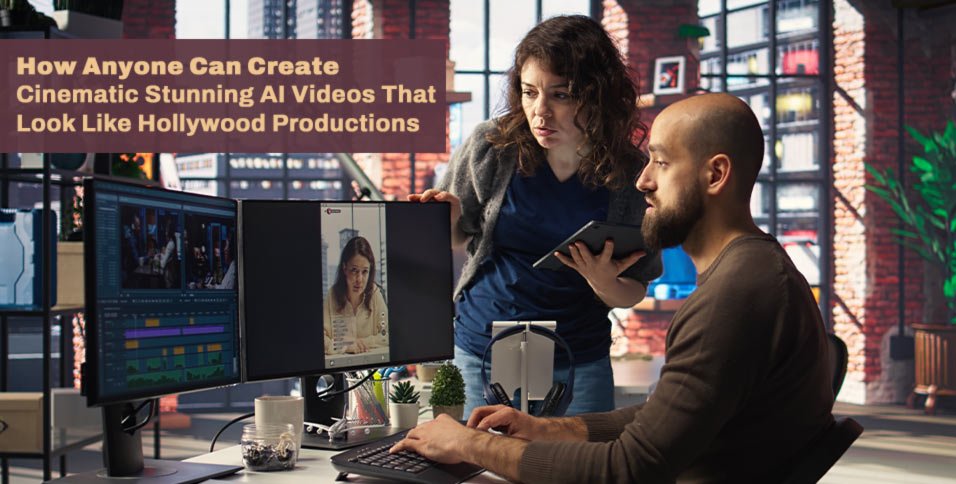
Cinematic videos are no longer limited to big studios with massive budgets and production crews. Today, AI has opened the door for anyone to create visuals that look and feel like Hollywood-level productions.
With just a strong idea and the right tools, you can turn simple prompts into fully realized cinematic scenes. From storytelling and character design to environments and animation, AI can assist at every stage of the creative process.
What once took months of planning and filming can now be achieved in a fraction of the time. More importantly, you don’t need professional editing or filmmaking experience to get started. This shift is redefining what it means to be a creator in the modern era.
In this guide, you’ll learn how to transform your ideas into stunning cinematic AI videos that look like they came straight out of a movie studio.
What Makes an AI Video Feel Cinematic
Lighting and atmosphere simulation in AI generation
Lighting is one of the biggest factors that defines cinematic quality.
AI models now simulate natural lighting conditions very effectively. This includes soft shadows, directional light, and atmospheric depth.
When I guide the prompt correctly, I can control the vibe without manual editing. A warm tone feels emotional, while cooler tones feel distant or dramatic. This replaces traditional lighting setups completely.
Camera movement and virtual cinematography
Camera movement is another key element.
AI can simulate slow pans, zooms, and tracking shots. These movements create a sense of depth and intention.
I treat camera motion like part of the storytelling, not just decoration. Even small movements can change how a scene feels. This helps guide viewer attention naturally.
Story pacing and emotional structure
Cinematic feel is not only visual. It also comes from pacing.
I structure AI generated scenes to follow emotional beats rather than random visuals.
Short pauses, transitions, and visual shifts all contribute to storytelling rhythm. When pacing is right, even simple scenes feel meaningful.
Visual consistency across AI generated scenes
One challenge is keeping style consistent across scenes.
I solve this by reusing style prompts and visual references. This helps maintain continuity across the entire video.
Without consistency, the video feels disconnected. With it, even AI generated sequences feel like a complete film.
Core Tools for Creating Cinematic AI Videos
Text to video generation tools
Text to video AI tools are the foundation of my workflow. I use them to turn written ideas into visual scenes. They are especially useful for rapid prototyping.
Instead of planning every detail, I describe the scene and refine results through iteration. This speeds up creative exploration.
AI image to video animation systems
Image to video AI tools help bring static visuals to life. I often start with generated images and animate them into motion scenes. This gives more control over composition.
It also helps when I want a specific visual style before adding movement. The combination of image and motion creates stronger cinematic control.
AI editing and enhancement tools
After generating scenes, I refine them using AI editing tools. These tools improve sharpness, lighting balance, and motion smoothness. They help unify different outputs into a single visual style.
Multi model All in One AI platforms for creators
Instead of switching between tools, I prefer platforms that combine multiple AI models and AI tools. This keeps the workflow efficient and consistent.At this stage, I often use Loovato quickly generate cinematic scenes and test different visual directions. It helps me move from idea to output much faster than the traditional work process.
Step by Step Guide to Create Hollywood-Level Cinematic AI Videos Like a Pro
One of the most practical ways AI is transforming filmmaking is by supporting every stage of pre-production and production. Instead of replacing the creators, it acts as a creative assistant that speeds up execution and expands what’s possible on a small budget.
Here’s what a modern AI-assisted filmmaking workflow looks like in practice.
Brainstorming and Script Development
Every cinematic video begins with a core idea. The real challenge is turning that raw idea into a structured, emotionally engaging story.
Large language models like ChatGPT, Claude, or Gemini can function as creative writing partners, helping filmmakers:
- Develop high-concept ideas
- Expand story worlds and lore
- Build character backstories
- Write natural dialogue
- Generate detailed scene breakdowns
- Improve pacing and narrative structure
Building Consistent Character Designs
Visual consistency is one of the most important elements in cinematic storytelling. If a character’s appearance changes unexpectedly between shots, the illusion of realism breaks immediately.
AI image generation tools allow creators to design detailed and consistent character references before production begins.
A complete character design set may include:
- Front, side, and back views
- Multiple facial expressions
- Outfit variations
- Hairstyle options
- Age progressions or variations
- Lighting and mood references
These reference sheets act as a visual foundation for every scene, ensuring characters remain consistent across the entire video.
The main character—a quantum physicist navigating parallel realities—requires strong visual consistency across multiple versions of herself.
A character set may include:
- “Baseline” version: lab coat, grounded, realistic styling
- “Alternate reality warrior” version: damaged suit, dimensional tech enhancements
- “High-tech corporate scientist” version: sleek futuristic attire
- Facial expression sets reflecting emotional divergence across timelines
- Lighting variations showing different universes collapsing or stabilizing
This ensures viewers can instantly recognize each version of the same character across timelines, even as realities shift.
Designing Cinematic Environments
Once characters are defined, the next step is building the worlds they exist in.
AI text to image tools can generate a wide range of cinematic environments, including:
- Futuristic cities
- Fantasy landscapes
- Historical settings
- Interior rooms and sets
- Realistic urban locations
This stage is similar to virtual location scouting. Instead of physically searching for filming locations, creators can instantly explore different visual directions and cinematic styles.
The result is a stronger, more intentional visual identity that supports the story’s tone.
Creating Key Frames for Story Structure
Key frames act as the visual backbone of your cinematic video. They represent the most important story moments and help define emotional pacing.
By generating key frames early, filmmakers can:
- Map out narrative flow
- Plan camera transitions
- Maintain visual continuity
- Communicate creative direction clearly
A typical short cinematic sequence might include key frames such as:
- Character introduction
- First conflict
- Turning point
- Climactic moment
- Final resolution
These visuals function as a storyboard-level blueprint for the entire production.
Bringing Scenes to Life with AI Video Generation
At this stage, static ideas start becoming moving images.
An AI video generator allows creators to animate:
- Characters
- Environments
- Key story moments
Common approaches include:
- Turning text prompts into video clips
- Animating still images into motion scenes
- Enhancing or stylizing existing footage with AI effects
This step dramatically lowers production barriers, allowing independent creators to produce cinematic motion content without traditional filming setups.
Editing and Assembling the Final Film
The final stage is where everything comes together into a cohesive cinematic experience.
AI-powered editing tools can assist with:
- Sequencing scenes into a narrative flow
- Enhancing audio quality
- Generating subtitles automatically
- Suggesting background music
- Color grading
- Cleaning up artifacts or imperfections
However, this stage still depends heavily on human creative judgment. AI accelerates execution, but the director’s vision determines the final emotional impact.
The most successful AI cinematic projects combine both worlds: AI for speed and scalability, and human creativity for storytelling depth and artistic direction.
Practical Teaching: How to Make a Sci-fi Thriller in the Style of Inception × Doctor Strange × Tenet
Step 1: Idea Generation
For example, a creator starts with a high-concept idea:
A young quantum physicist discovers she can access alternate versions of herself across parallel timelines—but each decision she makes begins collapsing one universe at a time.
Using AI tools, this idea can quickly evolve into:
- Multiple timeline-based plot variations
- Different versions of the protagonist (each shaped by a key life decision)
- A central emotional conflict: choosing between saving loved ones or stabilizing reality
- A structured narrative inspired by films like Inception and Tenet
AI helps expand the concept into a full cinematic storyline with defined acts, twists, and character arcs—turning a single idea into a production-ready script foundation.
Step 2: Main Character design
The main character—a quantum physicist navigating parallel realities—requires strong visual consistency across multiple versions of herself.
A character set may include:
- “Baseline” version: lab coat, grounded, realistic styling
- “Alternate reality warrior” version: damaged suit, dimensional tech enhancements
- “High-tech corporate scientist” version: sleek futuristic attire
- Facial expression sets reflecting emotional divergence across timelines
- Lighting variations showing different universes collapsing or stabilizing
This ensures viewers can instantly recognize each version of the same character across timelines, even as realities shift.
Step 3: Scenes Building
The story spans multiple collapsing universes, each with distinct visual identities.
AI-generated environments might include:
- A futuristic quantum research lab where reality fractures visually
- A collapsing city skyline with distorted gravity effects
- A sterile “void space” between dimensions
- An alternate Earth where time moves non-linearly
- A high-tech surveillance-controlled corporate megacity
Each environment reinforces the idea that every timeline has its own visual logic, creating a strong cinematic contrast.
Step 4: Key Frames Development
Key frames help map the emotional and narrative structure of the multiverse collapse:
- The physicist discovering the first dimensional breach
- First encounter with an alternate version of herself
- A timeline collapsing as a direct consequence of a decision
- A dramatic confrontation between multiple “selves”
- The final moment where she must choose one reality to preserve
These frames act like blockbuster storyboard beats, similar to how Doctor Strange in the Multiverse of Madness structures its visual set pieces.
Step 5: Video Generation
AI video generation turns the multiverse concept into motion:
- The lab scene where reality fractures in real time
- Portal-like transitions between collapsing timelines
- Multiple versions of the protagonist interacting in the same frame
- City environments folding or rewinding due to timeline instability
The idea evolves from static cinematic frames into a high-energy sci-fi sequence resembling modern Hollywood VFX-heavy films.
Step 6: Final Integration
The final edit brings the multiverse narrative together into a cohesive thriller:
- Timeline sequences are arranged for maximum narrative tension
- Audio layers shift subtly between universes to reflect reality changes
- Sound design emphasizes dimensional distortions and temporal glitches
- Color grading differentiates each timeline visually
- AI assists in polishing transitions between collapsing realities
The result is a cinematic short film that feels like a condensed Hollywood sci-fi blockbuster—built entirely through an AI-assisted workflow.
Advanced Techniques for More Realistic Cinematic AI Videos
Enhancing Depth and Realism in AI-Generated Videos
One of the biggest differences between amateur-looking AI videos and cinematic productions is the sense of depth and realism.
Professional filmmakers use composition, camera movement, and visual layering to create immersive scenes, and the same principles apply when generating videos with AI.
Key techniques include:
- Creating foreground and background separation to add visual depth and make scenes feel more three-dimensional.
- Maintaining motion consistency across frames to prevent unnatural movements, flickering, or distracting visual glitches.
- Controlling style and cinematic aesthetics by keeping color grading, lighting, and visual tone consistent throughout the video.
- Using iterative generation and refinement to gradually improve realism, scene composition, and overall visual quality.
Rather than settling for the first result, successful creators treat AI video generation as an iterative process.
By continuously refining prompts, adjusting visual elements, and regenerating scenes, you can achieve polished, cinematic footage that feels closer to a Hollywood production than a typical AI-generated clip.
The Future of Cinematic AI Video Creation
The evolution of AI video generation is moving far beyond simple tools. New models are becoming increasingly capable of understanding storytelling, cinematography, character consistency, and scene composition—bringing creators closer to producing professional-quality films with minimal resources.
In the near future, AI video agents will be able to manage entire production workflows, from scriptwriting and storyboarding to scene generation, editing, and post-production. Instead of manually coordinating multiple tools, creators will simply describe their vision and allow AI systems to execute complex filmmaking tasks.
We are also seeing rapid improvements in areas such as:
- Character consistency across long-form videos
- More realistic physics and motion generation
- Better camera control and cinematic movements
- Enhanced lip-syncing and dialogue generation
- Automated editing and scene transitions
- Multi-scene narrative understanding
As these technologies mature, the barrier between independent creators and major production studios will continue to shrink. The ability to create Hollywood-level cinematic content will become more accessible than ever before.
Final Thoughts
Creating stunning cinematic AI videos is no longer reserved for professional filmmakers with large budgets and production teams.
With today’s AI tools, anyone can transform an idea into a visually compelling story that rivals traditional productions.
The key is to approach AI video creation like a filmmaker. Start with a strong concept, develop consistent characters, build immersive environments, establish key story moments, and refine every scene through iteration.
While AI can dramatically accelerate production, storytelling, creativity, and artistic direction remain the driving forces behind memorable content.
As AI technology continues to advance, creators who learn how to combine human imagination with AI-powered workflows will have unprecedented opportunities to produce cinematic experiences at scale.
Whether you’re creating short films, social media content, advertisements, or experimental projects, now is one of the most exciting times to explore AI filmmaking.
FAQ
Can AI really create videos that look like Hollywood movies?
AI can generate highly cinematic visuals that resemble scenes from professional films. While major Hollywood productions still rely on large teams and advanced visual effects pipelines, modern AI tools can produce impressive results that capture many of the same cinematic qualities, including lighting, camera movement, atmosphere, and visual storytelling.
Do I need filmmaking experience to create cinematic AI videos?
No. Many AI video platforms are designed for beginners and can help with everything from ideation to video generation. However, understanding basic filmmaking concepts such as storytelling, composition, pacing, and shot design can significantly improve your results.
What makes an AI video look cinematic?
Several factors contribute to a cinematic look, including strong storytelling, realistic lighting, depth of field, consistent color grading, dynamic camera movement, visual continuity, and carefully designed environments. Combining these elements creates a more immersive viewing experience.
How long does it take to create a cinematic AI video?
The timeline varies depending on the project’s complexity. A short cinematic clip can be created in a few hours, while more advanced projects involving multiple scenes, characters, and revisions may take several days or weeks.
Can AI maintain character consistency across multiple scenes?
Yes, many modern AI workflows use character reference images, style guides, and image-to-video techniques to improve consistency. While challenges still exist, recent advancements have significantly improved character continuity throughout longer videos.
What is the biggest advantage of AI filmmaking?
The biggest advantage is accessibility. AI dramatically reduces the time, cost, and technical barriers associated with traditional filmmaking, allowing creators, marketers, and storytellers to bring ambitious ideas to life without extensive production resources.