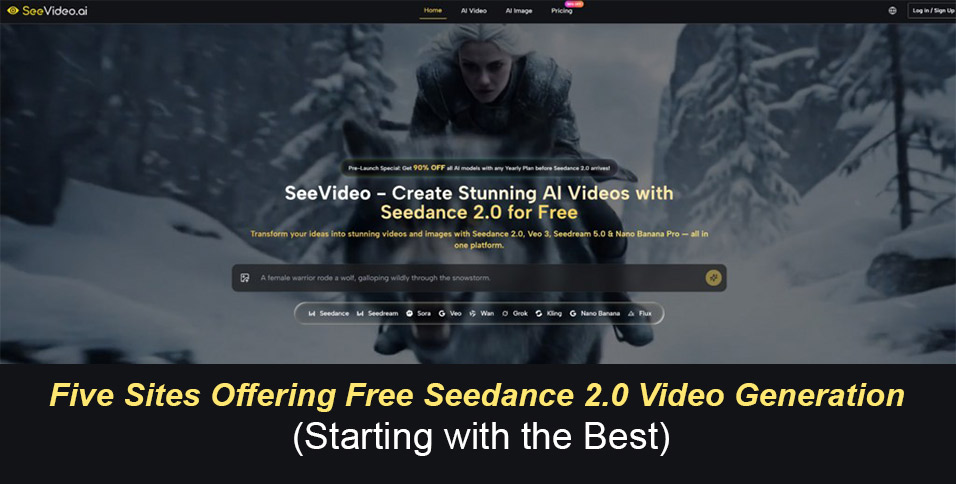
When ByteDance released Seedance 2.0, the model quickly earned attention for its multi-shot storytelling, native audio, and cinematic polish—placing it among the most capable video generation engines available. The question for creators became immediate: where can you actually use it without pulling out a credit card? One platform has emerged as the most practical starting point for serious evaluation:Seedance 2.0, a multi‑model workstation that places this engine alongside several others inside a single browser window. Four additional free access points exist, each solving a different piece of the accessibility puzzle.
The Fastest Way to Test Seedance 2.0 for Free
The clearest first move is to open a single browser tab and generate side‑by‑side comparisons. That is exactly what the multi‑model workstation built around Seedance 2.0 AI Video enables. Rather than forcing you to juggle separate accounts, different prompt syntaxes, and scattered output folders, the interface lets you write a prompt once and fire it at multiple models in the same viewport. Registration comes with a starting credit balance that replenishes monthly, and the free tier delivers 1080p clips without watermarks—enough to run several meaningful tests before any paywall appears.
Why a Unified Workspace Speeds Up Creative Choices
Side‑by‑Side Feedback That Eliminates Wrong Directions Instantly
In my own test sessions, I repeatedly saw how the comparison workflow compressed the decision phase. When I ran an identical forest‑hiker prompt through three engines, the clip that failed to keep a red jacket attached to a human shape was obvious in seconds. I killed that direction and moved on without downloading files, lining up timelines, or losing context. The workstation does not replace the craft of fine‑tuning a single model for final output, but it dramatically shrinks the gap between “what if” and “this direction.” For creators who pitch visual ideas, iterate storyboards, or need to validate a look before committing budget, that speed carries real weight.
Doubao: Zero‑Barrier Mobile Testing
Doubao, ByteDance’s consumer‑facing AI assistant, integrates Seedance 2.0 directly into its video creation module. The process is deliberately simple: open the app, tap the creation button, choose the model, and type a prompt. There is no payment gate, no membership tier, and no credit card requirement. A daily token allowance resets every twenty‑four hours and typically grants enough for several short clips. The trade‑off is equally clear: the output carries a watermark, image‑to‑video is not supported, and heavy traffic hours can slow generation speed. It fits best for someone who wants to experience the model’s core capability with zero friction, even if the daily cap makes it unsuitable for sustained production.
Jimeng AI: The Full Professional Toolkit
Jimeng AI serves as Seedance 2.0’s primary official creative platform and offers the most complete feature set. Users gain access to text‑to‑video, image‑to‑video, and multi‑modal mixed input that can combine images, video segments, and audio in one pass. The platform supports 4K resolution, director‑style camera control commands, multi‑shot narrative sequencing, and character consistency tools. A free daily login provides a limited number of credits that expire within twenty‑four hours; meaningful use beyond casual testing requires a paid membership that unlocks higher resolution, watermark removal, and priority queuing. The toolset is genuinely powerful, but the free allowance serves more as a trial window than a production resource.
Dreamina: Global Browser Access Through CapCut
Dreamina, accessible via dreamina.capcut.com, provides an internationally oriented gateway to Seedance 2.0 that runs entirely in the browser. Registration works with Google accounts, Apple ID, or email without any regional identity requirement. The free tier grants a daily pool of shared tokens sufficient for roughly ten to fifteen short generations, and users can select between standard and fast modes, set durations, and choose from a range of aspect ratios including 16:9 and 9:16. A watermark appears on free output, removable through a paid upgrade. The platform shares a credit pool with CapCut under the same account, so monitoring total consumption becomes important if you use both tools actively.
Seedance2ai.online: Standalone Access with Native Audio
Seedance2ai.online was built as an independent web platform focused exclusively on the Seedance 2.0 model, with the stated goal of removing geographic and language barriers. The workflow involves three steps: upload a photo or write a description, set resolution and aspect ratio, and generate. Seven aspect ratios are available, resolution reaches 1080p, and clips can extend to twelve seconds. A standout feature is the handling of audio—the model bakes dialogue, ambient sound, and music directly into the clip in a single pass, which eliminates the need for separate sound design if the generated audio fits your intent. The free tier does not impose watermarks, and the interface avoids API‑key complexity. It appeals most to international creators who want a clean, purpose‑built web interface without navigating a larger ecosystem.