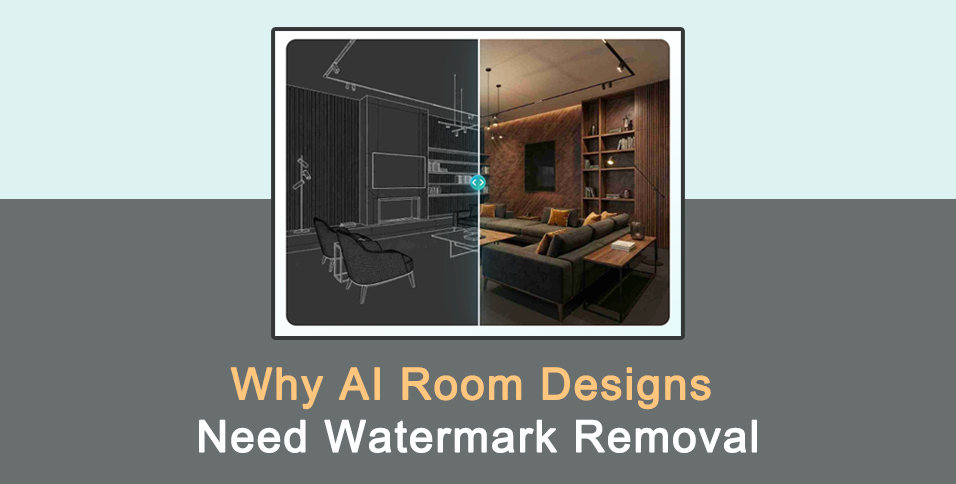
You just spent an hour tweaking the lighting and furniture layout for your virtual living room. The colors look perfect and the furniture fits the space exactly as you imagined. You used an ai room design generator to bring this vision to life. The only problem is the large, distracting logo sitting right in the middle of your new hardwood floors. This small detail can ruin the entire vibe of your presentation.
When you are trying to show off a new concept, you need the image to look as clean as possible. Learning how to remove a watermark from a photo is the next logical step for anyone using these design tools. A watermark acts as a barrier between your audience and your creative vision. It pulls the eye away from the beautiful textures and toward a piece of corporate branding. If you want your designs to be taken seriously, you have to get rid of those marks.
Most people use these generators to save time and money. You can see what a room looks like before you buy a single piece of furniture. However, many free or trial versions of these tools place a stamp on the final image. This is why having a reliable cleanup tool is so important. It allows you to use the best technology available without being stuck with a branded result. You get the benefit of high-tech design and the polished look of a professional photograph.
Use Case 1: Professional Interior Design Presentations
Interior designers often use artificial intelligence to create quick mockups for their clients. It is a fast way to show a variety of styles without spending days on manual 3D modeling. If a designer shows a client a watermarked image, it looks like they took a shortcut. It suggests that the designer is using free tools rather than professional software. This can hurt the trust between the professional and the person paying for the service.
A clean image allows the client to focus on the actual design elements. They can look at the way the light hits the curtains or how the rug complements the wall color. When a logo is present, the client might spend more time asking about the software you used than looking at the room. Removing that mark ensures the conversation stays on the project. It makes the mockup look like a custom creation made specifically for that client.
Designers also need these clean images for their portfolios. A portfolio is a visual resume that proves your skills and attention to detail. If every photo in your gallery has a different software logo on it, the portfolio looks messy. It lacks a cohesive brand identity. By cleaning up these images, you create a consistent and high-quality look that attracts better-paying clients. You show that you care about the final presentation as much as the design itself.
Use Case 2: Real Estate Listings and Virtual Staging
Real estate agents use virtual staging to make empty houses look like homes. An empty room can feel cold and small, but a room with a virtual sofa and a dining table feels inviting. Agents use AI tools to add furniture to photos of vacant properties. This helps potential buyers visualize themselves living in the space. If the listing photos have watermarks, the illusion of a lived-in home is broken immediately.
Buyers browsing online are looking for a dream home, not a software demo. A watermark on a listing photo can be a major distraction. It makes the photo look like an advertisement for a tech company rather than a showcase of a property. In many cases, multiple listing services have strict rules against watermarks on photos. An agent might even get a fine or have their listing removed if the images are not clean.
Using a removal tool allows agents to follow these rules while still using the latest staging technology. It provides a way to get high-quality, staged photos at a fraction of the cost of physical staging. You can turn a blank canvas into a luxury suite in minutes. Once the watermark is gone, the photo looks like it was taken by a professional photographer with real furniture. This helps the property stand out in a crowded market and can lead to faster sales.
Use Case 3: Social Media Content and Home Decor Blogging
Home decor influencers and bloggers rely on beautiful visuals to grow their following. Platforms like Instagram and Pinterest are driven by aesthetics. If you post a photo of a stunning kitchen but it has a logo in the corner, your engagement might suffer. People want to see aspirational content that looks authentic. A watermark makes the content feel like a repost or a low-effort share.
Followers look to influencers for inspiration and advice. When you share a design you created, you want it to look like your own work. Removing the watermark helps you maintain your personal brand. It allows the image to fit perfectly into your feed without clashing with your other posts. This level of polish is what separates hobbyists from professional content creators.
Bloggers also use these images to illustrate articles about design trends. A clean image is much easier to crop and edit for different blog layouts. If a watermark is in a difficult spot, it limits how you can use the photo. By removing it first, you give yourself total creative freedom. You can add your own text overlays or branding without the image looking cluttered. This results in a much better experience for your readers.
Benefits of Combining Design and Cleaning Tools
Using these two types of tools together gives you a complete creative workflow. You get the speed of AI and the quality of a professional editor. This combination is useful for anyone who needs high-quality visuals on a budget. You do not need to be a master of complex editing software to get great results. Most modern tools are simple enough for anyone to use.
| Aspect | Watermarked Image | Clean Image |
| Visual Appeal | Low | High |
| Professionalism | Minimal | Maximum |
| User Focus | Distracted | Targeted |
| Platform Compliance | Often Fails | Usually Passes |
| Brand Identity | Weak | Strong |
The table above shows why the extra step of removing a watermark is worth the effort. The visual appeal of a clean image is always higher. When you remove distractions, you allow the viewer to see the details that matter. This is especially true in room design, where small textures and colors are the stars of the show. A clean image feels more expensive and more thought-out.
Practical Workflow for Better Room Designs
The best way to use these tools is to follow a simple process. First, you need to generate your image. Spend time getting the prompt right so the AI understands exactly what you want. Look for the best lighting and the right furniture styles. Once you have a few options, pick the one that fits your vision the best. This is your base image.
Next, you should look for any unwanted elements. This includes watermarks, logos, or even small AI glitches. Use a removal tool to clear these out. You want to be careful to maintain the texture behind the watermark. A good tool will fill in the gap so it looks like the logo was never there. This step only takes a minute, but it changes the entire feel of the photo.
Finally, you can do some light color correction or cropping. This helps the image feel more like a real photograph. You can adjust the brightness to make the room feel more airy or add a filter to match your social media theme. By the time you are done, the image will look like it came from a high-end magazine. You have taken a basic AI output and turned it into a professional asset.
Conclusion
Using an AI tool for room design is a great way to explore new ideas. It opens up a world of possibilities for homeowners, designers, and real estate agents. However, the job is not done until the image is clean. A watermark is a small thing that has a big impact on how people see your work. It can be the difference between a project that looks like a hobby and one that looks like a career.
By adding a watermark removal tool to your kit, you ensure that your designs always look their best. You gain the ability to present your ideas with confidence. You no longer have to worry about logos distracting your clients or followers. You have the power to create, clean, and share beautiful spaces with ease. This simple two-step process is the key to mastering modern digital design. Focus on the beauty of the room and let the tools handle the rest.