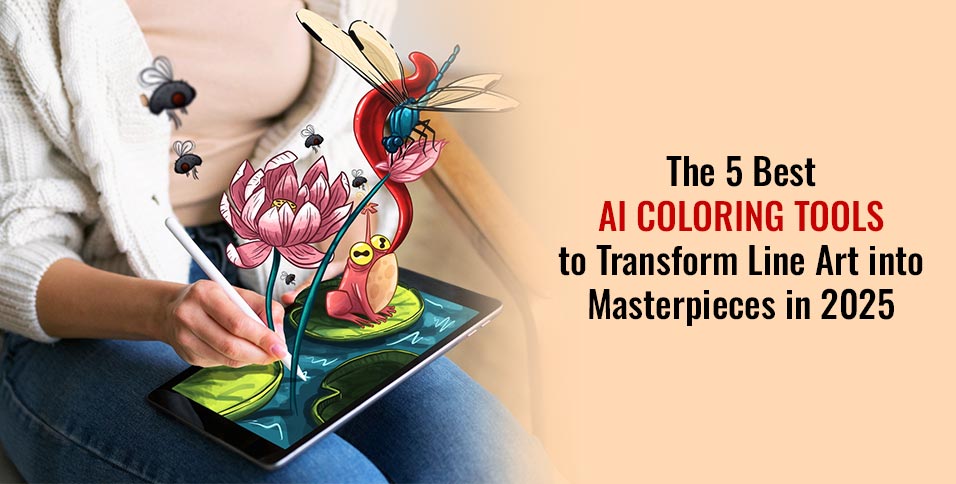
Digital art has entered a new era with AI coloring tools. These tools are changing how artists and creative people work with line art. In 2025, they can turn simple sketches into colorful masterpieces with just a few clicks.
Digital art is changing fast with AI coloring tools. These tools are making it easier for artists and hobbyists to express themselves. They are breaking old rules and opening up new ways to tell stories through pictures.
How AI is Redefining Digital Coloring
AI coloring is changing the game in the creative world. Machine learning lets artists turn line art into color quickly and accurately. It can pick out artistic styles, suggest colors, and add shading automatically.
- Intelligent color matching
- Automatic texture generation
- Style-specific coloring algorithms
Why Artists Are Embracing AI Coloring
Many are using AI coloring tools because they save time and give great results. These tools make coloring faster and easier, without losing quality.
- Faster workflow
- Experiment with multiple color schemes
- Accessible for beginners
- Professional-grade results
What to Expect in 2025
The future of AI coloring tools is bright. We’ll see better algorithms, easier to use platforms, and more ways to color line art with AI. It will be a fun and easy process.
Our guide looks at the top 5 AI coloring tools that are changing digital art. Each tool has unique features that make creativity and innovation possible.
1. BestColoringPages AI — The Ultimate Tool for Professional-Level Coloring
Artists looking for top AI coloring software will love BestColoringPages AI. It’s a game-changer for 2025. This platform turns simple line art into amazing digital art with unmatched precision and creativity.
Key Features That Set the Standard
BestColoringPages AI offers amazing AI art coloring with new tech. It has a standout feature set:
- Advanced color palette generation using machine learning
- Intelligent boundary detection preventing color bleeding
- Multiple artistic style presets including watercolor, digital art, and oil painting
- Layer-based editing for professional-grade control
- High-resolution export options for print and digital media
Why It Dominates the AI Coloring Landscape in 2025
So, why is BestColoringPages AI the best? Its unmatched algorithm, fast processing, and easy-to-use design change digital coloring. It learns what you like and gets better with each project.
Pricing and Accessibility
BestColoringPages AI is affordable and easy to get. There are free, monthly, and annual plans. It works on Windows, Mac, iOS, Android, and web, so artists can create anywhere, anytime.
2. ColorGenius — Smart Coloring for Digital Artists
Digital artists are always looking for new tools to make their work easier. ColorGenius is a top-notch AI coloring app. It uses smart coloring technology to help modern creatives.
The world of AI line art coloring has changed a lot. ColorGenius is leading this digital art change. It gives artists more creative freedom and smart color management.
What Makes It Stand Out
- Advanced color harmony algorithms that automatically suggest complementary color schemes
- Seamless integration with popular digital art software like Photoshop and Procreate
- Real-time color preview capabilities
- Customizable AI training to match individual artistic styles
Ideal For
ColorGenius is great for many digital art lovers:
- Professional illustrators working on complex client projects
- Comic book artists needing rapid panel coloring
- Concept artists exploring diverse color mood palettes
- Intermediate digital artists seeking to enhance their coloring skills
Whether you’re a pro or just for fun, ColorGenius makes line art pop. It does this with little effort from you.
3. PaintifyAI — Transform Sketches into Vivid Artwork
Digital artists looking for a top-notch AI sketch coloring tool will love PaintifyAI. It changes how artists work with line art, making vivid artwork creation easier than ever.
PaintifyAI is a standout in automated coloring tools. It offers an easy-to-use interface that makes complex coloring simple. The software gets what artists want, turning sketches into detailed, colorful masterpieces.
Features to Explore
- Advanced sketch enhancement technology
- Intelligent gap-filling for incomplete outlines
- Multiple rendering styles
- Texture overlay options
- Automatic lighting and shadow generation
Best Use Case
PaintifyAI shines when you need fast artistic changes. It’s great for animation studios, marketing pros, and art students. This tool gives amazing results.
Designers can make many color versions quickly. They can try out different styles and improve their workflow. The platform’s smart algorithms keep quality high in all projects.
4. ArtShade Pro — Realistic Coloring Meets Creativity
Digital artists looking for top-notch coloring tools will love ArtShade Pro. It’s a leap forward in realistic AI coloring. This platform gives artists unmatched creative freedom and tech precision.
Standout AI Art Features
ArtShade Pro stands out with its cutting-edge features. These features change how digital art is made:
- Advanced shading algorithms that mimic natural light
- Coloring that understands material textures
- Coloring that adjusts based on perspective
- Brushes that feel like traditional art
Why Digital Artists Adore ArtShade Pro
Artists love ArtShade Pro for its reliability and creativity. It blends colors smoothly and analyzes photos for color palettes.
It also offers non-destructive editing and lots of tutorials. This lets artists try new things. Whether it’s quick sketches or detailed projects, ArtShade Pro delivers top-notch results.
5. Sketch2Color — Quick and Easy AI Coloring for Everyone
Digital artists and hobbyists have found their perfect match in Sketch2Color. This beginner coloring tool makes digital art easy for everyone. It’s perfect for both new artists and casual fans.
Sketch2Color is a standout for its quick and easy coloring. It removes technical barriers, offering an intuitive experience. This tool turns simple line art into vibrant masterpieces with just a little effort.
Key Features
- One-click auto-coloring with intelligent color schemes
- Simple drag-and-drop interface
- Pre-made color palette library organized by themes
- Instant preview mode
- Mobile-friendly design
- Cloud storage for automatic project saving
Ideal Users
This versatile tool is for many creative people:
- Complete beginners exploring digital art
- Parents helping children with creative projects
- Teachers creating educational materials
- Hobbyists seeking stress-relief through coloring
- Content creators needing quick graphics
Sketch2Color makes digital art accessible to all. It shows that anyone can create stunning artwork. With its easy-to-use design, anyone can bring simple sketches to life.
Tips for Choosing the Right Coloring Book Generator
Choosing the right AI coloring book generator is important. It depends on your artistic needs and technical requirements. The tool you pick can greatly affect your creative work and the quality of your art.
Begin by looking at these key factors:
- Skill Level: Decide if you need easy-to-use tools or more complex features
- Primary Use Case: Think about why you want to use the tool – for work, personal projects, or fun
- Budget Constraints: Look at both free and paid options to see what you get for your money
When picking AI software, check the technical details. Make sure it works with your device and meets your hardware needs. The best tool is one that goes beyond basic features.
- Export Quality: Check if you can save your work in different formats and resolutions
- Learning Resources: See if there are tutorials and support from the community
- Update Frequency: Find out how often the tool gets new features and improvements
Pro tip: Always try free trials. Watch tutorials, read reviews, and test different tools before you decide. The best AI coloring tool is one that fits your creative style and helps you achieve your artistic goals.
Final Thoughts
Digital art has changed a lot with the best AI coloring tools in 2025. Now, anyone can make amazing art easily. This is thanks to advanced AI coloring software.
BestColoringPages AI stands out as a top choice for professional results. It shows how AI can make digital art better. It’s easy to use and keeps the art looking great.
When picking coloring tools, think about what you need and how you work. The five AI tools we talked about offer different ways to enhance art. Try them out to find what works best for you.
AI tools don’t replace human creativity. They help artists by taking care of the hard parts. This lets artists focus on their imagination and creativity. As AI gets better, we’ll see even more amazing art tools.