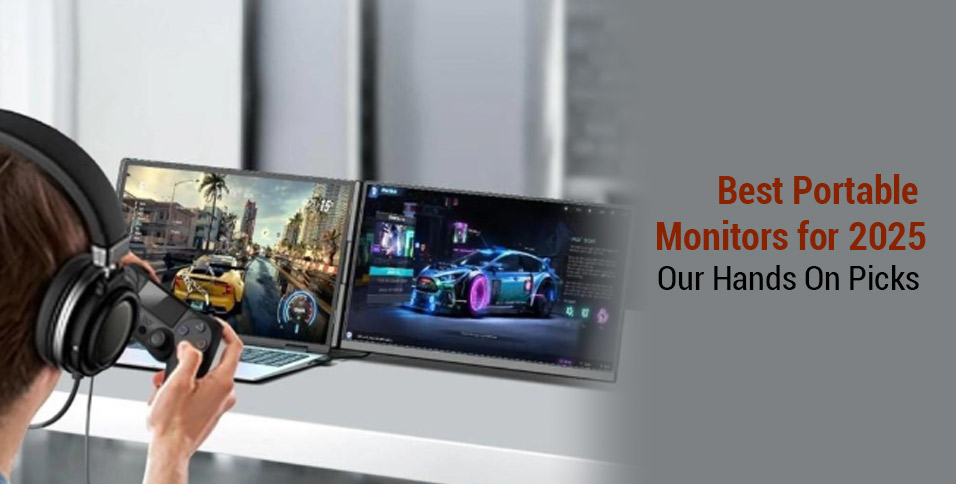
Picture this: you are in the middle of a presentation on a flight, toggling between slides and presenting material on a single laptop screen. Frustration builds, windows overlap, and productivity takes a hit. This is the scenario that many individuals, whether they are professionals, students, or creatives, know all too well. This is why portable monitors are no longer a luxury but have become a need.
Whether you need a second screen for work, study, or gaming content, we have tested the top options for you. Hence, in this guide, we’ll review the best portable dual monitor of 2025 to help you find the perfect fit.
Part 1. The 5 Best Portable Monitors of 2025
From the tested results, here is a detailed overview of the top 5 portable dual monitors in the following table:
| Feature | Cevaton P5 | ASUS ZenScreen MB16QHG | Xebec Snap | Arzopa Z1FC | Duex Max DS |
| Screen Size | 15.6″ | 16″ | 13.3″ | 16.1″ | 14.1″ |
| Resolution | 1920 × 1080 | 2560 × 1600 (WQXGA) | 1920 × 1080 | 1920 × 1080 | 1920 × 1080 |
| Panel Type | IPS | LCD | IPS Wide Viewing Angle | IPS | LCD |
| Refresh Rate | 60Hz | 120Hz | 60Hz | 144Hz (Best for gaming) | 60Hz |
| Brightness | 300 cd/m² | Up to 400 nits | Up to 400 nits | 300 cd/m² | 300 nits |
| Build Material | Aluminum Alloy + PC | Premium, FSC-Certified, 7mm Thin | Anodized Aluminum | Not specified | ABS + Aluminum Alloy |
| Ports | 2× Type-C, HDMI via USB-C, AUX 3.5mm | USB-C ×2, HDMI, Earphone Jack | USB-C / USB-A, Cable management | Mini HDMI, Full-Function USB-C | USB-C ×1, Mini HDMI ×1 |
| Weight | 2.25 kg (most durable) | Not mentioned | 0.453 kg | Not listed | 0.82 kg |
| Stand Type | Detachable & Adjustable | L-shaped kickstand + Tripod Mount | Built-in telescoping kickstand | Not specified | Slide-out mount |
| Compatibility | Windows, macOS, Linux, Xbox & Android | Windows, macOS | Windows, Mac, Chromebook, Linux | Likely cross-platform | Windows, macOS, Linux, ChromeOS, Android (Dex), Switch |
Part 2. How to Choose the Suitable One for Your Needs?
Moving on, with the top 5 laptop display extenders overview details, we must also know what features a perfect monitor should have. Therefore, let’s discuss the main key points in the given section:
- Know Your Purpose: If you work remotely, study, or edit videos for business, a full HD screen might suffice.
- Pick the Right Size & Weight: When you always have to travel, a 13 to 14-inch monitor is perfect for a compact workspace or on the go.
- Check Compatibility: Make sure the monitor supports your laptop’s OS (Windows, macOS, or Android, etc.) and offers easy plug-and-play via USB-C or HDMI cable.
- Single or Dual Screen: If your task involves switching between tabs, spreadsheets, or timelines, a dual monitor like Cevaton P5 can double your productivity.
- Go Dual for Multitasking: Choose the one that transforms your laptop into a proper workstation, and with two screens, it’s perfect for coders and designers to do various tasks simultaneously.
Among the portable options mentioned in the table, Cevaton P5 comes up with ideal features, which a perfect second-screen expander should have.
Part 3. Why We Recommend the Cevaton P5 Portable Dual Monitor
Though other portable dual second monitors have quite good properties, there are a few things that they lack. Therefore, the following section will discuss the features that make Cevaton P5 the best option out of all:
- True Dual-Screen, One Unit: Unlike standard portables, the P5 gives you two 15.5-inch FHD displays in a single foldable design, which is perfect for multitasking.
- Plug-and-Play Simplicity: No drivers and fuss to set it up; you can simply connect it via USB-C and HDMI cables.
- Military-Grade Portability: It weighs 2.2 kg and folds like a laptop to fit in your bag, which is ideal for hybrid workers and students
- Budget-Friendly Excellence: The screen offers premium features at a lower price point than many weaker 14 or 13-inch monitors.
- Multitasking Made Easy: You can power through remote work and even note-taking with dual screens that reduce tab switching stress and boost output.
Part 4. Cevaton P5 Setup Guide for Beginners
Where to Buy
| Platforms | Pricing | Condition |
| eBay | $107.10 | Used |
| Amazon | $219.99 | New |
| Newegg | $555.99 | New |
| Official Website | $159.99 | New |
Instructions. Open your Cevaton P5 package and unfold the dual screen to prop it up using the adjustable stand. Now, connect it via USB-C or a desired cable to attach it to your laptop. Once the portable dual monitor is connected, extend your screen and arrange your windows to start multitasking.
Frequently Asked Questions
- Can I use the Cevaton P5 with my iPad, smartphone, or gaming console?
This laptop display extender supports a wide range of devices with USB-C or HDMI ports, including iPads, Samsung devices, and more. This feature makes it a truly versatile portable monitor, and anyone can use it for their seamless workflow.
- How durable is the build for frequent travel?
With an aluminum alloy plus PC body, it offers a detachable stand and protective folding design. The P5 is built for mobility and has a compact, impact-resistant design that is enough to slide into any backpack.
- Can I adjust the brightness or screen settings?
Yes, you can manually change the screen’s brightness, contrast, or color temperature using the onboard menu buttons. This allows for optional viewing in any lighting condition, including bright outdoor settings.
Final Verdict: Which Portable Monitor Is Right for You?
To wrap up, if you are ready to boost your creativity in 2025, a portable dual second monitor is a game-changer. Therefore, this guide has reviewed the top 5 portable options to help you decide the best one for your needs. Out of all, Cevaton P5 stands out the most due to its performance and portability.
Also Read: How Stacked Monitors Can Help Boost Your Stock Trading Productivity