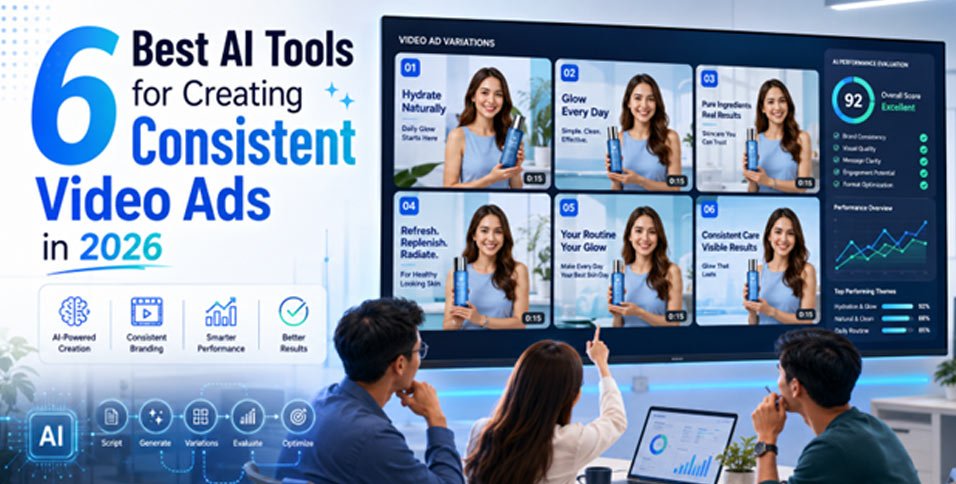
Creating one attractive AI video ad is easy. Keeping the product, presenter, colours, message, and style consistent across a campaign is harder. Small changes can weaken trust, especially when a label shifts, an avatar changes, or the brand tone feels different.
Wyzowl forecasts that 91% of organizations will utilize video as a marketing strategy in 2026. This guide compares six AI platforms for repeatable campaigns across products, audiences, languages, and social channels. The focus is not speed alone. It is whether each platform can keep creative details aligned.
The best options at a glance
Invideo Agent Two is the strongest choice for teams that need project-level memory, product references, reusable characters, and consistent locations across several scenes or campaign versions. Creatify is a practical option for turning product pages into presenter-led ads. Zeely AI suits small ecommerce teams that want fast ads from a store link, while Quickads combines ad research, creation, brand controls, and publishing.
Tagshop AI focuses on creator-style product videos from a URL, image, or brief. MakeUGC suits teams that need many digital presenters, languages, and parallel production.
The right choice depends on what must remain consistent:
• Choose project memory when the same product, cast, and setting must continue across many scenes.
• Choose a product link workflow when speed matters more than detailed scene control.
• Choose brand controls when several marketers create ads for the same company.
• Choose presenter-focused software when the campaign depends mainly on scripts, voices, and talking characters.
How we evaluated these tools
We reviewed each platform using six factors: product accuracy, brand controls, presenter continuity, scene control, ad variations, and pricing clarity. We also checked whether each platform supports a full campaign workflow or only one production stage.
This matters when comparing Agentic AI use cases. A platform that remembers a whole campaign solves a different problem from one that quickly converts a product page into short ads.
Comparison table
| Tool | Best for | Main consistency method | Starting price |
| Invideo Agent Two | Full campaigns with repeated products, characters, and locations | Persistent project context and locked references | From $17 per month with annual billing |
| Creatify | Product page to video ad production | Reusable product assets, actors, and brand settings | Free plan; Starter at $39 per month |
| Zeely AI | Small ecommerce teams creating social ads | Saved product details and brand-inspired remix | Starter at $29.95 per month |
| Quickads | Teams combining ad research and production | Saved brand kit and modular ad elements | Free entry; Pro from $99 per month |
| Tagshop AI | Creator-style product ads from links or images | Guided brand questions and repeatable actors | From $14 per month with annual billing |
| MakeUGC | High-volume presenter-led ad testing | Actor library, languages, and parallel generation | From $59 per month |
1. Invideo Agent Two
Invideo Agent Two is built for creative teams producing multi-scene and multi-campaign work where continuity matters. Each project has a shared context that stores the brand rules, characters, products, locations, lighting choices, and earlier creative decisions. Separate Briefs can then be created for each ad or campaign version without losing the wider project direction.
Most AI ad platforms treat every request as a fresh task. For longer campaign continuity, invideo Agent Two keeps brand guidance, product references, characters, and locations inside one project context. It assigns jobs to specialised agents and can select from more than 200 creative models.
Its agentic workflow for creating AI generated ads helps teams turn product references, brand guidelines, and campaign ideas into product films, creator-style ads, localised versions, and creative variations. With invideo Agent Two, teams can approve a product look or opening shot and carry those details into later scenes, reducing visual changes across the campaign.
The agent can read scripts, brand books, PDFs, Drive folders, YouTube links, reference videos, and uploaded footage. This allows invideo Agent Two to identify visual rules, spot continuity issues, and apply an approved camera style, performance, or lighting treatment to later scenes.
• Key features: Project memory, reference sheets, multi-model routing, scene planning, voice, and localisation. Persistent Context, individual Briefs, expert agent collaboration, video and document analysis, Playbooks, and shared team access.
• Best for: Brands, agencies, and production teams managing several connected ads.
• Use cases: Brand films, product campaigns, localised ads, multi-scene creative, Product launches, fashion ads, regional versions, and product swaps.
• Where it falls short: Strong consistency needs careful references and a more structured project setup and is less suited to simple one-off clips.
• Pricing: Plus starts at $17 per month when billed annually, with 75 monthly credits.
2. Creatify
Creatify helps performance marketers turn a product page into a video ad. It can pull product information from a URL, create scripts, pair them with digital actors, and produce several versions. It also includes product video generation, batch creation, ad research, and campaign launching.
Consistency mainly comes from reusing the same product inputs, actor, script structure, and campaign assets. This works well for repeated presenter-led ads, though it offers less control over long visual stories than a project memory system.
• Key features: URL to video, digital actors, scripts, product videos, batch production, and ad analysis.
• Best for: Direct-to-consumer brands testing short ad ideas.
• Use cases: Product explainers, creator style reviews, app ads, and social variations.
• Where it falls short: Continuity is strongest in repeatable ad formats, not complex connected stories.
• Pricing: The free plan includes 10 monthly credits. Starter costs $39 per month with 100 credits.
3. Zeely AI
Zeely AI provides a simple path from a product page to a social video ad. Users can paste a product or Shopify URL, and the platform pulls images, pricing, titles, and descriptions. Shopify users can import several products together, which helps smaller stores test more items.
Its consistency strengths include saved product details, brand-inspired remix, avatar controls, and repeatable campaign formats. It is less focused on exact product locking across detailed scenes, so packaging and design details still need review.
• Key features: URL import, prompt to ad, marketing videos, talking reels, avatar controls, and testing.
• Best for: Small ecommerce teams that want a guided workflow.
• Use cases: Store promotions, seasonal offers, launches, and paid social tests.
• Where it falls short: Advanced scene control and exact product continuity are limited.
• Pricing: Starter is listed at $29.95 per month with 2,500 credits. Plans may vary by platform and billing period.
4. Quickads
Quickads combines creative research with ad production. Teams can search a large ad library, filter examples by niche and format, then create image and video ads in the same platform. A saved brand kit helps keep logos, colours, and campaign details aligned when several people produce content.
Its modular video workflow also lets marketers change hooks, scenes, calls to action, and voices without rebuilding the whole concept. This supports controlled testing, though detailed character and location continuity are not its main focus.
• Key features: Ad research, video generation, brand kit, product visuals, pretesting, scheduling, and analytics.
• Best for: Growth teams that want research, creation, and publishing together.
• Use cases: Paid social testing, ecommerce ads, lead generation, and campaign refreshes.
• Where it falls short: The entry price is higher than several focused platforms.
• Pricing: Teams can start free, while Pro plans begin at $99 per month.
5. Tagshop AI
Tagshop AI focuses on creator-style ads built from a product URL, image, or written idea. Its AI Video Agent asks about the product, audience, message, visual direction, and campaign goal before creating the script, presenter, voiceover, scenes, captions, and supporting footage. This guided intake helps repeat the same brand direction.
It works best when consistency means keeping the same product story, voice, presenter type, and call to action across short social videos. It is less suited to long narratives with complex connected scenes.
• Key features: Product URL input, image input, guided agent, digital actors, voiceovers, captions, and scripts.
• Best for: Ecommerce marketers creating creator-style ads quickly.
• Use cases: Reviews, demonstrations, unboxing, testimonials, and social variations.
• Where it falls short: Fine product details and longer scene continuity need manual checks.
• Pricing: Paid plans start at $14 per month with annual billing. Higher tiers include more credits.
6. MakeUGC
MakeUGC is built for producing presenter-led ads at volume. Its plans include more than 1,000 digital creators, over 50 languages, script generation, several visual models, and parallel production. These features help teams keep the script structure, presenter choice, language, and product message steady across a large testing programme.
It suits campaigns that need many audience or language versions but not a connected cinematic story. Product in hand scenes and supporting footage add context, while batch production creates several options together.
• Key features: Creator library, multilingual voices, parallel production, scripts, product in hand, custom avatars, and API access.
• Best for: Agencies and ecommerce teams testing many presenter-led ads.
• Use cases: Reviews, multilingual campaigns, app ads, demonstrations, and service promotions.
• Where it falls short: It offers less control over persistent locations and connected scene direction.
• Pricing: Start-up costs $59 per month for 500 credits. Growth costs $79 for 1,000 credits.
How to choose the right tool
First, decide what must stay unchanged. For connected scenes, lock the product, cast, locations, and visual rules. For presenter ads, focus on actors, voices, scripts, and product inputs.
• Choose invideo Agent Two for deeper project continuity.
• Choose Creatify for product page to ad production.
• Choose Zeely AI for a simple ecommerce workflow.
• Choose Quickads for research and publishing in one place.
• Choose Tagshop AI for guided creator-style product ads.
• Choose MakeUGC for presenter and language testing.
Test each platform with the same brief before buying a yearly plan. Compare product accuracy, presenter continuity, revision cost, and the number of ads you can actually publish.
Frequently asked questions
1. What makes an AI video ad consistent?
A consistent AI video ad keeps the same product shape, logo, colours, presenter, voice, setting, lighting, and message across every scene and version. Strong workflows rely on saved brand rules, clear reference images, approved character assets, and controlled changes. Every output should still be checked before publishing because small visual errors can appear during generation.
2. Which type of tools is best for product consistency across scenes?
For multi-scene campaigns, a project memory system is usually more suitable than a simple URL-based generator. It can keep product references, locations, characters, and earlier decisions available throughout production. Upload clear product images from several angles, include close views of labels and materials, and approve one reference shot before creating the remaining scenes.
3. Can AI tools create several versions of the same video ad?
Yes. Most platforms can change scripts, presenters, hooks, calls to action, languages, formats, or products. The safest method is to change one major element at a time while keeping the rest fixed. This makes performance tests easier to understand and reduces unwanted visual changes between versions.
4. Are AI-generated video ads suitable for ecommerce?
They can support product demonstrations, creator-style reviews, seasonal offers, retargeting, and message testing. Ecommerce teams should inspect labels, packaging, colours, sizing, and product behaviour before launch. The video must represent the item accurately, especially when it shows how a product fits, moves, opens, or is held.
5. How much do AI video ad tools cost?
Entry prices in this comparison range from free plans to $99 per month. The real cost depends on credits, retries, video length, resolution, model choice, and the number of publishable outputs. A low monthly fee can still become expensive when every revision consumes credits, so compare the cost per approved ad.
6. How can a brand improve consistency before generating ads?
Prepare a brand pack with logo files, approved colours, font guidance, product images, audience notes, tone examples, and clear restrictions. Include several product angles, close views, packaging layers, and a scale reference. For presenters, define appearance, clothing, voice, and delivery style. Treat the first approved scene as the reference for later versions.
Conclusion
The best platform depends on the consistency your campaign needs. Invideo Agent Two suits connected productions with shared context, while Creatify, Zeely AI, Quickads, Tagshop AI, and MakeUGC offer faster routes for product page ads, presenter videos, and performance testing.
Start with accurate references, change one variable at a time, and judge value by publishable ads. Which part of video ad consistency is hardest for your team: products, presenters, branding, or scene continuity?