If your day is built around calls, you probably do not care about earphone “features” as much as you care about one thing: does the setup behave the same way every time you sit down to work? The moment audio becomes unpredictable, it takes attention you did not plan to spend — and it usually happens not when you are casually listening to music on a walk, but at the worst possible time.
Wireless headsets can be genuinely convenient, and for some people they are “good enough” most days. But for others, they simply do not work well. Just like wired earphones, wireless ones have their own pros and cons. And when it comes to using wireless in a work context, the problem is not only that Bluetooth is ‘not good’. The problem is that it adds layers. Device switching, app handoffs, background reconnections, battery management, codec behaviour, and the occasional latency hiccup all live in that stack. Most of the time you never notice them. Then you notice one of them in the middle of a meeting you cannot interrupt.
That is where wired earns its place again. Not as nostalgia, and not as a protest against wireless. Just as the “fewer variables” option when you want audio to be steady and boring in a good way. And for remote work, that consistency matters more than any feature list.
Why fewer glitches matter more than it sounds
On paper, small disruptions look harmless. In real life, they are the kind of friction that breaks flow. You spend fifteen seconds reselecting the right device, another fifteen seconds asking someone to repeat a sentence, and then you lose the thread of the discussion. It is rarely the time that hurts. It is the context switch.
Wired audio avoids a few of the most common failure points at once. There is no battery anxiety, there is no pairing loop, and there is no codec negotiation that subtly changes behaviour between sessions. Even latency becomes predictable, which matters for calls more than people admit, because timing affects how smooth a conversation feels.
A realistic wired setup in minutes
Another important advantage of wired earphones is how easy they are to connect. The chain is simple:
phone or laptop → adapter (dongle) or DAC → IEMs
You do not need a complicated stack. The value is consistency. Once it is connected, it stays connected, and you stop thinking about your audio as a separate task.
Work-call moments where wired quietly saves you
Most people switch to wired after a handful of very familiar situations.
The classic one is the mid-call handoff. You start a meeting on the laptop, the headset reconnects to the phone, and suddenly you are talking into the wrong microphone while your audio route changes without warning. Another one is the battery surprise: everything looks fine in the morning, then halfway through a long call you realise you are watching percentages instead of listening.
The third is context switching. You jump between a call, a voice note, a quick video clip, then back into a meeting app. At some point the wireless chain adds just enough friction to become noticeable.
Wireless is not “bad” for a work workflow. It simply has layers, and layers sometimes misbehave at inconvenient times. Wired reduces those layers.
Why the cable is often the first thing that fails
Wireless earphones have another practical problem: one earbud often gets lost, or drops during a work panic, or ends up buried under a pile of papers. Wired earphones can win here too: you can hang them around your neck, for example. But nothing lasts forever, and wired setups have their own wear patterns.
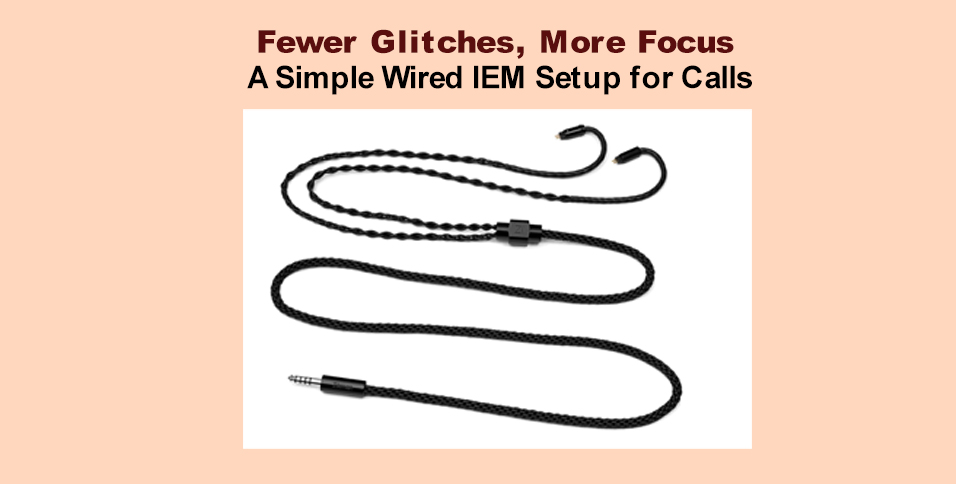
In an IEM setup, the cable is the part that lives the hardest life. It bends near the plug, flexes when you stand up, rubs against clothing, and gets tugged slightly during normal desk movement. Over time, that wear shows up as annoying behaviour rather than a dramatic failure.
You might notice:
– brief channel dropouts
– crackling when the cable flexes near the plug
– stiffness that makes the cable uncomfortable
– extra cable noise when you move
– connectors that feel loose or inconsistent
If your IEMs sound fine when you sit still but misbehave when you move, the cable and connector are usually the first place to look.
Quick troubleshooting: cable issue or connector issue
Start at the plug end. If you can reproduce crackling by gently flexing the cable near the plug, that is often cable fatigue at a stress point. If audio cuts when you move but returns when you reseat the connector, it is more likely a contact issue.
With the classic 2-pin connector (often 0.78mm), the most common problem is a connector that is not fully seated or is attached at a slight angle. It can work “most of the time” and then drop a channel when you turn your head. With MMCX (a rotating connector), looseness is the giveaway. If the connector rotates very freely and a channel cuts when you shift the cable, the MMCX fit may be wearing out.
Replacing the cable is often the cleanest maintenance step. It removes several possible failure points at once and costs less than replacing your favourite IEMs that still perform well.
2-pin vs MMCX, the quick connector note
Most IEMs use either 2-pin or MMCX. 2-pin is a fixed connection that tends to feel stable when seated properly. MMCX is a rotating connector that can be convenient for frequent detaching, but may loosen with heavy use. The key is choosing the correct connector type and keeping the fit stable, because stable contact matters more than any marketing claim. And if durability and stability are the priority, 2-pin usually wins.
What to look for in 2-pin IEM cable options
If reliability is the priority, focus on details you feel every day:
– correct connector type (2-pin or MMCX)
– stable connector fit with repeatable contact
– solid strain relief near the plug
– flexible jacket to reduce stiffness and microphonics
– length that suits desk use, not only portability
If you want a reference point while comparing 2-pin IEM cable options for work calls and fewer day-to-day glitches, this catalog is a straightforward place to start.
Final thoughts
For busy workdays, the best setup is the one you stop thinking about. Wired IEMs can deliver that “plug in and move on” behaviour, and when something starts to feel glitchy, the cable is often the simplest maintenance point because it fails first and is the easiest part to replace.