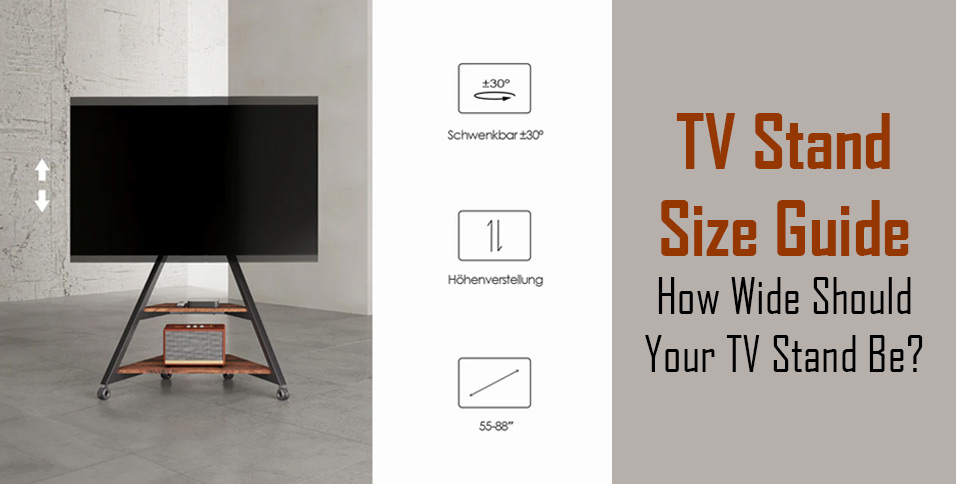
So, how wide should your TV stand be?
In most cases, your TV stand should be at least a few inches wider than your TV—ideally 2–3 inches on each side. This gives your setup a stable base, keeps it safe, and looks balanced in your room.
But choosing the right size isn’t just about matching numbers. The perfect stand also depends on your room layout, viewing height, and storage needs.
In this guide, you’ll learn how to measure your TV correctly, find the ideal stand width for your space, and avoid the most common sizing mistakes—so your entertainment area looks clean, balanced, and comfortable.
Why Choosing The Right TV Stand Size Matters?
Balance, Safety, And Comfort
A TV stand isn’t just a piece of furniture—it’s the foundation of your entertainment area.
A stand that’s too narrow looks top-heavy and unstable, while an overly wide one can overpower a small room. The right width creates balance, keeps the TV secure, and provides room for décor, consoles, or soundbars.
Pro tip: If the stand extends at least 2–3 inches beyond the edges of your TV, you’ll achieve both safety and symmetry.
Common Mistakes People Make
- Mixing up diagonal and horizontal measurements. TV size (like 65″) is measured corner-to-corner, not across the width.
- Ignoring proportions. A stand narrower than the TV looks off-balance.
- Forgetting about accessories. Consoles, speakers, and cables all need extra shelf width and airflow.
A little planning now saves a lot of rearranging later.
How To Measure Your TV And Choose The Right Stand Width?
Step 1 – Measure Your TV’s Actual Width
Use a tape measure to find the true horizontal width of your TV from left edge to right edge.
Write that number down—you’ll use it to pick the right stand size.
Step 2 – Compare With Recommended Stand Widths
Here’s a quick guide that turns TV screen size into usable stand measurements:
| TV Size | Approx. TV Width | Recommended Stand Width |
| 50″ | 44″ | 48–60″ |
| 55″ | 48″ | 52–65″ |
| 65″ | 57″ | 60–72″ |
| 75″ | 66″ | 70–80″ |
If you have a large TV stand, aim for one that extends 3–4 inches past the TV on each side. This prevents tipping and looks professionally balanced.
Visualization tip: Before buying, mark your chosen stand width on the wall or floor with masking tape. It’s an easy way to “see” the setup before it arrives.
Step 3 – Measure Your Room Space
Use a tape to check the total wall width, nearby doors, and outlets.
Leave at least 2–3 inches of clearance on either side so the stand doesn’t block sockets or curtains.
For small or awkward corners, consider a corner entertainment center—it maximizes every inch and keeps viewing comfortable.
Height And Viewing Comfort
Keep The Screen At Eye Level
The most overlooked part of TV setup is height.
The screen’s center should sit around 40–42 inches from the floor when you’re seated.
If it’s higher, you’ll strain your neck; too low, and you’ll lose immersion.
Quick tip: Sit on your couch, look straight ahead, and note where your eyes fall on the wall—that’s where your screen center should align.
Quick Height Reference
- Living rooms: 20–25″ stand height
- Bedrooms: 28–36″ stand height
- Floor seating or beanbags: 15–18″ stand height
When using a large TV stand, double-check that the overall height still keeps the screen close to eye level—especially for larger screens, which can sit higher naturally.
How To Choose The Best TV Stand For Your Room Layout?
Small Spaces Or Apartments
- Opt for compact or corner TV stands that tuck neatly into unused areas.
- Choose lighter colors or open-shelf designs to make the space feel bigger.
- Prioritize cable holes or closed storage to keep clutter invisible.
Medium-Sized Living Rooms
- Select a stand about 10–15% wider than your TV.
- Add décor—plants, books, or candles—on both sides for visual balance.
- Adjustable shelves make it easy to fit consoles and routers.
Large Living Rooms Or Open Walls
A large TV stand (70–90″) is perfect for wide spaces and large screens.
It visually anchors the wall, provides extra storage, and prevents your TV from “floating” awkwardly in the middle.
Long, low consoles or extra-wide TV stands also give a clean, cinematic feel ideal for home theaters.
Understanding Proportion—Why Fit Is More Than Numbers
The Two-Thirds Rule For Visual Balance
Designers often use the two-thirds rule: the stand should be about two-thirds the width of the wall or surface behind it.
For example, if your wall measures eight feet across, a 70–75″ stand will look naturally balanced.
When Matching Width Works
If your room uses built-in cabinets or a minimalist layout, a stand the same width as the TV can look modern and intentional—especially when wall-mounted.
Remember: The goal is harmony. A stand slightly wider than the TV nearly always feels more stable and visually pleasing.
Style, Space, And Storage—Making Function Look Good
Match The Stand To Your Décor
| Style | Best Width Approach | Why It Works |
| Modern minimalist | Same width or +3″ wider | Keeps lines sleek |
| Scandinavian | +5–8″ wider | Adds warmth and openness |
| Industrial / rustic | +8–10″ wider | Strong base for big screens |
The stand’s color and texture influence how large it appears. Light woods make a room look airy; dark finishes feel solid and grounded—great for a large TV stand.
Storage And Cable Management
Cables and devices can ruin even the best design.
Look for stands with back panels, hidden holes, or adjustable shelves.
Leave at least 2–3 inches of ventilation space behind your electronics.
If you have several devices, an entertainment center for big TVs with modular shelves keeps everything organized.
Safety And Stability Tips
Check Weight Capacity
Every TV stand lists a maximum load capacity—never ignore it.
Choose one that supports 20–30% more than your TV’s weight.
This ensures stability and prevents long-term warping or wobbling.
Use Anti-Tip Straps Or Wall Anchors
Families with kids or pets should always secure their TVs.
Install anti-tip straps or anchors to keep both the stand and TV safely in place.
A sturdy large TV stand with a wide base or steel frame offers the best foundation for heavy screens.
Choose Durable Materials
Solid wood, steel, or tempered glass stands last longer and hold heavier TVs.
Avoid thin plastics or hollow boards for anything above 65 inches.
Common Mistakes And How To Avoid Them
| Mistake | What Happens | Easy Fix |
| Buying a stand as wide as your TV | Looks unstable and unsafe | Pick one 3–4″ wider on each side |
| Ignoring wall clearance | Outlets blocked or cables bent | Leave 3–5″ gap behind |
| Forgetting the soundbar | Overhang or clutter | Measure front shelf depth |
| Overlooking weight rating | Wobbling or bending | Confirm stand specs first |
Small adjustments now prevent big regrets later.
Quick Decision Checklist
- Measure your TV’s actual width (not diagonal).
- Pick a stand 2–3 inches wider on each side.
- Match height to eye level when seated.
- Leave wall clearance for outlets and airflow.
- Check the stand’s weight rating and stability.
- Choose a design that matches your décor.
- In tight spaces, go for a corner entertainment center.
- For home theaters or wide walls, upgrade to a large TV stand for proportion and presence.
If you’re unsure, always size up rather than down—extra width means better stability.
Frequently Asked Questions
1. Can my TV be wider than my stand?
Technically yes, but it often looks unbalanced and can reduce stability. A stand a few inches wider than your TV will always look and feel better.
2. What size stand fits a 65-inch TV?
A stand between 60–72 inches wide works best. It leaves enough room for soundbars and side décor.
3. Should I choose a corner or wall-flat stand?
Corner stands maximize space in small rooms; flat-wall stands suit large layouts with more floor width.
4. How tall should my TV stand be?
Aim for the TV’s center to sit 40–42 inches from the floor at eye level.
5. What’s the best material for a large TV stand?
Solid wood or steel-reinforced MDF is ideal—they’re stable, durable, and can handle heavier TVs.
About FITUEYES
At FITUEYES, we believe furniture should not only serve a purpose but also elevate your lifestyle.
For over a decade, we’ve specialized in designing modern TV stands, entertainment centers, and adjustable monitor stands that combine aesthetics, flexibility, and durability.
From space-saving corner models to premium large TV stands built for home theaters, every FITUEYES design aims to make your space feel more open, balanced, and refined.
Each product is engineered with precision, blending functionality, safety, and style—so whether you live in a studio apartment or a spacious home, you can create the perfect entertainment setup that fits your life.
Final Thoughts
Picking the right TV stand size is about more than matching measurements—it’s about creating a setup that feels balanced, safe, and stylish.
By following these steps, you’ll choose confidently, avoid common mistakes, and enjoy a living space that looks professionally designed.
Whether you’re decorating a cozy apartment or setting up a full home theater, investing in a large TV stand gives your entertainment area the right presence, proportion, and polish.
Measure carefully, visualize your layout, and let your TV stand enhance—not overwhelm—your room.