
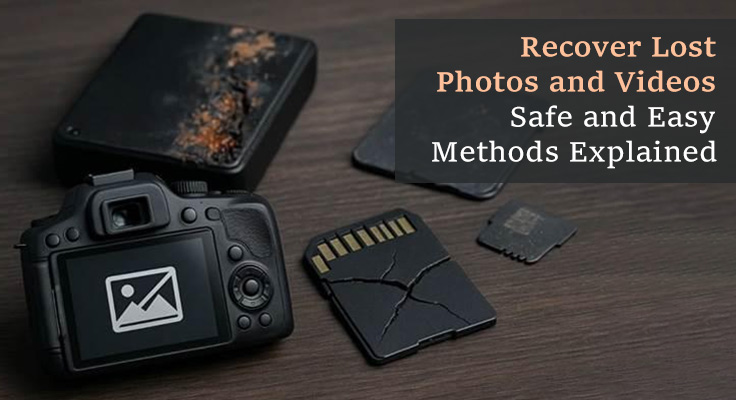
Some individuals lose valuable memories at a time, and this brings stress at a time when it is needed. Whenever this happens, photo and video recovery becomes very important. Many users feel stressed and unsure about how to get their memories back safely. Moreover, simple tools and clear guidance help you recover lost files with ease. Therefore, this guide explains safe methods so anyone can recover memories with confidence.
Part 1. Why Photos and Videos Get Lost: Common Causes Explained
Part 2. Precautions Before Attempting Recovery
Part 3. Photo and Video Recovery With Top Tools: A Direct Overview
Part 4. Why Recoverit is the Best Choice for Photo and Video Recovery
Part 1. Why Photos and Videos Get Lost: Common Causes Explained
Many people lose files due to small mistakes or simple device issues that go unnoticed. Below are a few reasons to act early and improve your chances of successful photo video recovery:
1. Human Error: People often delete files accidentally while cleaning storage or moving folders. Interrupting transfers suddenly can stop writing completely and make files unreadable.
2. Device Damage: Storage cards may break from drops or bending during daily device use. Plus, heat or water exposure can harm internal parts and make saved files vanish.
3. SD Card Issues: Memory cards weaken and develop faulty spots after prolonged, regular use. These weak areas block proper reading and make some files appear missing.
4. File Corruption: A corrupted file system stops the device from locating stored photos. Also, writing tracking paths confuses the system and hides files within the storage.
5. Malware Trouble: Viruses may hide media files by renaming or altering file paths. Malicious software can corrupt file headers and damage stored data.
Part 2. Precautions Before Attempting Recovery
The following are precautions before attempting to restore deleted photos and videos:
1. Stop using the device instantly because new actions may overwrite important deleted data.
2. Do not install new apps on the same drive, as installations may overwrite critical sectors.
3. Create a full disk image first, as working on copies protects the original device.
4. Avoid quick repair prompts because these system scans can overwrite hidden recoverable blocks.
Part 3. Photo and Video Recovery With Top Tools: A Direct Overview
You can restore deleted photos and videos when important memories vanish without warning. The following tools offer simple solutions that guide you through safe data recovery:
Tool 1. Wondershare Recoverit
This fantastic tool can recover 4K and 8K videos with precise frame-level scanning. It is also able to retrieve stored media files in case of an unforeseen failure or crash of the NAS server. In addition, you can recover deleted photos and videos from hard drives and other mobile storage devices.
It even completes scanning while maintaining accurate detection of missing video fragments. Plus, the tool supports over 100 video formats like MP4 and AVI. You can restore your damaged videos recorded by various cameras, such as Sony and Nikon. Besides, it maintains original video quality after recovery without reducing resolution or clarity.
Key Features
1. Format Coverage: Recovers uncommon video formats, including MXF, ARRI, and BRAW.
2. Efficiency Boost: AI-powered recovery improves efficiency by 1.8x during scanning and recovery tasks.
3. Large Files: Handles large video files without crashing or slowing down the computer.
Pros
● Works with multiple devices, cameras, drives, and operating systems.
● Lets users preview videos before actual recovery.
Con
● Deep scanning may take a long time on large drives.
Tool 2. PhotoRec
PhotoRec is entirely free and open-source and allows anyone to use it at no cost. Plus, it can recover files from HDDs and CDs, making it suitable for photo and video recovery. It even supports various compressed archive file recovery, such as ZIP and RAR. You can also scan sector by sector to find clusters for precise file reconstruction. Moreover, it works even when file systems are severely corrupted or reformatted entirely.
Key Features
1. Does not save recovered files on the same disk as used by overwriting data.
2. Repairs JPEG and RAW images safely out of damaged devices.
3. Files can be identified based on their headers and not on the file name.
Pros
● Read-only access protects original data.
● Recovers files even from lost or reformatted partitions.
Con
● Difficult to recover highly fragmented files.
Tool 3. MiniTool Power Data Recovery
You can also use this tool to restore deleted photos and videos and recover up to 100+ file types, including media and archives. Further, it completes scans within 30 minutes under typical storage conditions. It performs read-only scanning without modifying target drives or existing files during recovery. Furthermore, you can preview recoverable files before restoring to ensure correct file selection.
Key Features
1. Recovers website-related files, including HTML and XML formats
2. Allows users to select specific files for recovery instead of bulk restoration.
3. Recovers files from drives accidentally formatted without proper backup.
Pros
● Free recovery available up to 1 GB of data.
● Deep scanning detects hidden and hard-to-find lost data.
Con
● Cannot recover files that have already been overwritten permanently.
Tool 4. Stellar Photo Recovery
This tool can also recover 100 RAW files from popular camera brands such as Nikon and Canon. Plus, it supports FAT32 and NTFS files, suitable for photo video recovery. You can save scan results and continue recovery later without re-scanning the storage device. In addition, it offers fast or thorough scanning according to file size and type.
Key Features
1. Recovers multiple audio files, such as MP3 and MIDI.
2. Filter scans by file type or date to speed up selective recovery.
3. Select files individually for recovery instead of restoring everything unnecessarily.
Pros
● Recovers files missed by quick scanning thoroughly.
● Previewing files before recovery ensures accurate selection.
Con
● Cannot repair partitions or complex file system issues.
Tool 5. iMyFone D-Back
This photo and video recovery tool can restore files lost due to virus or malware attacks without risking further damage. The tool covers 38+ different iOS data types comprehensively. In addition, it is even possible to restore the data without jailbreaking and breaking the warranty of the device. Users can also recover accidentally deleted iPhone data without requiring any backup files.
Key Feature
1. Filter scan results by file type for faster file identification.
2. Restore specific files from iCloud backup without resetting the device.
3. Ensures recovered data never overwrites current iPhone device content.
Pros
● Preview files before starting the recovery process.
● Ensures a secure and risk-free data recovery process.
Cons
● Large storage area increases scan duration.
Detailed Comparison Table: Features, Performance, and Benefits at a Glance
This section covers a comparison table that helps you choose a photo and video recovery tool:
| Feature | Wondershare Recoverit | PhotoRec | iMyFone D-Back | Stellar Photo Recovery | MiniTool Power Data Recovery |
| Supported File Types | 100+ video photos, documents | Photos, archives, HDD/CD files | 38+ iOS data types | Photos, 200 RAW files, MP4, MKV | 100+ file types |
| Video Recovery Capabilities | 4K/8K, camera video recovery | Sector-by-sector scanning | Social app media recovery, no overwrite | Fragmented video reconstruction | Standard media recovery |
| Supported Devices | Hard drives, SSDs, mobile storage, NAS | HDDs, CDs | iCloud backups | Cameras, FAT32/NTFS drives | HDDs, external drives |
| Scanning Technology | Frame-level scan, fast and accurate | Deep sector scan | Filter-based scan, selective recovery | Quick and deep scan | Deep scan, within 30 minutes |
| Preview Before Recovery | Yes, preview before recovery | Limited preview, read-only | Full preview | Selective preview and recovery | Preview recoverable files |
| Data Safety | AI-powered accuracy preserves video quality | Open-source, safe from overwriting | Recovered data never overwrites | Audio recovery, recovery filters | No modifying existing files |
| Additional Features | Backup and disk imaging available | Command-line-based recovery | iCloud recovery without device reset | RAW photo enhancement | Website-related files |
Part 4. Why Recoverit is the Best Choice for Photo and Video Recovery
Wondershare Recoverit is a unique program since it can recover more than 100 video formats across numerous devices. Its AI-powered scanning speeds up recovery while keeping original quality. Moreover, users can preview files before restoring them. This makes Recoverit a safe and easy choice for all users. It also protects original quality and makes it a dependable choice for saving lost memories.
Step-by-Step Guide to Recover Photos and Videos Using Recoverit
Take the guidance below to recover your photo and video files from the external device with Recoverit:
Step 1. Choose the Drive to Recover Multimedia
After launching the program, select the storage drive where your files were lost.
Step 2. Scan the Device For Recovery
The software will perform a complete scan of the selected storage. Once scanning is done, choose the file to recover and click the “Recover” button.
Step 3. Preview and Restore Files
After scanning, preview the found files freely and click “Recover” to save them to your PC.
Conclusion
To conclude, recovering missing memories becomes easier when you use reliable tools. With careful handling, anyone can reduce mistakes and improve the success of photo and video recovery. Each method in this guide helps you restore valuable moments without confusion. However, when important files matter most, you need a tool that offers accuracy and stability. Therefore, Recoverit becomes the trusted choice for bringing your memories back safely.








