
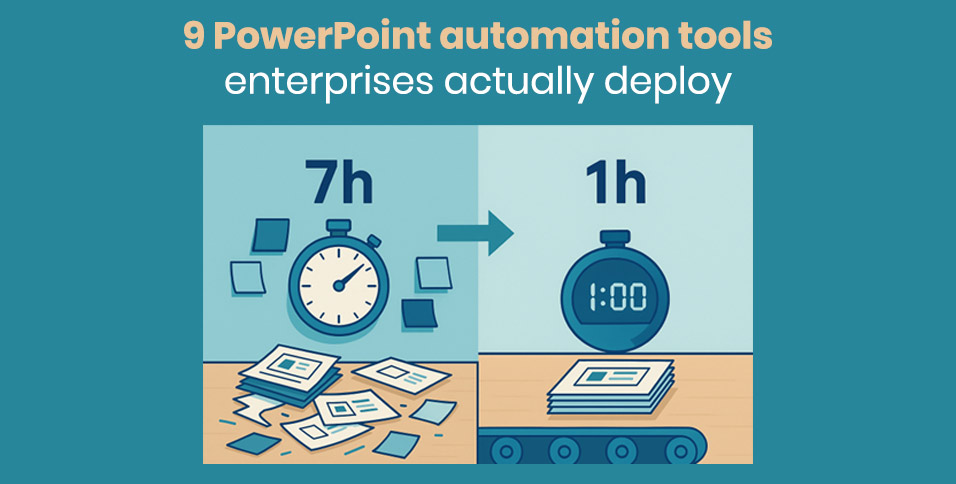
Slide work quietly steals almost a full work-day each week. Nielsen + empower’s 2020 study found that knowledge workers spend seven hours re-formatting slides or chasing the right version, wasting about US$25,000 per employee each year and roughly US$255 million for a 10,000-person enterprise.
We’ve rounded up nine PowerPoint add-ins that claw those hours back. Blank page drafting alone can devour more time than most teams realise; PlusAI’s PowerPoint add-in turns a prompt or document into a branded first draft deck in a couple of minutes, its Microsoft AppSource listing notes. Each tool in this guide addresses one of three choke points: blank-page drafting, live-data refresh, or final brand polish, while still meeting enterprise standards for security, access control, and template fidelity, so your decks reach the boardroom faster and error free.
How we picked the nine
Enterprise teams face a crowded market of slide add-ins; Microsoft AppSource alone lists more than 2,000 options. To surface tools with proven traction, we took three evidence-based steps:
- Pulled install and rating data from AppSource, prioritizing listings with thousands of active seats (think-cell, for instance, reports 1.3 million users across 30,000 companies and 80 percent of the Fortune 100).
- Read case studies and ROI claims, such as Microsoft’s Copilot field study showing an average 1.2 hours saved per week on document tasks.
- Interviewed presentation-heavy teams in finance, consulting, and marketing to confirm each product is running in production, not just in pilot.
A tool then had to clear five non-negotiables:
- Proven time savings: at least 15 minutes off a 30-slide deck, verified by usage logs or published studies.
- Brand fidelity: fonts, colors, and legal text lock to the master template with minimal manual work.
- Native PowerPoint workflow: the add-in runs inside PowerPoint or exports a clean .pptx.
- Enterprise security: SOC-type audits, encryption at rest and in transit, and single sign-on.
- Scalability: central license management, Mac and Windows parity, and responsive customer success.
Only nine products met every bar, giving teams an end-to-end toolkit for faster ideation, accurate data refreshes, and pixel-perfect polish without extra red tape from IT.
Find your starting point
Every lost hour in PowerPoint traces back to one of three repeat offenders:
- Ideation stalls claim 42 percent of slide time as teams hunt past decks or stare at blank slides.
- Data upkeep consumes another 37 percent, mostly on copy-pasting fresh numbers into last quarter’s charts.
- Pixel-perfect polish absorbs the remaining 38 percent while teams nudge logos, realign shapes, and chase brand compliance.
Those numbers shape this guide:
Draft & ideation tools unblock the blank slide.
Data visualization & live updates keep charts honest until send time.
Formatting, brand & compliance platforms finish the deck without after-hours heroics.
Pick the slice that drains your week, then jump to the matching segment for the quickest win.
Segment A: PowerPoint ideation tools
First-draft work can swallow up to 40 percent of total slide hours in enterprise teams, according to Visually’s 2024 presentation-workflow report. This segment introduces three tools that cut that load by automating outlines, narrative flow, and visual scaffolding, so analysts review ideas instead of wrestling with blank slides.
PlusAI: rapid GPT-4 slide drafts inside PowerPoint
Blank slides stall progress; PlusAI turns a prompt or any source document into a branded presentation in about 2 minutes. Because the add-in lives on the PowerPoint ribbon, every slide it generates already carries your master fonts, colors, and layouts.
Early adopters note three enterprise wins:
- Speed that scales. Analysts move from concept to first draft in minutes instead of hours, freeing time for insight and design.
- Tenant-level security. PlusAI inherits Microsoft 365 permissions and is SOC 2 Type II certified, so legal and IT teams avoid extra audits.
- Proven adoption. The add-in holds a 4.9-star average across more than 90 AppSource reviews.
Caveats for rollout: AI-generated images can swell file sizes, so enable PowerPoint’s compression defaults, and have legal review multilingual drafts for nuance.
Reach for PlusAI when a board deck, quarterly business review, or investor update must land overnight; speed and brand fidelity stay on the critical path without extra design help.
Microsoft 365 Copilot: AI slide drafting that taps your own files
Microsoft 365 Copilot sits in the PowerPoint ribbon and, on a single prompt, searches SharePoint, Teams, and OneDrive to assemble a branded deck. Charts link back to Excel, speaker notes arrive pre-written, and every color follows your master template because the model runs inside your tenant.
Productivity gains arrive quickly. In Microsoft’s early-access study, information workers reclaimed 1.2 hours a week on first drafts and content retrieval. A separate Forrester analysis projects a 132–353 percent three-year ROI for small and midsize businesses that deploy Copilot.
Licensing runs US $30 per user per month on top of Microsoft 365 E3 or E5, but security reviews stay light because Copilot inherits your encryption, compliance boundaries, and audit logging. Design teams should still refine the AI’s conservative default layouts, and admins must enforce information-barrier policies, as the tool can surface any file a user can open.
Choose Copilot when institutional knowledge is scattered across repositories and you need an AI that can assemble it without leaving PowerPoint.
Canva Enterprise: browser-based slide design for fast, on-brand visuals
When polished imagery matters more than live data links, Canva’s cloud presentation builder delivers speed without sacrificing brand control. Type a topic into Magic Design and, within seconds, a dozen templated decks appear, each locked to your fonts, colors, and logos through the Brand Kit.
Real-world impact: Zoom’s creative team saved 230 design hours in three months after rolling out Canva Enterprise, while Expedia Group now saves 160 hours each week on routine graphics thanks to reusable templates and real-time collaboration.
Key gains for large organizations:
- Instant collaboration. Multiple editors work on the same slide deck at once, ideal for global teams.
- Governance built in. Single sign-on, role-based libraries, and audit trails meet most enterprise security checklists; Canva holds SOC certifications.
- Smooth hand-off to PowerPoint. Export an editable .pptx when executives need the deck offline; re-check animations and video, which flatten on export.
Reach for Canva when you need a marketing keynote, product-launch overview, or culture deck in hours, not days, and when non-designers must contribute without risking brand drift.
Segment B: PowerPoint data-update tools and live visualizations
Updating last-minute numbers is the second-biggest time sink in enterprise slide work. Finance and ops teams spend 37 percent of their presentation hours on chart edits and data checks, according to Nielsen × empower research. The next two tools automate that grind by linking PowerPoint directly to Excel, BI dashboards, and SQL, keeping figures current right up to send time.
think-cell: PowerPoint chart automation trusted by Fortune 100 analysts
Last minute number changes once meant frantic pixel pushing; think-cell turns that chore into a one click refresh. Paste or link Excel data, choose a chart style, waterfall, Mekko, Gantt and the add-in renders a slide that matches your master template. When the CFO tweaks revenue ten minutes before showtime, you click Refresh and every linked chart updates while colors, fonts, and callouts stay locked.
- Time saved. Leading consulting firms report up to 70 percent less chart-building time after adopting think-cell.
- Broad adoption. The software counts 1.3 million users at 30,000+ companies, including 88 percent of the Fortune 100.
- Manageable cost. Licenses run about US $25 per user per month; one avoided manual rebuild per quarter typically pays for itself.
For smooth roll-out, train new users on the right-click menu—many power features live there—and keep source sheets tidy so auto-populated charts remain board-ready.
Choose think-cell when your team lives in Excel and needs data-true, on-brand visuals minutes before the deck goes live.
Rollstack: live BI data in every PowerPoint slide
Recurring report decks can swallow whole workdays. Relevate Health cut report prep time by 75 percent—from five days to under four hours for 60 client decks—after connecting Tableau to PowerPoint with Rollstack. The platform links live views from Tableau, Power BI, Looker, or even raw SQL to predefined placeholders in your slide template, then refreshes them on a schedule or at a click.
Key enterprise gains:
- Time reclaimed. Rollstack users report saving 12 hours per analyst each week on repetitive updates.
- Version control built in. Snapshot Q2, roll forward to Q3, or roll back for audits without hunting email threads.
- Security parity. Permissions mirror the underlying BI tool; data travels over encrypted channels, and the service is SOC-certified.
Pricing is usage-based (contact sales), but the vendor’s ROI calculator shows an 82 percent reduction in reporting time and a 511 percent three-year ROI for mid-size teams.
Reach for Rollstack when KPIs shift daily—weekly business reviews, marketing dashboards, or territory reports—so analysts spend their mornings on insights, not copy-paste.
Segment C: PowerPoint brand-compliance and formatting tools
Teams lose up to 38 percent of their slide time fixing fonts, logos, and disclaimers, according to Nielsen × empower’s 2024 survey of 1,600 professionals. The next four tools automate that final mile by locking brand elements, flagging errors, and standardising layouts, so every deck leaves the building polished and policy-safe.
Templafy: PowerPoint brand governance at global scale
Slide policing can swallow days when logos or disclaimers change. Templafy stops that pain by embedding your AI PowerPoint template generators templates, legal text, and brand assets directly in a PowerPoint sidebar. A single update to the central library—logo, footer, colour hex—syncs to every employee worldwide the next time they open a deck.
Real-world impact:
- 63,000 working hours saved in the first year at sustainability adviser ERM, which created 390,000 compliant documents through Templafy.
- 4,000 hours saved per month at technology firm Tietoevry after aligning 24,000 staff on one template set.
- SOC 2, SOC 3, and ISO 27001 certifications help legal sign off quickly.
Deep integrations with Microsoft 365, Salesforce, Teams, and DAM platforms let users pull the latest case-study quote or KPI table without leaving the slide. A “Content Check” scan fixes outdated footers, rogue colour codes, or missing alt-text in one click.
Deploy Templafy when thousands of employees touch PowerPoint daily and brand consistency is non-negotiable. It turns deck creation from a design wild west into a governed production line.
Macabacus: PowerPoint and Excel precision for finance, trusted by 80,000 pros
A single decimal slip can tank a deal; Macabacus scans presentations and models before they reach the CFO. Its Deck Check button flags broken links, inconsistent decimals, missing footnotes, and rogue fonts, then fixes them in seconds.
Why finance teams rely on Macabacus:
- Broad adoption. More than 80,000 finance professionals at 3,000 organisations count on the suite, including bulge-bracket banks and Big 4 advisory firms.
- Time back. Users report cutting model-formatting time by 50 percent and saving hours each week on deck updates.
- Error insurance. Link Excel tables to PowerPoint once; a change in cell C17 ripples through every chart and table automatically with no copy-paste risk.
- Enterprise-ready. Runs on-prem or via MSI with central licence control, so data-sensitive banks stay comfortable.
When pitchbook accuracy and turnaround time decide revenue, Macabacus turns late-night cross-checks into a one-click audit and lets analysts sleep before the 8 am committee call.
Power-user: Windows-only PowerPoint accelerator with 350,000 users
Consultants lose billable time to micro-edits—aligning shapes, updating agendas, recolouring graphics. Power-user packs dozens of shortcuts into one ribbon tab, helping teams create presentations 50 percent faster and reclaim roughly 11 workdays a year.
What sets it apart: a 7,000-item icon and template library that inherits your theme colours on drop-in; a range-to-slide linker that refreshes Excel data just before the meeting; and a one-click “format all” cleaner that fixes rogue fonts or off-grid text boxes.
Adoption is solid—350,000 users worldwide and a 97 percent renewal rate according to the vendor’s Microsoft-certified listing. Licences run about US $24 per user per month, with volume discounts. Note that the add-in is Windows-only, so mixed Mac environments still need BrightSlide or a similar tool.
Choose Power-user when your organisation lives on Windows laptops and wants an all-in-one booster that removes hundreds of small, repeat actions without extra design software.
BrightSlide: free PowerPoint clean-up toolkit with more than 60 precision tools
BrightCarbon built BrightSlide for its presentation designers, then released it to the community, free for Windows and Mac. The add-in bundles over 60 micro-tools that finish a deck in record time: one-click alignment across every slide, even spacing for icon rows, a timeline panel that staggers animations in seconds, and an “animation copy” feature that transfers complex motion paths flawlessly.
Adoption has grown fast: more than 40,000 downloads in the past two years, according to BrightCarbon’s registration data shared at its February 2025 masterclass. IT teams like the no-cost MSI package for mass deployment—no licence keys, no renewal calendar—making BrightSlide an easy partner to paid add-ins that cover only one OS.
Reach for BrightSlide when your deck is “done” but still feels off; the add-in knocks out pixel-nudging so you can ship a polished file while everyone else is still lining up logos.
How the tools combine into a PowerPoint automation stack
Picture a quarterly business review that once burned a full workweek:
- PlusAI drafts the storyline in about 40 minutes instead of five hours.
- think-cell adds waterfalls and variance bridges in 15 minutes, not two hours.
- Rollstack refreshes every KPI straight from Snowflake, avoiding the usual 90-minute copy-paste cycle.
- BrightSlide cleans alignment and animation in 10 minutes, a task that used to take an hour.
- Templafy runs a final content check so brand and legal teams sign off in minutes.
Total slide build time drops from roughly 30 staff hours to under one workday, a pattern echoed in McKinsey’s 2025 workflow study on presentation automation.
Stacks vary by role:
- Marketing. Canva for fast visuals and BrightSlide for polish turn campaign decks around in hours. For a wider survey of tools, marketers can compare additional AI presentation generators for marketers to see which platform best matches their workflow.
- Finance. Macabacus and think-cell keep numbers true, while Power-user handles template tweaks.
Start with the segment that hurts you most, measure the hours saved, then layer complementary add-ins until the friction disappears.
PowerPoint automation tool comparison matrix
| Tool | Time saved¹ | Brand lock² | Works inside PPT³ | Security & admin⁴ | Collaboration & scale⁵ |
| PlusAI | High | High | Yes | Yes | Medium |
| Microsoft 365 Copilot | Medium | High | Yes | Yes | High |
| Canva (Enterprise) | High | High | Partial | Medium | High |
| think-cell | High | High | Yes | Yes | Medium |
| Rollstack | High | High | Yes | Yes | High |
| Templafy | High | High | Yes | Yes | High |
| Macabacus | Medium | High | Yes | Yes | Medium |
| Power-user | Medium | High | Yes | Yes | Medium |
| BrightSlide | Medium | High | Yes | Yes | High |
1 = Based on vendor or third-party studies quantifying hours saved per 30-slide deck.
2 = Ability to lock fonts, colours, and legal text without manual edits.
3 = Runs natively in PowerPoint or outputs a 100 percent editable .pptx.
4 = SOC-type certifications and single sign-on support.
5 = License management plus Windows/Mac parity or web co-editing.
Use the matrix to spot gaps in your stack. If “Works inside PPT” is your only yellow, steer clear of browser-only builders. If “Security & admin” shows medium, lean toward add-ins that inherit Microsoft 365 policies by default.
Conclusion
PowerPoint automation has become a measurable productivity lever, not a nice-to-have. The nine tools in this guide eliminate the biggest slide-building bottlenecks, drafting, data updates, and formatting, saving teams hours each week while improving accuracy and brand consistency. Start with the stage that drains your time most, then layer complementary tools until your workflow runs end-to-end. Enterprises that follow this path routinely cut deck creation by 60–80 percent and shift analyst time from formatting to insight.
FAQ
1. Which tool should we start with?
Pick the pain point:
- Drafting → PlusAI or Copilot
- Data updates → think-cell or Rollstack
- Brand/formatting → Templafy or BrightSlide
2. Do these tools replace analysts or designers?
No, they remove mechanical work so teams focus on story, data, and design quality.
3. Are these tools secure?
Yes. All support enterprise standards: SSO, encryption, SOC certifications. PPT-native tools inherit Microsoft 365 governance.
4. Can we combine multiple tools?
Yes. They handle different stages. Common stacks include PlusAI + think-cell + BrightSlide or Copilot + Rollstack + Templafy.
5. Do they support Mac?
Most do, but Macabacus and Power-user are Windows-only. BrightSlide and Canva bridge mixed environments.
6. Will AI-generated slides stay on brand?
Yes, AI tools follow your master template, though complex or multilingual content still benefits from quick human review.
7. How long is the rollout?
Minutes for lightweight add-ins; a few weeks for enterprise-wide governance tools.
8. What ROI is typical?
Teams regain 8–20 hours per user per month. Many tools pay for themselves within 1–3 months.
9. How do we ensure adoption?
Provide a clean master template, quick training, and phased rollout. Usage spikes once users see the first one-click win.








