It may take a lot of time to create Instagram Reels when you want to plan each scene and each caption manually. What would it be like to create a complete storyboard of a video just by picking an idea from a text? That is where CapCut PC comes in.
This video editor is based on AI that can assist you in creating videos more quickly and easily. Among its most impressive functions is AI Storyboard, which is able to read your text prompts and automatically create a Reel with scenes, captions, and recommended visuals.
You will be able to see the order your video will take even before recording it. This implies that you take less time planning and more time on production, which will attract attention. CapCut Desktop Video Editor is free to the bare minimum, although some advanced features, such as some AI effects or avatars, might have to be paid.
AI Storyboard of Auto-Creating Reels
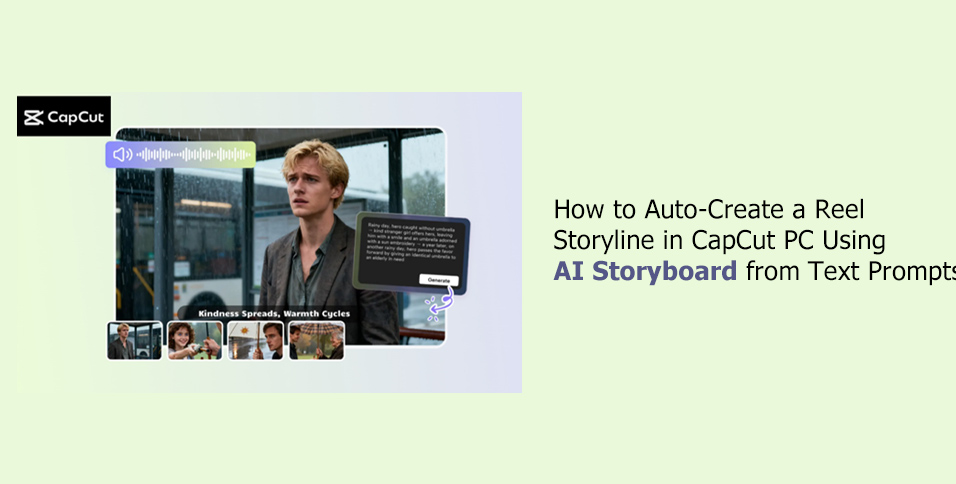
AI Storyboard is an application available in CapCut PC that converts your text instructions into a video plan. You give them your script, and they generate a storyboard of scenes, captions, transitions, and recommended visuals.
This is because you are able to preview how your video will appear prior to recording. Time is saved in using AI Storyboard since you are not required to plan each scene individually. The trend-ready Reel can be created within a number of clicks.
The creators have options for the video styles, including modern, playful, or cinematic, and select the aspect ratio of Instagram Reels. You are also able to add captions and choose music that best fits your video. You can also write or create your script in CapCut Desktop Video Editor using AI Writer before using AI Storyboard. It is, therefore, easier to produce a clean and ready-to-use storyboard script.
There are also AI avatars at CapCut PC. These avatars make moving videos, not moving pictures. There are more than 1, 000 characters to choose from, as well as 150 AI voiceovers to add professional narration or characters to your Reel.
Why AI Storyboard Reels
Instagram Reel requires time to create manually. You must plan every scene, come up with captions, and consider transitions. In CapCut PC, AI Storyboard, the initial step undertaken in planning is automated. This will assist you in concentrating on the creation of creative videos instead of arranging every detail.
AI Storyboard maintains the consistency of your video in terms of both storytelling and visual style. You will not have to worry about captions that are not matched with the scenes or appearance. It also provides inspiration for trends and hooks; therefore, you do not have to spend as much time contemplating what will attract attention.
AI Storyboard saves time among creators who upload more than one Reel or post on multiple platforms. You can easily create a concise plan for every video and use it whenever necessary.
Such complex features as custom avatars or special transitions can be paid for with the help of a paid subscription in CapCut Desktop Video Editor. AI Storyboards can be used to create slick, interesting Reels using bare materials.
How to automatically make a Reel Storyline in CapCut PC
Step 1: Install CapCut PC
To begin with, download CapCut Desktop Video Editor from the official site. Ensure that your computer matches the minimum system requirements in order to perform well. AI tools such as AI Storyboard, AI Writer and AI avatars will become accessible once installed. These characteristics accelerate and ease the process of video creation.
Step 2: Post Script or Write Using AI Writer
Open CapCut PC and choose the option of AI Video Maker. You may manually type your script or use Brainstorm with AI as a text generator and create one according to your topic. You can change the length, style, and tone of the script to suit your Reel. This will see to it that your storyboard will be guided by an outline.
Step 3: Create a Storyboard Using AI Storyboard
You can next choose Instant AI Video and say your script or have the AI-generated version. Choose a video style, including cinematic, modern, or playful, and choose the aspect ratio of Instagram Reels. You may use a voice-over or an artificial intelligence voice-over. Click on the Create button to create a storyboard, including scenes, captions, and transitions.
Step 4: Finalize Storyboard or FX/Music
Explore Elements, such as stickers, captions, and overlays, using the left panel. On the Music tab, one can choose background music or search for a song. AI edit gives you the ability to highlight captions or keywords, or time scenes, to add effect.
Step 5: Export or Keep on Editing
On satisfaction, select “Export” that allows setting of file name, resolution (up to 4K), and format. If you prefer to be in greater control, you can also use advanced CapCut PC features to transition, add effects, and overlays by clicking on the Edit More button.
Conclusion
Instagram Reels can be more easily and quickly created with the help of the AI Storyboard on CapCut PC. Simple text prompts can be easily turned into a clear storyboard with scenes, captions, and transitions within minutes. This would assist in maintaining uniformity of your videos as well as making them attractive without having to spend hours planning.
It is also possible to add AI avatars to your Reels. These avatars generate cartoon content and 150 voiceovers of artificial intelligence with 1,000 characters. They are ideal for providing narration or animated characters that would make your content more entertaining.
Basic features of CapCut Desktop Video Editor do not cost anything, although more powerful AI features, including custom avatars or special transitions, can be purchased by subscription.
Get CapCut PC on the official site and use AI Storyboard to make your next Reel. Watch your text thoughts become scroll-stopping videos that are attention-grabbing.