QR codes aren’t just convenient to use. They are a strategic weapon of mass use. We can see them in almost every industry. You may find their use in marketing campaigns, education, nonprofits, and small business operations. They engage your audience and share information. This overview helps you choose secure and user-friendly QR code tools.
Key Features in Focus
When considering the top QR code generator tools, we compared solutions on these important features:
- Multiple QR content types
- Dynamic codes
- Customization (templates, CTA, colors, frames)
- Branding support (add logo + URL slug)
- Analytics tracking
- Supporting formats like PNG, JPEG, SVG, ESP, etc.
- Very excellent user experience
- Pricing
- Support
Tools Overview: 17 Best QR Code Generators Compared
All data for this comparison was gathered from each provider’s official website, live testing, and publicly available product documentation.
1. ViralQR
Average Rating 4.8
Best Overall QR Code Generator for Advanced Features & Branding
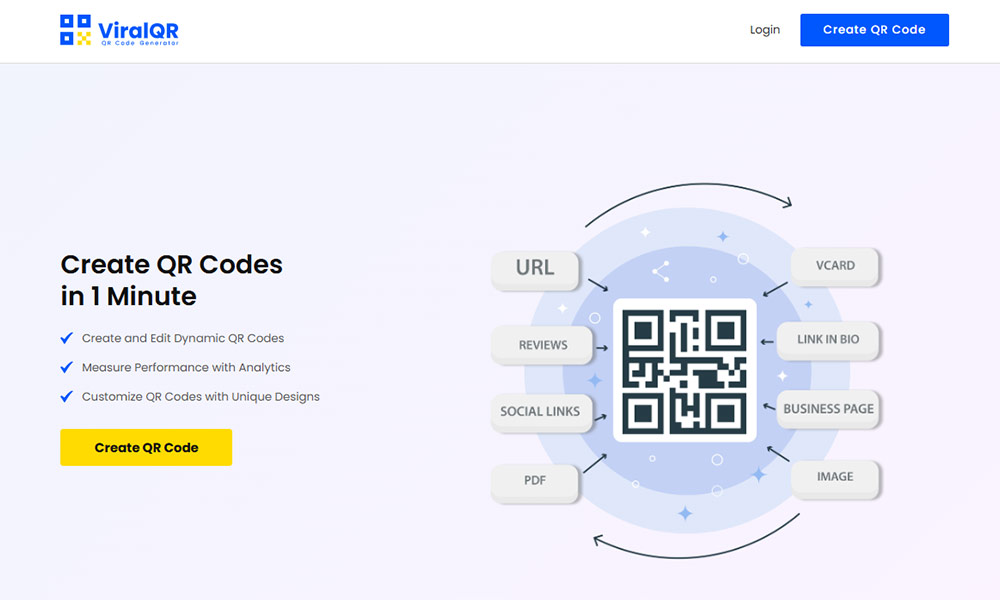
ViralQR is an online generator for QR codes. It is packed with a range of advanced features. It works perfectly for individuals, small business owners, and veteran marketers alike, helping you manage detailed marketing campaigns from top to bottom.
Top Features:
- Endless dynamic QR codes and static codes
- Many types of pages: link, vCard, image, PDF, social media, Wi-Fi, app stores, contact details, etc.
- Custom landing pages for dynamic codes, like integrating branding, text, color, and media
- Insert logos, custom frames, CTAs, and color control in full
- Edit destination URL or embedded content at any time without altering the QR code
- Extremely user-friendly for all skill levels
- In-depth analytics tracking such as total scans, unique users, device type, browser, city, country, time, language
- QR codes in SVG, PNG, JPG, and PDF, which are print-ready vector formats
- Controllable error correction (L/M/Q/H)
- Short URL slug customization for branded links
- Multilingual interface in 14+ languages
- Secure and GDPR-compliant
- Mobile-friendly dashboard
Advanced features:
- Password protection
- Scan limit
- Age restriction
- Schedule expiration
- QR code freeze/reactivate
Highlights:
- Custom QR code templates and design tools
- Functional QR codes designed for real-world results
- Works well for e-commerce, events, and commercial purposes
Missing Features:
- No API yet (under development)
- Bulk generation is coming soon
- Registration required
Pricing:
- 7-day Basic: $1.49 (1 dynamic QR code)
- 7-day Full Access: $1.99 (unlimited dynamic codes)
- Monthly Plan: $39.99
- Annual Plan: $239.88
- 30-day money-back guarantee
Why Choose ViralQR:
The ideal solution for marketers and businesses that need high-converting, custom QR codes with advanced tracking ability and design flexibility. Branded links, dynamic features, and detailed analytics make ViralQR the top QR code generator on our list.
2. QRflexi
Average Rating 4.5
It is a QR code generator used widely as it offers both free and paid tools for static and dynamic QR code generation.
Top Features:
- Dynamic and static codes
- Custom colors and logos
- Editable URL for dynamic codes
- Some tracking metrics
- Templates for social media, PDF, images, etc.
Highlights:
- Clean UI
- Free version available
- Offers basic analytics
Missing Features:
- Limited in-depth analytics
- No landing page customization
Pricing:
The free version is all-access. But it gives you limited options. But it gives you limited options. Paid plans cost you at least $7 per month.
Why Choose QRflexi:
Freelancers and small business users who need a reliable free QR code generator with options to upgrade should use it.
3. QRcoDeal
Average Rating 4.5
Basic generator with static QR code types and minimal design features.
Top Features:
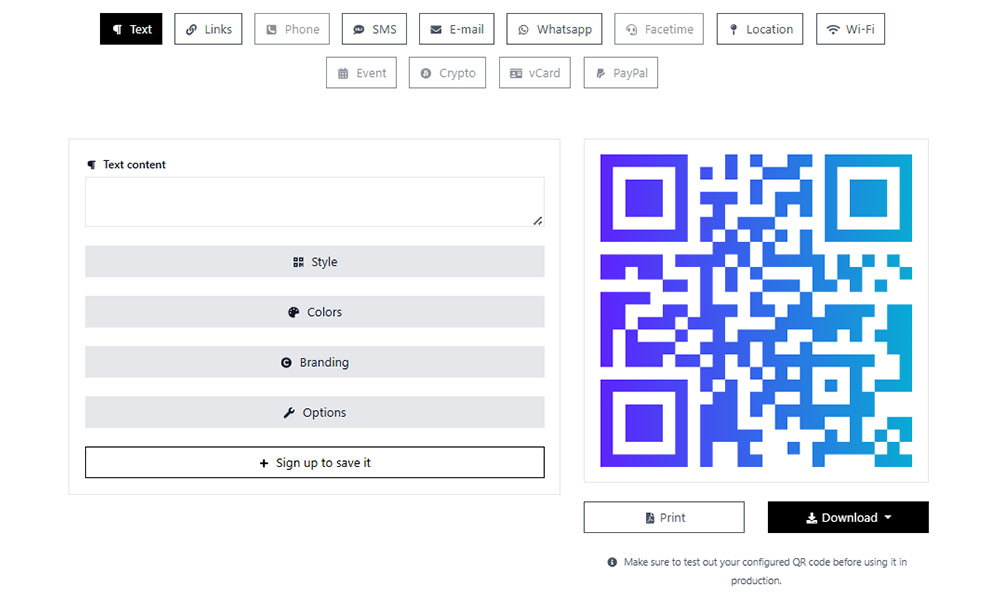
- Text, URL, phone, SMS, email QR codes
- Color selection
- No login required
Highlights:
- Simple and fast
- No sign-up needed
Missing Features:
- No dynamic codes
- No tracking or analytics
- Ads present
Pricing:
- Free
- Pro Plan $9.99/month
Why Choose QRcoDeal:
It is perfect for one-time use. If you want to create a simple QR code quickly, this is the tool for you.
4. MyQRhub
Average Rating 4.0
A QR code maker with a focus on business and educational uses.
Top Features:
- Supports PDF, audio, video, and presentation links
- Editable codes
- Password protection
- Basic analytics
- Custom logos and frames
Highlights:
- Supports multimedia QR types
- Good for commercial purposes
Missing Features:
- Interface is cluttered
- Limited landing page control
Pricing:
- Free plan available.
- Paid plans start at $5/month
Why Choose MyQRhub:
Teachers, event organizers, or businesses who need media QR codes with light customization.
5. Zebra QR Code
Average Rating 3.5
This platform is ideal for chain restaurants and food businesses.
Top Features:
- Basic QR code types
- Analytics for scan frequency
- Branding options
- Multiple languages
Highlights:
- Basic analytics included
- Basic customization options
- Support dynamic codes
Missing Features:
- Limited QR code data formats
- An account is required to use the service
- No advanced features
Pricing:
- $2/month (billed monthly)
- $20/year (billed annually)
Why Choose Zebra QR Code:
Ideal for anyone who needs simple dynamic QR codes at an affordable price.
6. Online QR Generator
Average Rating 3.5
An online QR code generator offering basic customization options and scan tracking for dynamic QR codes.
Top Features:
- Various embedded data types
- Color customization, patterns, frames, add logo, CTA
- Scan tracking
- QR code management
Highlights:
- User-friendly for quick jobs
- You must sign up to get started
Missing Features:
- Limited output formats
- API and bulk creation
Pricing:
- $43/month (billed monthly)
- $26.19/month (billed quarterly)
- $17.09/month (billed annually)
Why Choose Online QR Generator
Suitable for basic business use, but the pricing is relatively high.
7. Delivr.
Average Rating 3.0
It’s a very professional QR code generator. You can track how your campaign is doing with the help of Delivr. It’s perfect for professionals and niche marketers who use URL QR codes only.
Top Features:
- Dynamic QR codes
- Only 1 QR code type available
- Track scans and engagement
- URL shortening
- Custom domain support
Highlights:
- Analytics-focused
- Enterprise-level tools
Missing Features:
- Interface feels outdated
- Learning curve for beginners
Pricing:
It offers a free 90-day trial with limited editing features and scan analytics. After that, pricing starts at just $25 per month.
Why Choose Delivr.:
Marketing teams that need robust analytics and campaign control find Delivr quite beneficial.
8. Visualead
Average Rating 3.5
This QR code generator is visually creative.
Top Features:
- QR codes with embedded images
- Logo and brand support
- Landing page support
Highlights:
- Unique customizable templates
- Attractive code designs
Missing Features:
- Slower generation time
- Limited dynamic features
- Old-fashioned layout
Pricing:
You get a free trial with a 7-day QR code expiration. However, premium plans are required for full access to all features. The Lite Suite costs $54 per year but includes only limited scan analytics. The Full Suite is priced at $270 per year and still offers limited customization. The Enterprise plan, at $6,000 per year, provides access to all features.
Why Choose Visualead:
Ideal for designers or brands seeking eye-catching QR visuals and working with a high budget.
9. Generator QR
Average Rating 2.0
A lightweight QR code generator for basic needs with no login required.
Top Features:
- Supports basic QR code types like text, URL, email, phone, etc.
- Color adjustment and preview
- No tracking or analytics
Highlights:
- Very easy to use
- No registration needed
Missing Features:
- No dynamic codes
- Lacks advanced features
Pricing: Completely free
Why Choose Generator QR:
Users looking to generate QR codes instantly without having to go through setup or registration.
10. ForQRCode
Average Rating 3.5
An online tool for generating both static and dynamic QR codes with light branding support.
Top Features:
- Dynamic QR code support
- Editable URLs
- Color customization
- Tracking options available
Highlights:
- Offers basic analytics
- User-friendly for entry-level use
Missing Features:
- Limited branding tools
- No vector output formats
Pricing:
Free plan. Premium plans start from $4.99/month
Why Choose ForQRCode:
Small businesses that need editable codes with light tracking support.
11. Qrickit
Average Rating 2.5
Old-school QR code maker with basic generation options.
Top Features:
- URL, text, contact, calendar events
- No registration required
- Some customization
Highlights:
- Instant use without sign-up
- Simple interface
Missing Features:
- Outdated design
- No analytics or dynamic code support
Pricing: Free
Why Choose Qrickit:
Quick and simple QR generation for non-commercial uses.
12. QRCodeCreator
Average Rating 2.7
Simple QR code generator with a focus on ease of use.
Top Features:
- Static and dynamic codes
- Color customization
- Export in PNG files
Highlights:
- Simple and clear design
- Instant download
Missing Features:
- Limited number of dynamic QR codes
- Annual subscription only
Pricing:
- Basic $9.89 /month Billed annually
- Advanced $15.58/monthBilled annually
- Professional $46/month Billed annually
Why Choose QRCodeCreator:
One-time users who need quick and free QR codes.
13. Fotor QR Code Generator
Average Rating 3.7
Part of Fotor’s creative suite. It focuses on visual design.
Top Features:
- Stylish QR designs
- Add logo or images
- Supports text, URL, and email types
Highlights:
- Attractive interface
- Image-based customization
Missing Features:
- No dynamic codes
- No analytics or scan data
Pricing:
Free basic version. Premium version needed for full features.
Why Choose Fotor:
Designers and content creators who need a custom scannable QR code with visual appeal find this one quite user-friendly.
14. FreeQRCode
Average Rating 2.0
This QR code generator is very easy to use. It has custom design features, too.
Top Features:
- Logo upload
- Color customization
- QR code templates for business cards, events, etc.
Highlights:
- Clean UI
- High-resolution download
Missing Features:
- No tracking
- No editable URLs
Pricing: Free. No premium model is available.
Why Choose FreeQRCode:
You can create QR codes for flyers or business promotions without tracking needs.
15. BeBran QR Code Generator
Average Rating 2.5
A well-designed tool with a fancy interface and fast code creation.
Top Features:
- Dynamic and static codes
- Color and shape customization
- Logo upload
- High-res formats
Highlights:
- Clean, professional layout
- Offers vector graphic outputs
Missing Features:
- Limited analytics
- No short URL customization
Pricing: Free
Why Choose BeBran
Brand-conscious users who want polished and custom QR codes quickly and for free.
16. QRMenuCreator
Average Rating 3.0
Customized specifically for restaurant menus with a mobile-first design.
Top Features:
- Menu management system
- QR code for each menu
- Editable at any time
Highlights:
- Optimized for mobiles
- Simple dashboard for restaurants
Missing Features:
- No general-purpose code support
- No analytics unless upgraded
Pricing: Free version available. Paid plans available for multi-menu support
Why Choose QRMenuCreator:
Restaurants that are looking for fast digital menu deployment using QR code generation.
17. LogoDesign QR Code Generator
Average Rating 2.7
A free QR generator combined with logo creation features.
Top Features:
- Create QR with embedded logos
- Customize frame and shape
- Download as PNG
Highlights:
- Easy branding integration
- Simple design options
Missing Features:
- No analytics
- Static codes only
Pricing: Free
Why Choose LogoDesign:
New businesses designing logos and basic QR codes.
Final Thoughts
QR codes used to be very niche tools. Only experienced marketers knew about them and used them. But now they have become mainstream! Small business owners use them as well. You can engage more customers and share contact information with the help of a QR code that can be scanned by a customer’s smartphone. Choosing the right QR code generator depends on your specific needs. Hopefully, this selection helped you identify the tool that best fits your use case.
Need a quick, static code without registration? Tools like QRcoDeal or QRCodeCreator are great for simple, one-time use.
Running a marketing campaign and need scan tracking or editable codes? Choose a tool with dynamic QR codes and analytics, such as ViralQR, Delivr, or QRflexi.
Focused on design and visual appeal? Creatives may prefer Visualead or Fotor for customizable and branded codes.
Own a restaurant? Check out QRMenuCreator, built specifically for digital menus and food service needs.
Every tool on this list has its strengths and limitations, and the “best” QR code generator is the one that aligns with your goals, budget, and customization preferences.
Frequently Asked Questions
Q1: What types of information can I link to with a QR code?
QR codes connect to URLs, contact information (vCards), Wi-Fi logins, emails, SMS, social media profiles, PDFs, apps, coordinates, events, etc.
Q2: What is the difference between static and dynamic QR codes?
You can change static data after generating a QR code. Dynamic QR codes let you alter the content or the URL after the QR code is printed. This implies that you can, if you wish, get dynamic codes to organize scans and to run activities by getting a report of the total number of scans and the number of unique users using the same code. In this case, now you have even more options for your marketing activities through the tracking of one or the other.
Q3: How can I customize my QR code? What are basic and advanced features?
Customization involves such features as changing colors, adding frames, or reshaping. Advanced capabilities, provided by the likes of ViralQR, require users who want to insert their logos to have unique and custom QR code templates, call-to-action overlays, branded short URLs, password protection, scan limits, and mobile-friendly landing pages. The higher the level of implementation of the QR Code, the more benefits can be derived from it during its period of use.
Q4: Can I track my QR Code performance? What metrics should I track and why?
Yes. Total scans, unique users, device type, region, and time of scans are some parameters you can measure. When you track these, you can optimize user engagement, address the marketing needs of the customers, and evaluate the campaign.
Q5: What QR code image format is best for print materials and digital use?
Your best bet for printing is vector formats like SVG or PDF, which means you can have razor-sharp and scalable QR codes without any pixelation. Meanwhile, for digital use, the most used are PNG image files with transparency or JPEG files, which are small in size. Besides, most QR code creators permit you to save the QR codes in various image file formats for different platforms.
Also Read: QR Codes in Daily Life: Practical Applications for Ultimate Convenience