In today’s digital world, photo quality can make or break your visual content. Whether you’re scrolling through social media feeds filled with nano banana trends or working with AI-generated images that lack the resolution you need, poor image quality is a common frustration. The reality is that most AI-generated images don’t provide high resolution enough for professional use, leaving many content creators searching for solutions.
The good news? You don’t need expensive software or professional skills to enhance photo quality. Modern AI-powered tools have revolutionized how we improve images, making it possible to transform low-quality photos into stunning, high-resolution visuals in just a few clicks.
Key points covered in this article:
- Understanding why photo quality enhancement matters
- Essential tool requirements for the best results
- Step-by-step guide to enhance your images
- Why AI-powered upscaling delivers superior results
- Practical tips for choosing the right enhancement tool
Why Photo Quality Enhancement Matters More Than Ever
Poor image quality can seriously impact your content’s effectiveness. Blurry, pixelated, or low-resolution images create a negative first impression and can hurt your brand’s credibility. Whether you’re creating social media content, business presentations, or personal photo albums, high-quality images are essential for capturing attention and conveying professionalism.
The challenge becomes even more significant when working with AI-generated content or older photos that don’t meet today’s standards. Many creators find themselves stuck with images that look great in concept but fall short in technical quality.
Essential Tool Requirements: What You Need to Get Started
To effectively enhance photo quality, you need a reliable AI-powered upscaling tool. While there are many options available, not all tools deliver the same results. The key is finding a solution that combines ease of use with advanced technology.
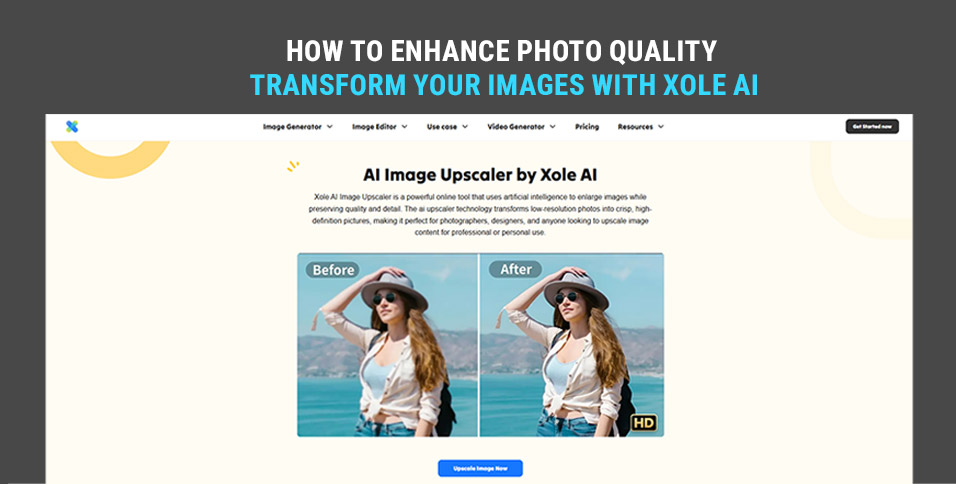
We recommend Xole AI Image Upscaler for its exceptional performance and user-friendly interface. This tool stands out because it leverages cutting-edge AI algorithms specifically designed for image enhancement, making it possible to achieve professional results without technical expertise.
Step-by-Step Guide: How to Enhance Photo Quality
Step 1: Access the Xole AI Image Upscaler
Begin by visiting the Xole AI platform. The interface is designed with simplicity in mind, so you won’t need to navigate through complicated menus or settings. The clean, intuitive design makes it accessible for users of all skill levels.
Step 2: Upload Your Image
Click the upload button and select the photo you want to enhance. The platform accepts various image formats, including JPEG, PNG, and other common file types. You can upload images directly from your computer or mobile device without any size restrictions for most standard photos.
Step 3: Click Start Enhancement
Once your image is uploaded, simply click the enhancement button. This is where the magic happens – the AI analyzes your image and applies sophisticated algorithms to improve resolution, reduce noise, and enhance overall quality. The process typically takes just a few seconds, depending on your image size.
Step 4: Download Your Enhanced Image
After the enhancement process is complete, you can preview the results and download your improved image. The difference in quality is usually immediately noticeable, with sharper details, better clarity, and significantly improved resolution.
Why Choose Xole AI Image Upscaler Over Other Solutions
1. Incredibly Easy to Use
The platform eliminates the learning curve typically associated with photo editing. You don’t need to understand complex settings, filters, or adjustment layers. The streamlined process means anyone can achieve professional results in minutes, not hours.
2. Advanced AI Technology with One-Click Enhancement
Xole AI Image Upscaler utilizes the latest AI models specifically trained for image enhancement. These advanced algorithms can intelligently upscale images up to 4x their original resolution while preserving fine details and preventing the artificial look that often comes with traditional upscaling methods.
The one-click enhancement feature analyzes your image and automatically applies the optimal settings. This means you get consistently excellent results without needing to experiment with different parameters or worry about making the wrong adjustments.
3. Bonus Features: Image Generation and AI-Powered Editing
Beyond upscaling, the Xole AI platform offers additional creative tools. You can generate new images using AI prompts, perform basic editing tasks, and even create variations of existing images. This comprehensive approach means you have multiple solutions in one platform, saving time and reducing the need for multiple tools.
Understanding the Technology Behind AI Photo Enhancement
Modern AI upscaling works differently from traditional methods. Instead of simply stretching pixels, AI algorithms analyze the image content and intelligently predict what the missing details should look like. This process, called “super-resolution,” creates genuinely new pixel data based on patterns learned from millions of high-quality images.
The result is enhanced images that maintain natural textures, sharp edges, and realistic details. This is particularly important when working with photos that will be printed, displayed on high-resolution screens, or used in professional contexts where quality matters.
Best Practices for Photo Quality Enhancement
Choose the Right Source Images
While AI can work miracles, starting with the best possible source image will always yield better results. If you have multiple versions of the same photo, choose the one with the highest original resolution and least compression.
Consider Your Final Use Case
Think about where your enhanced image will be used. Different applications may require different approaches. For web use, moderate enhancement might be sufficient, while print materials or large displays may benefit from maximum upscaling.
Maintain Realistic Expectations
AI enhancement can dramatically improve image quality, but it cannot create details that were never there. The best results come from images that have good composition and adequate lighting, even if the resolution is limited.
Final Thoughts
Enhancing photo quality no longer requires expensive software or years of training. With AI-powered tools like the Xole AI Image Upscaler, anyone can transform low-resolution images into stunning, high-quality visuals. The combination of advanced AI technology, user-friendly design, and reliable results makes it an essential tool for content creators, businesses, and anyone who values visual quality.
Whether you’re dealing with AI-generated images that need higher resolution, old photos that deserve new life, or simply want to ensure your visual content meets modern standards, the right enhancement tool can make all the difference. Take advantage of these powerful technologies and see how dramatically improved image quality can enhance your digital presence and creative projects.